100/1000M Network Adapter+HUB Adapter

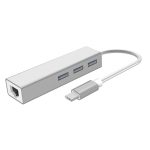
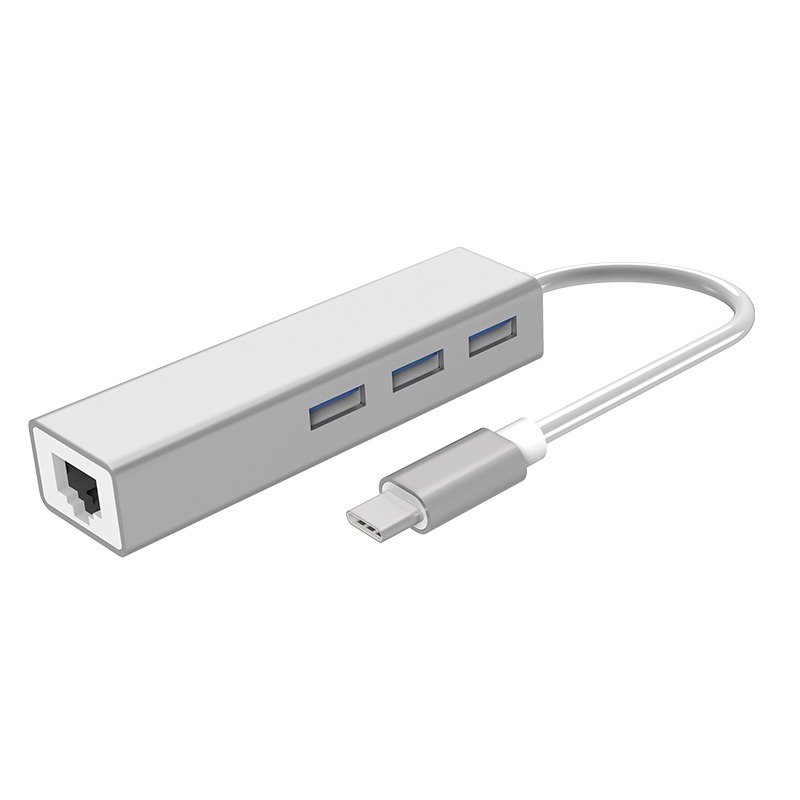
The CF-TR13 is a 100Mbps network adapter designed for Type-C laptops, integrating hub expansion functionality with network card capabilities. It expands 3 USB ports and 1 Ethernet port, solving internet access issues such as laptops without Ethernet interfaces and desktop network card failures.
 
  • Aluminum alloy shell with a sandblasted finish, featuring exquisite craftsmanship

  • Compliant with the IEEE 802.3 standard

  • Auto-adapts to 10/100Mbps transmission networks

  • Powered by the Realtek RTL8152B chipset

  • Equipped with 1 RJ45 Ethernet port + 3 USB 3.0 ports

  • Broad compatibility with multiple operating systems

  • Provides full-duplex/half-duplex Fast Ethernet connectivity

  • Offers a stable wired network alternative when WiFi is unstable

  • USB 3.0 ports support the connection of USB flash drives, mice, and other USB devices

Contact Us

Online Service

Service hours: Mon-Fri 9:00-12:00, 13:30-18:30 (excluding holidays)

Product Repair

Repair Address

9th Floor, Building H, Huanan Digital Valley, No.1Huanan Road, Longhua District, Shenzhen, China

Telephone

Phone: 86-755-83790059
ZIP/Postal code:518109

Service Time

Monday to Friday
9:00-12:00,13:30-18:30

描述

sdfdsf

Hardware Specification RTL8152B
Drive Free Support
USB Port USB3.0
Physical Interface 1*10/100Mbps RJ45
3*USB
Network Protocol IPv4/IPv6, IEEE 802.3 Standard
Web Environment 100Mbps and Below Networks
Shell Aluminum alloy
Suit For Type-c Laptop
The length of cable 15cm (±0.2)
Size 86*24*16mm
Support OS 1.Windows 8/10/Mac 10.9 and above systems
(Free driver, Plug and Play)
2.Windows2003-2007(32 bits/64 bits)/Mac 10.9 system below
requires manual installation of a built-in driver
3.Support Android/Linux system (Requires device support
or debugging)
Working Environment Working Temperature: 0℃~40℃
Storage Temperature: -40℃~70℃
Working Humidity: 10%~90%RH Non-condensing
Storage Humidity: 5%~90%RH Non-condensing

Be Familiar With Quickly

Follow the guide quickly

Initial video configuration

How Often Should l Replace My Home Router?

Product Video

Frequently Asked Question

100/1000M Network Adapter+HUB Adapter

The CF-TR13 is a 100Mbps network adapter designed for Type-C laptops, integrating hub expansion functionality with network card capabilities. It expands 3 USB ports and 1 Ethernet port, solving internet access issues such as laptops without Ethernet interfaces and desktop network card failures.
 
  • Aluminum alloy shell with a sandblasted finish, featuring exquisite craftsmanship

  • Compliant with the IEEE 802.3 standard

  • Auto-adapts to 10/100Mbps transmission networks

  • Powered by the Realtek RTL8152B chipset

  • Equipped with 1 RJ45 Ethernet port + 3 USB 3.0 ports

  • Broad compatibility with multiple operating systems

  • Provides full-duplex/half-duplex Fast Ethernet connectivity

  • Offers a stable wired network alternative when WiFi is unstable

  • USB 3.0 ports support the connection of USB flash drives, mice, and other USB devices

Contact Us

Online Service

Service hours: Mon-Fri 9:00-12:00, 13:30-18:30 (excluding holidays)

Product Repair

Repair Address

9th Floor, Building H, Huanan Digital Valley, No.1Huanan Road, Longhua District, Shenzhen, China

Telephone

Phone: 86-755-83790059
ZIP/Postal code:518109

Service Time

Monday to Friday
9:00-12:00,13:30-18:30

描述

sdfdsf

Hardware Specification RTL8152B
Drive Free Support
USB Port USB3.0
Physical Interface 1*10/100Mbps RJ45
3*USB
Network Protocol IPv4/IPv6, IEEE 802.3 Standard
Web Environment 100Mbps and Below Networks
Shell Aluminum alloy
Suit For Type-c Laptop
The length of cable 15cm (±0.2)
Size 86*24*16mm
Support OS 1.Windows 8/10/Mac 10.9 and above systems
(Free driver, Plug and Play)
2.Windows2003-2007(32 bits/64 bits)/Mac 10.9 system below
requires manual installation of a built-in driver
3.Support Android/Linux system (Requires device support
or debugging)
Working Environment Working Temperature: 0℃~40℃
Storage Temperature: -40℃~70℃
Working Humidity: 10%~90%RH Non-condensing
Storage Humidity: 5%~90%RH Non-condensing

Be Familiar With Quickly

Follow the guide quickly

Initial video configuration

How Often Should l Replace My Home Router?

Product Video

Frequently Asked Question