



















Best Travel Router for Hotel WiFi
Quick Take:
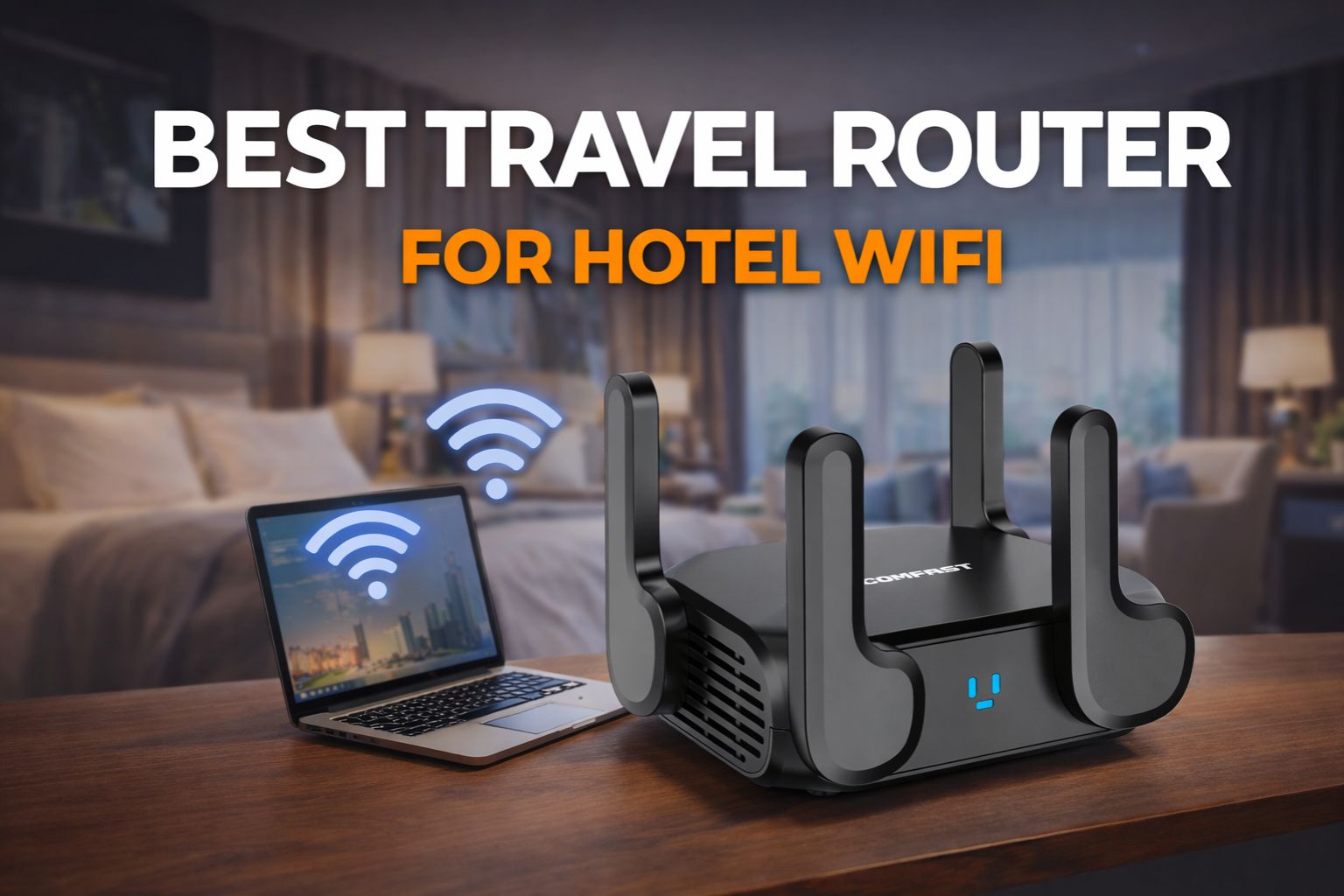
The best travel router for hotel WiFi should work smoothly with hotel login systems, handle multiple devices with less hassle, and add a more private connection layer for travel.
For business travelers, remote workers, families, and anyone carrying a laptop, phone, tablet, or streaming device, a travel router can make hotel internet much easier to manage. The right model is not just portable — it also needs to handle hotel WiFi conditions well.
A travel router will not magically upgrade a weak hotel internet line, but it can improve convenience, device management, and privacy when you are dealing with shared networks, repeated logins, and several connected devices. In hotels, that added control is often more valuable than raw speed alone.
In this guide, you will learn 8 practical buying tips to help you choose the right model for hotel travel. You will also see why products like the COMFAST CF-WR632AX stand out for users who want portable WiFi 6, better multi-device support, and a more travel-friendly setup.
Quick Answer: What Is the Best Travel Router for Hotel WiFi?
The best travel router for hotel WiFi should work smoothly with hotel login systems, support multiple devices, and create a more private, more manageable connection during hotel stays.
In practice, the best model is usually a compact dual-band WiFi 6 router with reliable hotel compatibility, easy setup, and enough performance for laptops, phones, tablets, and other travel devices. What matters most is not chasing the highest speed on paper, but choosing a router that handles real hotel conditions well.
That is because hotel internet often comes with shared networks, repeated logins, and several devices competing for access. A travel router will not magically increase the hotel’s incoming bandwidth, but it can make your connection easier to manage, more consistent across devices, and more private on public WiFi. For this kind of use, portable WiFi 6 models such as the COMFAST CF-WR632AX are strong options to consider.
Below, we break down 8 practical buying tips to help you judge which travel router is the right fit for hotel travel, remote work, privacy, and multi-device use.
Why the Right Travel Router Matters in Hotels
Hotel WiFi often creates a very different experience from the internet you use at home or in the office. Connections can be unstable, login pages may interrupt access, and several personal devices often need to share the same network at the same time. On top of that, hotel internet is still a public environment, which makes privacy and connection control more important than many travelers expect. In hotels, the real value of a travel router is not just speed — it is stability, control, and convenience in a network environment that is often unpredictable.
This is why the right router matters more in hotels than many travelers first assume. Instead of letting every phone, laptop, tablet, or streaming device deal with the hotel network separately, a good travel router helps create a setup that feels easier to manage. It can reduce repeated connection friction, make multi-device use more practical, and add a more private layer between your devices and the hotel’s guest network.

That does not mean every travel router is equally suitable for hotel use. Some models are easier to set up, some handle crowded wireless conditions better, and some offer a more practical balance of portability, stability, and long-term reliability. The next 8 tips explain what to look for before choosing the right model for hotel travel.
8 Tips for Choosing the Best Travel Router for Hotel WiFi
Tip 1. Choose a Router Designed for Hotel Networks
Hotel networks are very different from home WiFi. In many hotels, getting online means dealing with login pages, repeated sign-ins, shared guest access, and connections that do not always behave consistently. That is why compatibility should be one of the first things you check when choosing a hotel travel router.
For hotel use, compatibility matters before speed.
A router can look impressive on a spec sheet and still become frustrating in a hotel room if it handles captive portals poorly or forces you to repeat setup steps across devices. A practical model should reconnect reliably, work smoothly with hotel login systems, and make it easier to bring your phone, laptop, and tablet onto one travel setup without extra hassle.
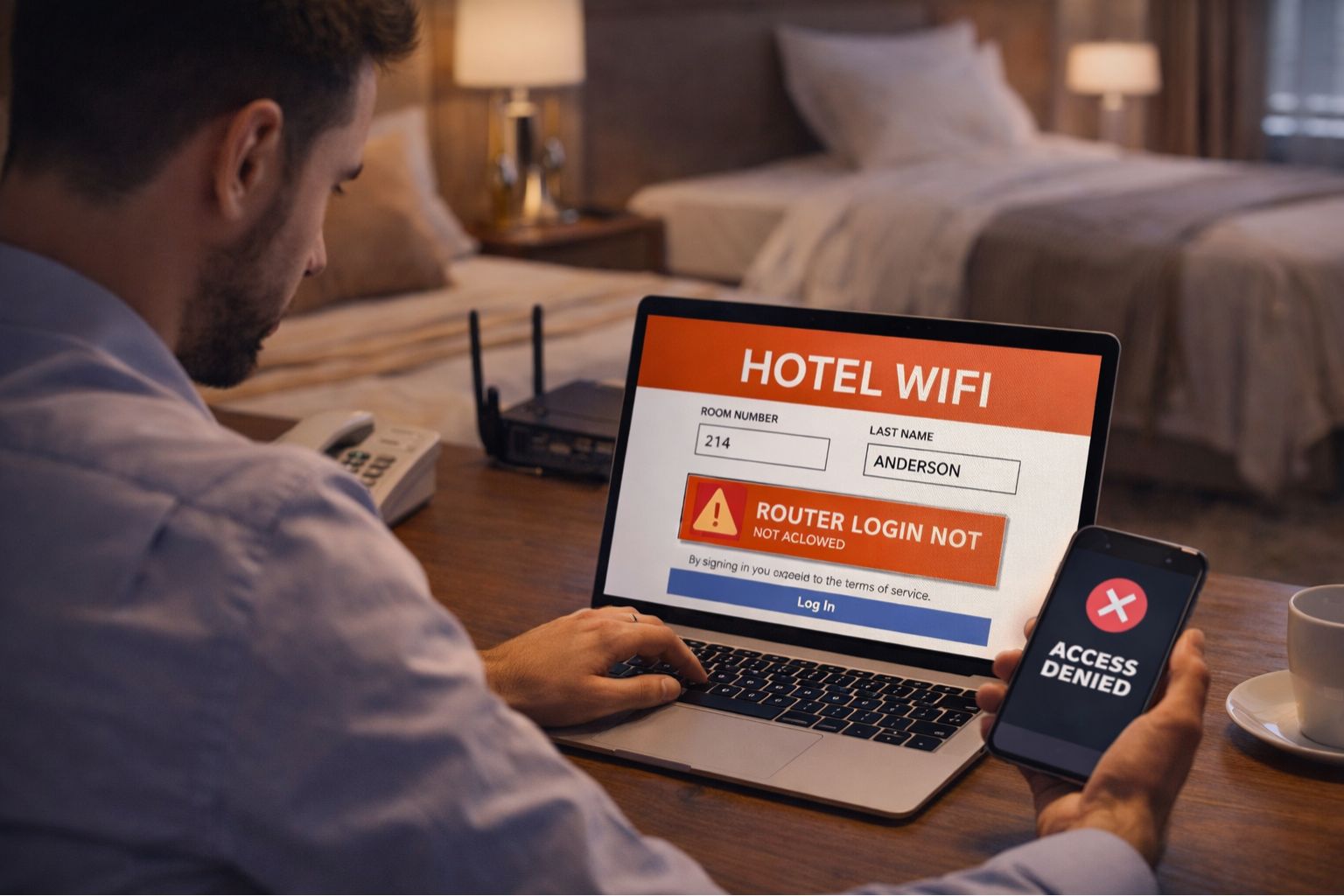
Before comparing speed or extra features, check whether the router is built to handle hotel login pages and repeated reconnections.
A useful buying standard is simple: if a router is hard to set up on guest WiFi, struggles with captive portal access, or makes multi-device connection feel messy, it is probably not a strong fit for hotel travel, no matter how attractive the advertised specs look.
Tip 2. Look for True Portability, Not Just a Small Router
A router can be small and still be inconvenient to travel with. Some models look compact in product photos but become awkward in real hotel use because they need bulky power adapters, take up too much space on a crowded desk, or add one more thing to manage in your bag. That is why portability should be judged by travel use, not size alone. True portability means easy packing, easy powering, and easy setup in small travel spaces.
In practice, a travel-friendly router should fit easily with your charger, cables, and adapters without forcing you to reorganize everything around it. It should also be simple to place and power in a hotel room, where outlets are often limited and desk space is rarely generous. A router that is slightly larger on paper can still be the better choice if it is easier to carry, power, and deploy.
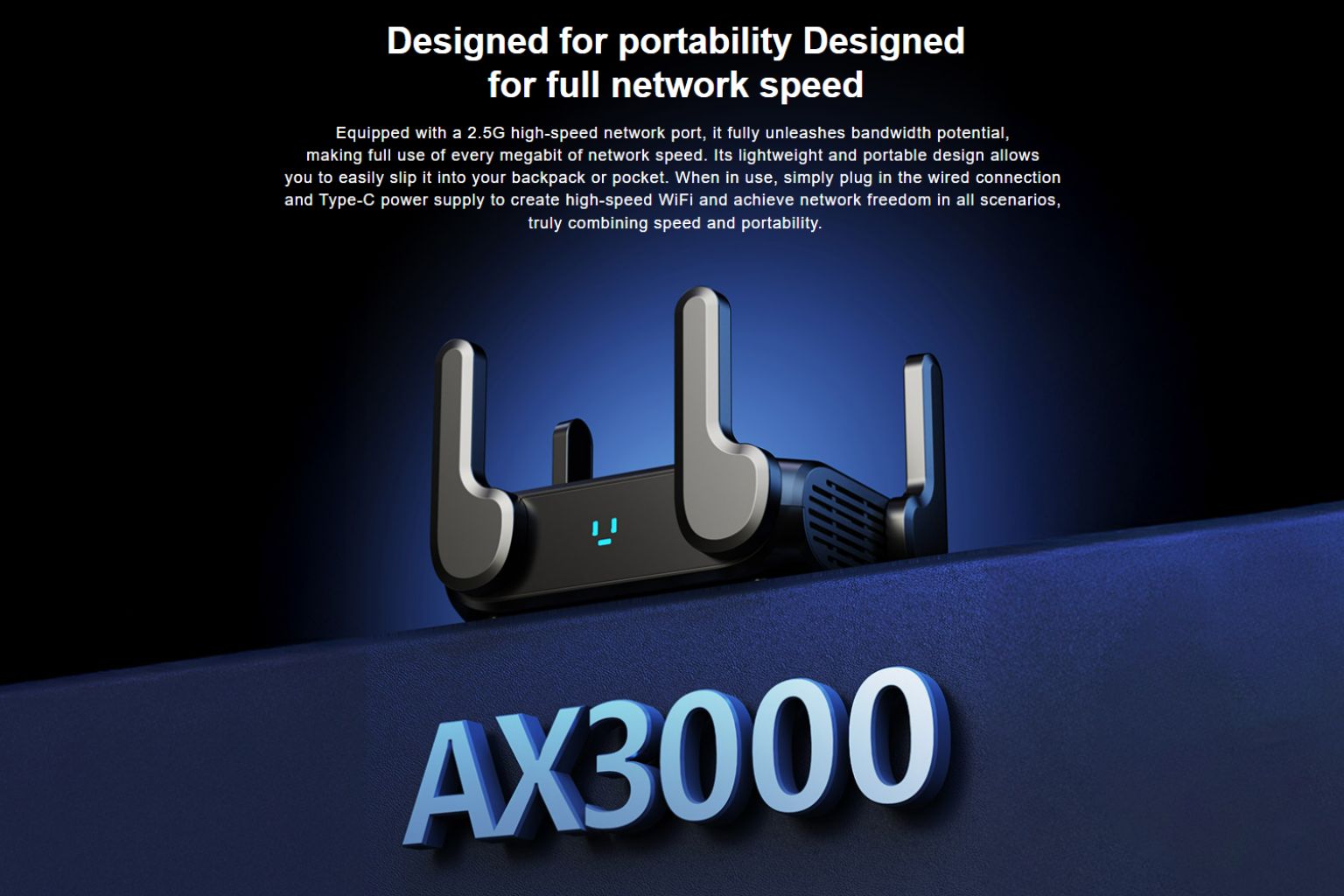
A useful buying standard is this: before choosing a model, ask whether it can be packed quickly, powered without special effort, and set up without turning a short hotel stay into a mini equipment project. If the answer is no, it may be compact, but it is not truly portable for travel.
Tip 3. Why Modern Wireless Standards Matter in Hotels
In hotel environments, wireless conditions are rarely clean or predictable. The 2.4GHz band is often more crowded, nearby rooms add interference, and multiple guest devices compete for limited space on the network. That is why dual-band support matters in travel use: it gives your devices more flexibility instead of forcing everything onto one congested lane. Dual-band WiFi 6 matters because hotel networks are often crowded, not because newer specs automatically guarantee faster internet.
Dual-band: more flexible for hotel rooms where signal strength and interference can vary.
WiFi 6 adds value because it is generally better at handling busy wireless environments and several active devices at once. In practice, that often means smoother stability and less fragility during real hotel use, especially when you are switching between a laptop, phone, tablet, or streaming device over the course of a stay.
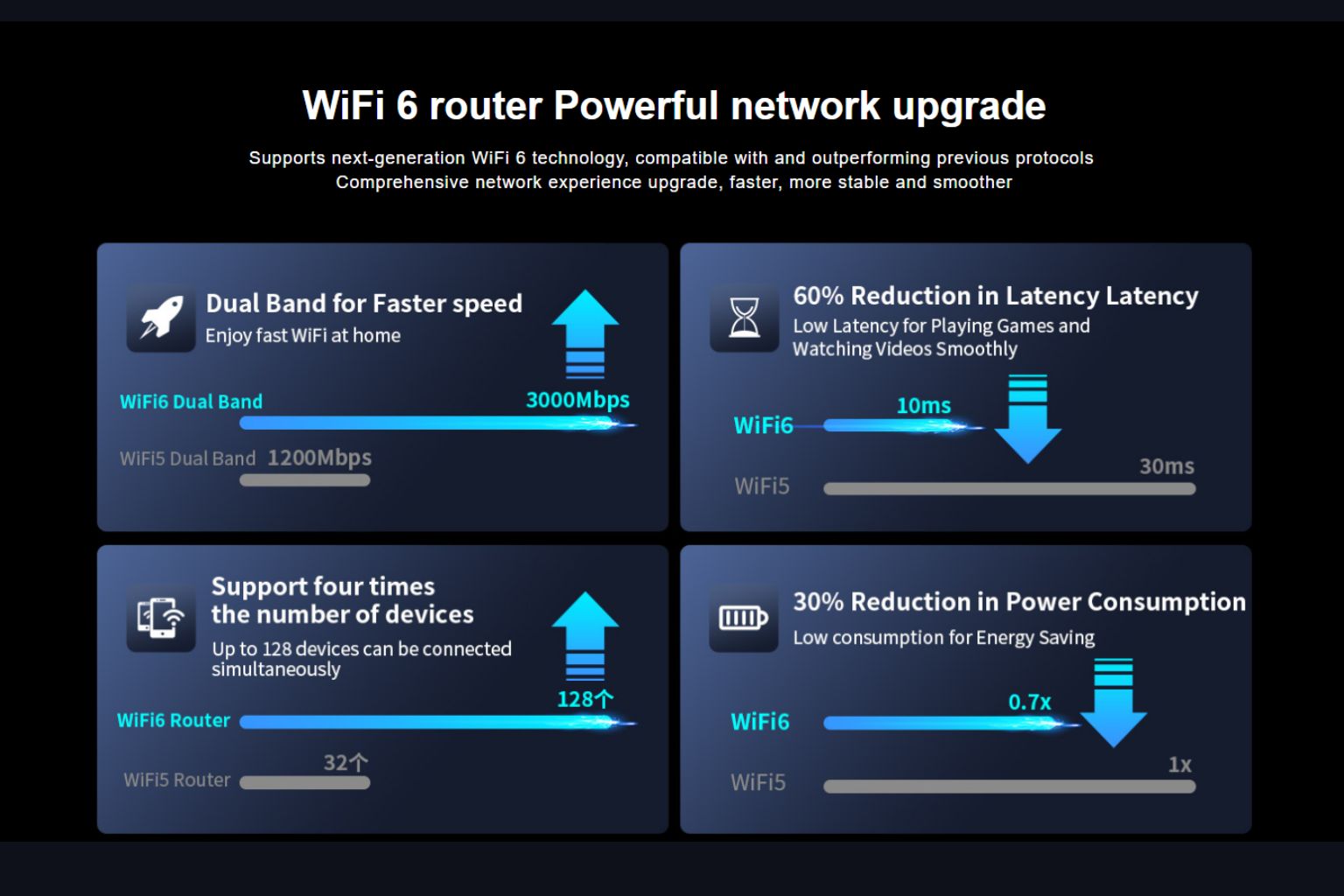
A useful buying standard is simple: look for dual-band support and a modern wireless standard, but do not expect either one to fix a weak hotel internet line by itself. They improve efficiency and flexibility inside the room; they do not replace the quality of the hotel’s upstream connection.
Tip 4. Choose a Router That Handles More Than One Device Well
Hotel travel is rarely a one-device situation anymore. A single traveler may already carry a phone, laptop, tablet, earbuds, and a streaming device, while family travel or work trips can double that number very quickly. That is why multi-device performance should be judged by stability under normal travel use, not by how well a router performs in a simple one-device test. For hotel travel, a router should stay stable across several active devices, not just perform well in a one-device test.
• phone + laptop + tablet
• family travel or small team use
In practice, what matters most is whether the router stays calm when several devices are active at once. Your connection should not feel fragile every time a phone starts syncing photos, a laptop joins a video call, or a tablet begins streaming in the background. A good travel router makes those overlaps feel manageable instead of turning them into constant interruptions.
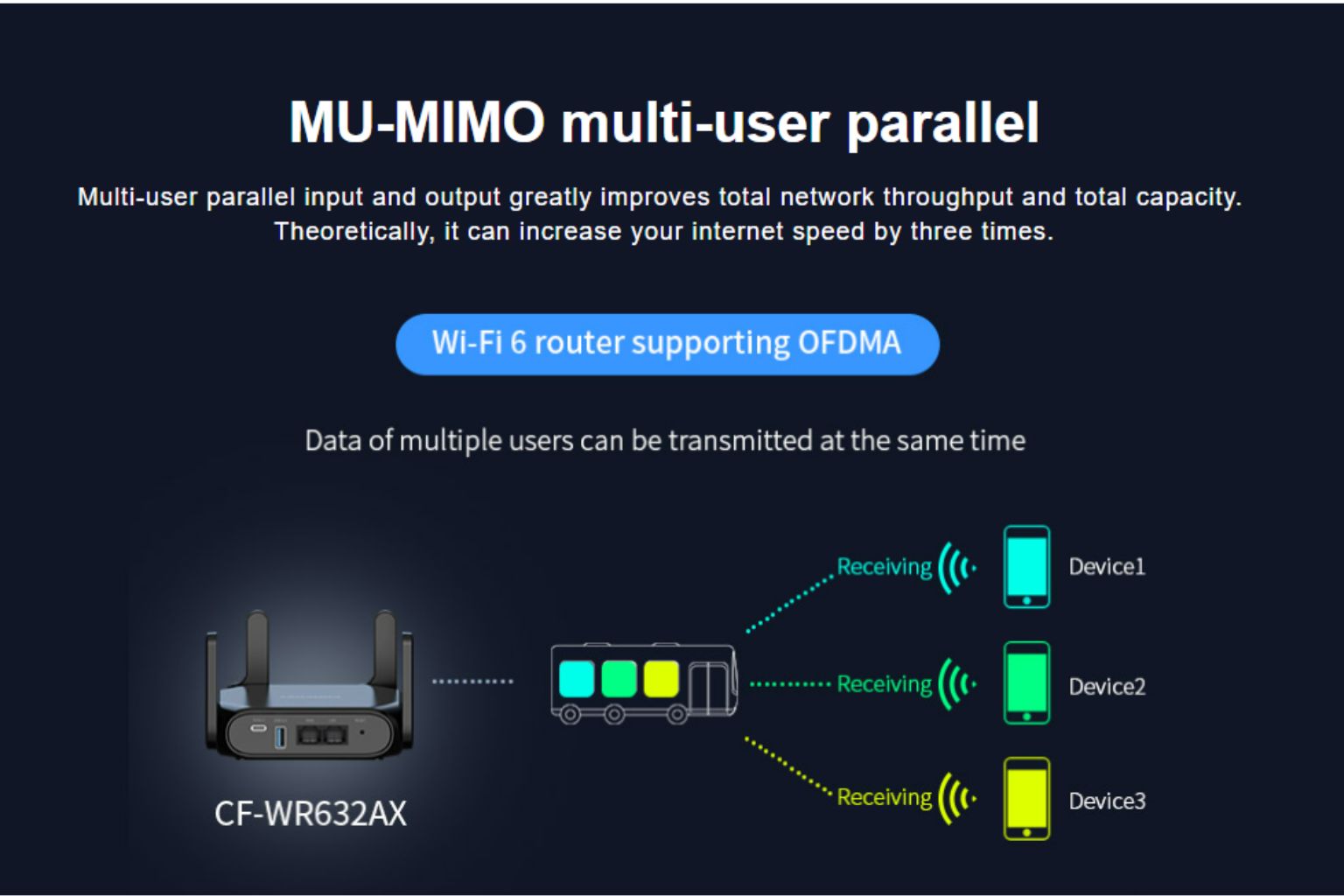
A useful buying standard is simple: ask whether the router can keep multiple devices connected without frequent drops, lag spikes, or annoying setup friction when switching between everyday travel devices. If performance feels smooth only when one device is online, it is probably not a strong fit for hotel stays, remote work, or family travel.
Tip 5. Protect Your Data on Public Hotel Networks
Hotel WiFi is convenient, but it is still a public network environment. You usually do not know who else is connected, how well the network is managed, or how much control you really have once every device joins the same guest system. That is why security deserves its own place in the buying decision for a hotel travel router.
In hotels, security is less about advanced theory and more about keeping your connection more private and more controlled on public WiFi.
A travel router adds value here by creating a more controlled local connection for your own devices instead of letting each phone, laptop, or tablet connect directly to the hotel network on its own. That does not remove every public WiFi risk, but it does make your setup feel less exposed and easier to manage during work, browsing, payments, or file access while traveling.

A useful buying standard is simple: ask whether the router helps you keep your devices on one private local setup and gives you more control than connecting each device separately to guest WiFi. If it only adds convenience but no real sense of connection control, its security value is limited.
Tip 6. Do Not Let the Router Become the Bottleneck
Wireless standards matter, but they are only part of the picture. A travel router can advertise modern features and still feel weak in real use if its internal performance cannot keep up with everyday workloads. That is why hardware deserves separate attention when you are choosing a router for hotel travel. A hotel travel router should be able to hold up under real use, not just look good on a spec sheet.
In practice, this affects how smoothly the router handles sustained use, several connected devices, and everyday tasks that overlap during a hotel stay. Some compact models seem attractive at first but become less reliable once they are running for longer periods or carrying more than a light workload. What looks modern in a product listing may feel underpowered when you actually depend on it.

A useful buying standard is simple: do not judge the router only by labels or headline specs. Ask whether it is likely to stay stable during extended use, whether it can handle several active devices without feeling fragile, and whether it seems built for current travel habits rather than just for basic, occasional use. If the router itself becomes the limiting factor, the rest of the setup matters much less.
Tip 7. Pay Attention to Small Features That Improve Daily Travel Use
Core specs matter, but travel convenience often comes from smaller details. A router may look similar to another model on paper, yet feel much easier to use on the road because it is simpler to power, easier to place in a hotel room, or quicker to adapt when the setup changes. That is why extra features should be judged by usefulness, not by how many there are. In travel use, small convenience features often matter more than flashy extras.
• simple setup and easy switching between locations
• practical ports or management features that support daily travel use
In real hotel stays, these details affect how quickly you can get online and how little effort the router adds to your routine. A feature does not need to sound impressive to be valuable. If it reduces setup friction, works well with the chargers and accessories you already carry, or makes the router easier to use in different rooms and travel situations, it is doing real work.
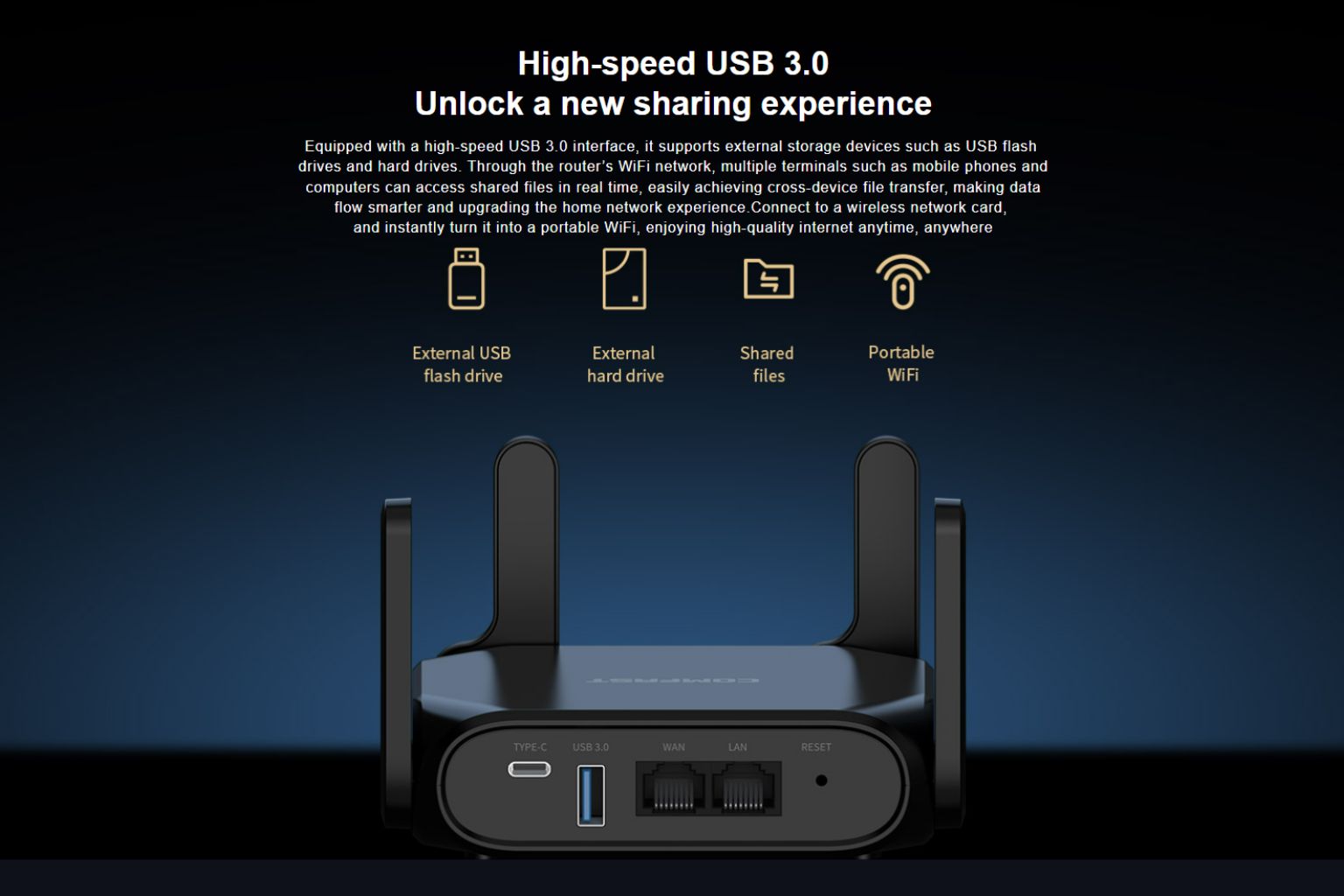
A useful buying standard is simple: ask whether a feature will make packing, powering, setup, or everyday access easier during a trip. If it does not improve one of those practical moments, it is probably a bonus feature rather than a meaningful travel advantage.
Tip 8. Choose a Router Backed by a Reliable Manufacturer
Specifications matter, but they do not tell the whole story. A travel router is not a throwaway accessory that only needs to work once. It needs to stay useful across repeated trips, unfamiliar hotel networks, and everyday travel routines. That is why the reliability of the manufacturer behind the device deserves attention as part of the buying decision. A reliable manufacturer matters because travel routers need to stay useful beyond the first trip.
In practical terms, this affects firmware stability, long-term usability, support quality, and how consistently the router performs once you actually depend on it. Two devices can look similar on paper but lead to very different ownership experiences if one comes from a manufacturer with better networking experience and more dependable product development.
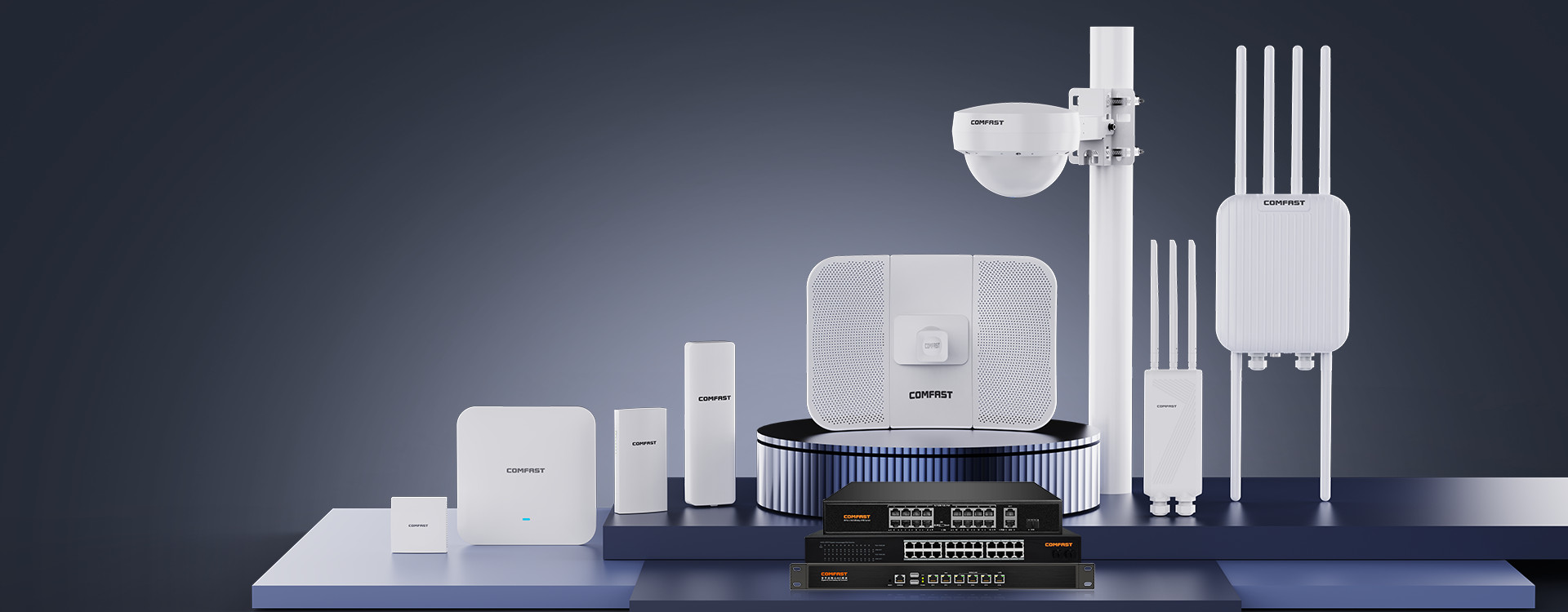
A useful buying standard is simple: look beyond the headline specs and ask whether the brand appears capable of supporting the product well over time. For individual users, that usually means fewer surprises after purchase. For channel or bulk buyers, it also points to better supply consistency and a more dependable product base.
Our Top Pick for Hotel Travel: CF-WR632AX
After looking at compatibility, portability, wireless standards, multi-device handling, security, and long-term reliability, it becomes easier to define what a strong hotel travel router should actually offer. The best option is not simply the smallest or the fastest on paper. It is the one that combines travel-friendly design with practical performance in real hotel environments.
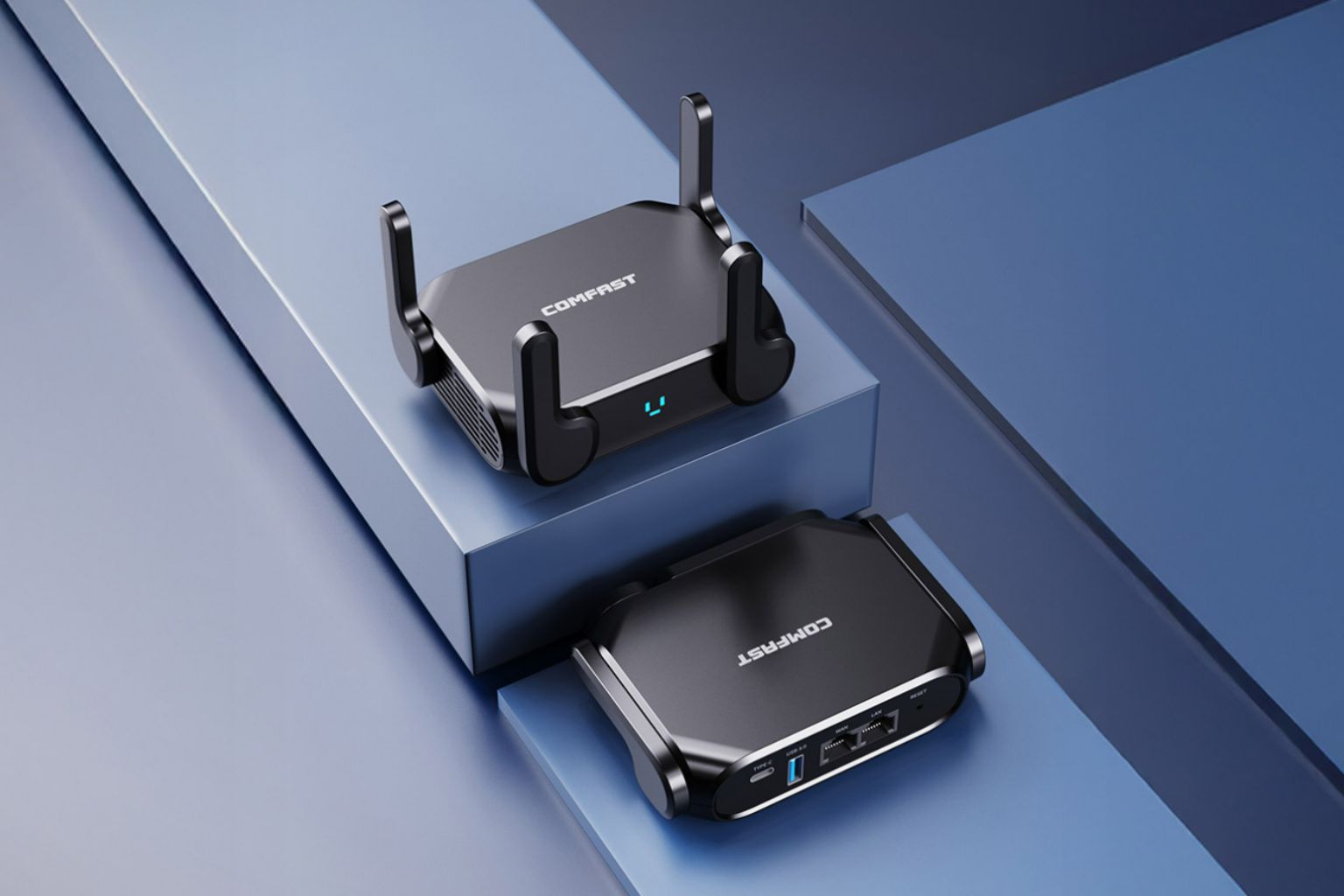
Based on those standards, the COMFAST CF-WR632AX stands out as a strong choice for hotel travel. It brings together portable design, dual-band WiFi 6 capability, and support for everyday multi-device use in a form factor built for travel rather than for fixed home placement.
Best for: business travelers, remote workers, multi-device hotel stays, and buyers looking for a portable WiFi 6 travel router.
Key strengths: hotel-friendly portability, modern wireless performance, and a more practical setup for phones, laptops, tablets, and other travel devices.
Why It Fits Hotel Travel Well
A Practical Balance of Portability and Performance
The CF-WR632AX fits hotel travel well because it aligns with the real priorities travelers face on the road. It is compact enough to carry easily, modern enough to handle crowded wireless conditions better, and practical enough for the multi-device routines that are now common in hotel stays. Instead of focusing on one selling point alone, it delivers a better overall balance for travel use.
Who It Is Best For
A Strong Fit for Modern Hotel Travelers
This model is especially well suited to business travelers, digital nomads, and anyone who regularly travels with more than one connected device. It also makes sense for families or small teams who want a more manageable hotel setup instead of having each device connect to the guest network separately. For these users, day-to-day usability is often more valuable than chasing the highest theoretical speed number.
The category is also attracting interest from distributors and OEM buyers because it solves a visible, everyday problem with a product that is easy to explain. For both end users and channel partners, that combination makes portable hotel travel routers easier to position than products built only around abstract technical specifications.
Who Should Buy a Travel Router for Hotel WiFi?
A travel router is not necessary for every traveler, but it can be extremely useful in the right hotel situations. The biggest value usually comes from making hotel internet easier to manage across several devices, while adding more stability, privacy, and convenience during the trip.
• remote workers
• families with multiple devices
• travelers using streaming devices
• you mainly use mobile data
• you rarely work from hotels
A simple way to decide is to ask whether hotel WiFi regularly becomes a problem during your trips. If you often travel with several devices, depend on stable internet for work, or want a more manageable setup in hotel rooms, a travel router can be a very practical upgrade. If your travel habits are lighter, it may be optional rather than essential.
Key Buying Tips Recap
The best travel router for hotel WiFi is not simply the one with the biggest speed claims. It is the one that works reliably in real hotel conditions, fits naturally into travel routines, and makes multi-device internet access easier to manage.
Frequently Asked Questions
Quick answers to common questions about choosing the Best Travel Router for Hotel WiFi, using a travel router hotel wifi setup in real hotel environments, and understanding why portable WiFi 6 routers such as the COMFAST CF-WR632AX are becoming popular among travelers, remote workers, and networking product distributors.
Looking for a Hotel Travel Router for Your Brand?
Hotel travel routers are no longer a niche accessory. They solve a clear and repeatable user problem: unstable hotel WiFi, repeated login friction, public network exposure, and the need to connect multiple devices in one room. That makes this category easier to position for real travel use, not just for technical marketing.
If you are a distributor, private label brand, or OEM partner exploring portable networking products, the COMFAST CF-WR632AX is a strong starting point for hotel travel scenarios. It combines portable design, modern wireless capability, and a use case that is easy for customers to understand.
Why this category works:
portable hotel routers are easier to explain, easier to position, and easier to scale when the use case is obvious and tied to real travel behavior.
For OEM, private label, or bulk inquiries, contact zy@comfast.cn.