Project Sterling Table: Restaurant Coverage Solution for an Upscale Dining Venue in New York City
Contractor Team Introduction
We are a Shenzhen based WiFi engineering contractor with deep experience in restaurant network deployment, commercial WiFi coverage, POS network design, wireless ordering systems, guest WiFi isolation, surveillance wireless transmission, and managed network installation for high traffic hospitality environments. Our team has completed WiFi projects for upscale restaurants, boutique hotels, cafés, bars, shopping centers, private clubs, food halls, banquet spaces, retail stores, and commercial kitchens.
In restaurant projects, we do not treat WiFi as a simple internet service. A restaurant network directly affects reservations, POS payment, mobile ordering, kitchen ticket printing, guest experience, staff efficiency, surveillance, background music, lighting control, and daily operations. Our work includes site survey, RF testing, AP placement planning, gateway configuration, PoE switch installation, network segmentation, roaming optimization, peak hour capacity planning, camera transmission testing, cable labeling, and final handover documentation.
We have used COMFAST equipment in many restaurant and commercial WiFi projects. From our field experience, COMFAST routers, gateways, in wall APs, ceiling APs, paired wireless bridges, and PoE switches provide a practical balance of performance, clean installation, stable wireless coverage, and cost control. For this upscale restaurant project, we selected a complete COMFAST solution because the owner needed a reliable business network, clean appearance, strong coverage, and simple maintenance after opening.
This project was implemented for Sterling Table, an upscale modern American restaurant in New York City. The restaurant required stable WiFi coverage for the main dining room, reception area, private dining rooms, bar counter, open kitchen, back kitchen, cashier station, outdoor patio, staff corridor, storage area, POS devices, mobile ordering tablets, kitchen printers, guest WiFi, and CCTV transmission points.
1. Project Overview
Basic Project Information
Project Name: Project Sterling Table
Project Location: New York City, New York, USA
Restaurant Type: Upscale modern American restaurant
Total Area: Approximately 6,500 square feet
Seating Capacity: 168 seats
Private Rooms: 4 VIP private dining rooms
Main Coverage Areas: Reception, waiting area, main dining room, VIP rooms, bar counter, cashier station, open kitchen, back kitchen, outdoor patio, staff corridor, storage room, and CCTV points
Project Type: Restaurant Coverage Solution with business network separation and surveillance wireless transmission
Project Cycle: Three weeks from site survey to final acceptance
Sterling Table was preparing for reopening after a major interior renovation. The owner wanted the network to be completed before staff training and soft opening. The restaurant had a high end interior design with wood panels, decorative ceiling elements, marble bar surfaces, private rooms, stainless steel kitchen equipment, and an outdoor patio. The customer required strong performance, but also demanded a clean installation that would not damage the finished décor.
2. Customer Pain Points Before the Project
Dinner Rush Created Heavy Network Pressure
Before the upgrade, the restaurant used a basic router and several unmanaged network devices. During dinner service, guests scanned menus, staff used mobile ordering tablets, POS terminals processed payments, and the kitchen received digital tickets at the same time. The old network became unstable during peak hours, especially between 6:30 PM and 9:30 PM.
POS Devices Occasionally Went Offline
The customer’s biggest concern was POS stability. When payment terminals lost connection, the front of house team had to wait, reprocess transactions, or move to another station. This created stress for staff and a poor checkout experience for guests.
Mobile Ordering Tablets Dropped Connection Between Areas
Servers carried tablets between the main dining room, VIP rooms, bar counter, and kitchen pickup area. The original WiFi did not provide smooth roaming. Some tablets stayed connected to a weak signal even when a stronger signal was available nearby. This delayed order entry and sometimes caused duplicated communication with the kitchen.
Kitchen Printer Response Was Delayed
The open kitchen and back kitchen had stainless steel appliances, refrigerators, ovens, metal shelves, and ventilation equipment. These materials created wireless reflection and attenuation. The kitchen printers sometimes received tickets late, which affected food preparation timing.
VIP Private Rooms Had Weak Signal
The private dining rooms had thick partition walls, acoustic panels, decorative doors, and separate lighting control. The main dining room router signal could not cover these rooms properly. Guests in VIP rooms sometimes had slow menu loading and poor WiFi calling quality.
Outdoor Patio Coverage Was Unstable
The outdoor patio was important for seasonal dining. The original indoor WiFi could reach the patio entrance, but signal quality dropped near the rear seating area. Servers using ordering tablets on the patio had intermittent connection issues.
Guest, Staff, POS, and Camera Devices Were Mixed Together
The original network placed guest phones, staff tablets, POS terminals, kitchen printers, cameras, and office computers on the same network. This was not suitable for restaurant operation. The customer needed network separation to protect business devices, improve stability, and simplify troubleshooting.
3. Customer Requirements
Confirmed Requirements from Restaurant Management
Stable WiFi coverage across the entire restaurant.
Reliable POS and payment terminal connectivity during peak hours.
Smooth mobile ordering tablet roaming between dining areas, kitchen, bar, and patio.
Fast response for kitchen printers and order dispatch devices.
Strong signal in VIP private dining rooms.
Usable WiFi coverage for the outdoor patio and waiting area.
Separate networks for guest WiFi, POS and ordering devices, staff devices, cameras, and management access.
Stable wireless transmission for CCTV points where new cabling was difficult.
Clean installation without visible messy cabling.
PoE powered AP deployment for easier maintenance.
Complete documentation, device labeling, and staff handover before soft opening.
4. COMFAST Equipment Used in This Project
The following are the main COMFAST equipment models used in this project and their usage descriptions.
| Equipment Model |
Type | Project Use | Reason for Use |
|---|---|---|---|
| CF-AC101 | Full gigabit gateway | Core gateway, internet access, DHCP assignment, network policy planning | Suitable as the restaurant core gateway, convenient for separating guest devices from POS, ordering, staff, management, and surveillance networks |
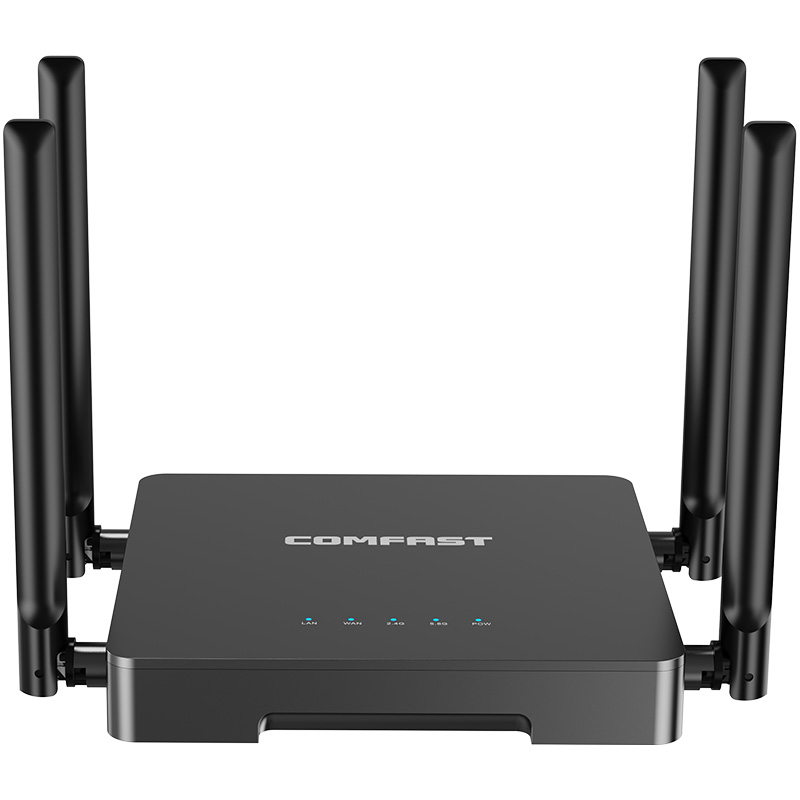
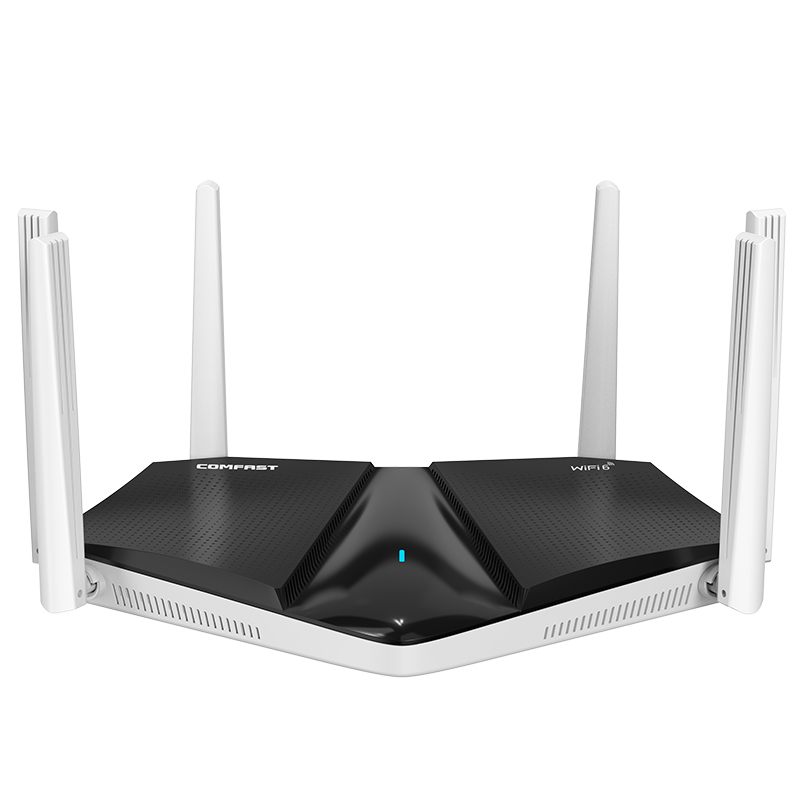
| CF-WR633AX V2 | WiFi 6 dual-band router | Office and management area wireless coverage | Provides stable WiFi 6 coverage and backup wireless access for administrative devices and management zones |
| CF-E593AX | AP til indbygning i væggen | VIP private rooms, cashier areas, staff corridors, office transition zones | Suitable for room-level wireless coverage while maintaining clean installation and matching interior decoration |
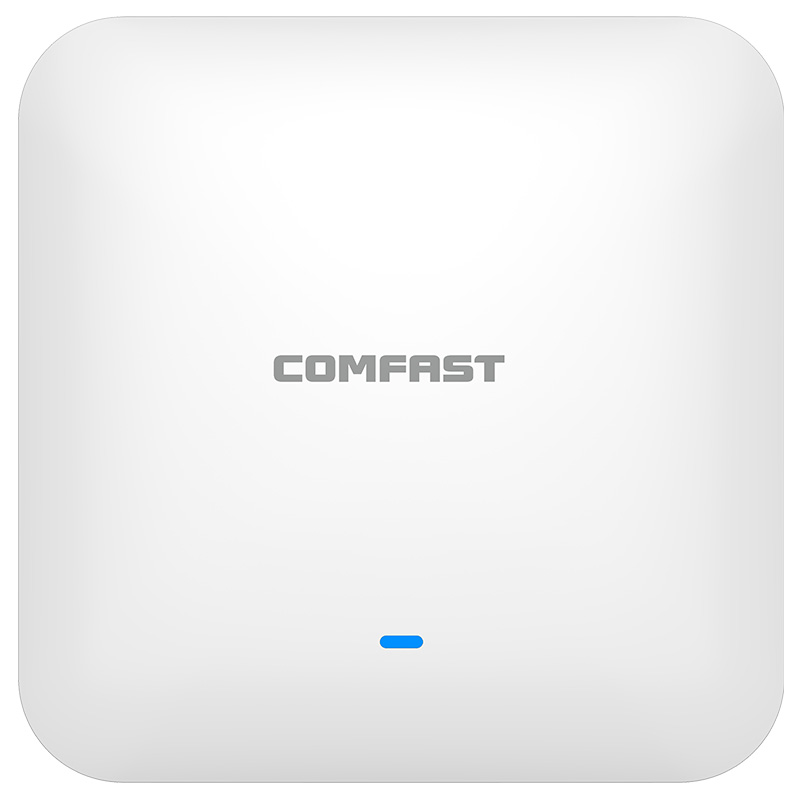
| CF-E395AX | Loft AP | Main dining room, reception area, bar counter, open seating zones, kitchen pickup area | Suitable for large indoor coverage with stable wireless performance in high-density dining environments |
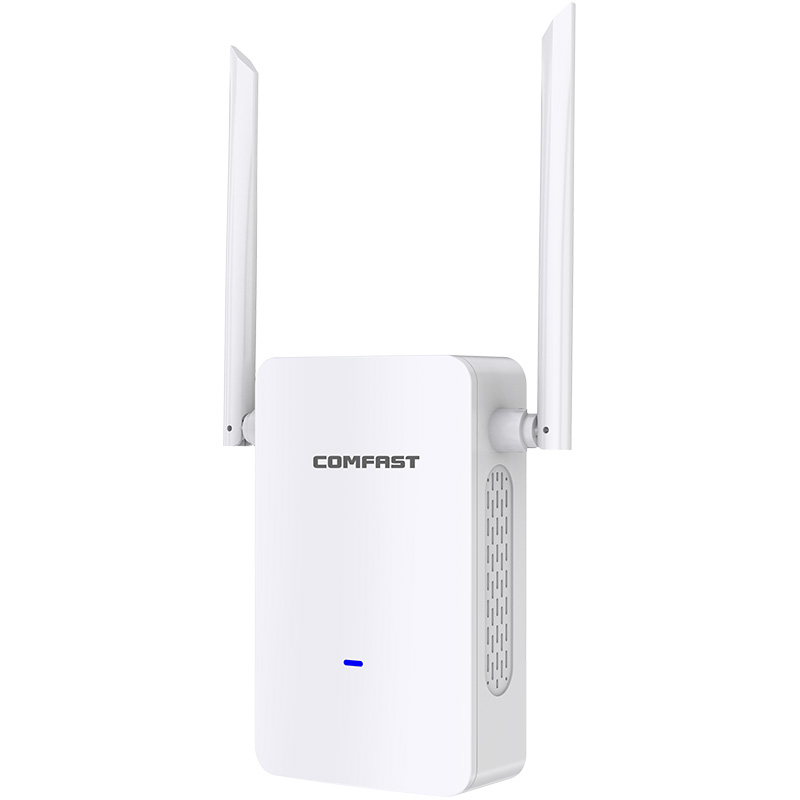
| CF-E112N V2 | 2.4G paired wireless bridge | CCTV wireless transmission for rear entrance and patio edge camera points | Used for wireless video transmission where new cable installation was not practical, reducing construction impact |
| CF-SG181P | 8-port gigabit PoE switch | Power supply and network connection for APs and network devices | PoE deployment simplifies installation, reduces adapter usage, and improves network cabinet management efficiency |
5. Project Equipment Configuration Quantity
Based on site area, room structure, number of terminals, and restaurant business requirements, the actual equipment deployed in this project was as follows:
| Equipment Model | Quantity | Deployment Location |
|---|---|---|
| CF-AC101 | 1 unit | Network cabinet in the office and central management area |
| CF-WR633AX V2 | 1 unit | Office and management area, providing main WiFi 6 coverage and backup wireless access |
| CF-E395AX | 6 units | Main dining room, reception area, bar counter, open seating zones, kitchen pickup area, patio transition area |
| CF-E593AX | 6 units | VIP private rooms, cashier areas, staff corridors, office transition zones |
| CF-E112N V2 | 2 pairs | Rear service entrance CCTV point and patio edge camera transmission points |
| CF-SG181P | 2 units | Restaurant network cabinet, AP power supply, and selected network device connection |
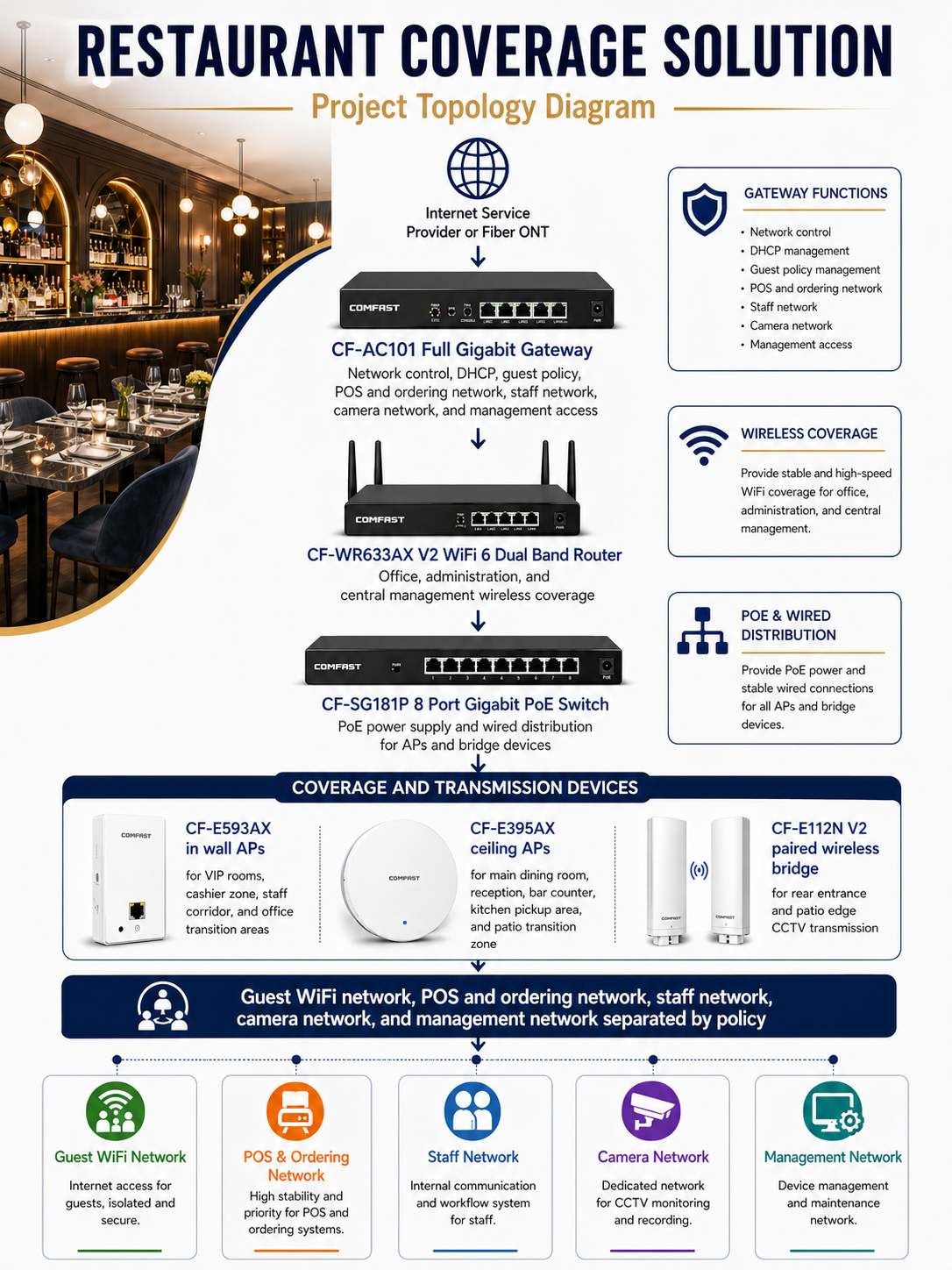
6. Project Topology Diagram
Overall Network Topology
7. Site Survey and Troubleshooting Process
Dining Area Signal Survey
We started by testing the main dining room during non business hours. We checked table locations, ceiling height, lighting fixtures, decorative panels, and guest seating density. The goal was to place APs where signal could reach real guest positions without affecting the restaurant’s interior design.
VIP Private Room Inspection
Each VIP room was tested separately. The private rooms had thicker walls and acoustic treatment, so the main dining room AP signal could not be relied on. We selected CF-E593AX in wall APs to provide clean room level coverage.
Kitchen and Bar Interference Check
The open kitchen and bar area had stainless steel appliances, refrigeration equipment, POS terminals, payment devices, smart lighting controllers, and audio equipment. We tested signal behavior around these areas and confirmed that metal surfaces caused reflection and uneven coverage. AP placement had to be planned carefully to avoid unstable ordering tablet connections.
Outdoor Patio Survey
The patio needed coverage for guests, servers, tablets, and outdoor payment devices. We tested from patio tables, entrance transition points, and rear seating positions. The old indoor router did not provide stable signal across the full patio, so we planned dedicated transition coverage.
CCTV Point Survey
The rear entrance and patio edge camera locations were difficult to cable because the finished walls and exterior surfaces had already been completed. We checked the wireless path and selected the CF-E112N V2 bridge pair for camera transmission.
Network Cabinet Inspection
The original network cabinet had mixed cables and limited labeling. We tested cable routes, identified existing runs, cleaned the cabinet layout, and prepared the CF-AC101 gateway and CF-SG181P PoE switch installation plan.
8. Problems Found During Implementation
The Original Router Could Not Support Business Operations
The previous network was built around a simple router. It was not designed for guest WiFi, POS devices, ordering tablets, printers, cameras, and staff devices running together during dinner rush. We replaced that structure with a gateway centered design using the CF-AC101.
VIP Rooms Needed Independent Coverage
The VIP rooms could not rely on APs in the main dining room. Thick partitions and acoustic panels reduced signal. We solved this by installing CF-E593AX in wall APs in the right wall positions, giving each private room stronger and more predictable coverage.
Kitchen Metal Equipment Created Signal Reflection
The kitchen area had large metal surfaces that reflected and weakened WiFi. We adjusted AP mounting positions and avoided relying on signal passing through major kitchen equipment. This improved kitchen printer response and ordering tablet stability.
The Patio Needed Dedicated Planning
The patio signal was weak at the rear seating area. We adjusted the AP design around the patio transition zone and tested the connection from actual table positions. This helped servers keep ordering tablets connected while moving between indoor and outdoor tables.
Camera Points Could Not Be Cabled Cleanly
New cable routes to rear entrance and patio edge cameras would have required opening finished areas. We used the CF-E112N V2 paired wireless bridge to solve this without damaging the renovation work.
Network Segmentation Was Required
The restaurant could not continue running guest devices, POS terminals, ordering tablets, printers, cameras, and office computers on one flat network. We created separated policies for each device group to improve stability, security, and troubleshooting efficiency.
9. Final Engineering Solution
Core Network Design
The CF-AC101 full gigabit gateway was installed as the main network control point. It handled network segmentation, IP assignment, guest access policy, business device policy, camera traffic, and management access. The CF-SG181P 8 port gigabit PoE switch was installed in the network cabinet to power APs and distribute wired connections.
Dining Room and Guest Area Coverage
The main dining room, reception, waiting area, and bar counter were covered by CF-E395AX ceiling APs. These areas had high user density and required strong coverage for guest WiFi, server tablets, and payment devices. Ceiling AP placement allowed us to distribute signal evenly without visible equipment clutter.
VIP Room Coverage
The VIP private dining rooms were covered with CF-E593AX in wall APs. This gave each private room stable signal for guests, staff tablets, and service communication without relying on weak signal from the main hall.
Kitchen and Ordering System Coverage
The open kitchen, back kitchen, and kitchen pickup zone were covered with careful AP placement and network separation. Kitchen printers, ordering tablets, and POS related devices were placed on a dedicated POS and ordering network to improve reliability during service.
Outdoor Patio and CCTV Transmission
The outdoor patio received dedicated transition coverage from planned AP placement, and CCTV points near the rear entrance were connected through the CF-E112N V2 paired wireless bridge. This allowed the restaurant to maintain clean exterior finishes while still supporting surveillance transmission.
10. Different Area Network Design
Reception and Waiting Area Coverage
The reception and waiting area used CF-E395AX ceiling AP coverage. This area supported guest WiFi, reservation tablets, host devices, and guest check in traffic. We tuned coverage to avoid interference with the main dining room APs.
Main Dining Area Coverage
The main dining room had the highest user density. We used ceiling APs to support guests scanning menus, servers entering orders, payment terminals, and internal devices. We tested from multiple table positions to confirm real customer experience.
VIP Private Room Coverage
Each VIP room received CF-E593AX in wall AP coverage. This prevented the private rooms from becoming dead zones and gave guests a premium network experience consistent with the restaurant’s service level.
Bar Counter Coverage
The bar counter had POS devices, payment terminals, smart lighting control, audio equipment, and guest traffic. We designed coverage so the bar team could process payments and place orders without competing with guest WiFi traffic.
Open Kitchen and Back Kitchen Coverage
The kitchen environment required special attention because of metal equipment, heat, and dense appliance placement. We tested signal around the printer station, expo line, and back kitchen prep area. The final AP placement helped reduce printer delay and tablet dropouts.
Cashier and POS Network
POS terminals and cashier devices were placed on a dedicated POS and ordering network. This network was separated from guest WiFi and prioritized for stable business operation.
Outdoor Patio Coverage
The patio required stable WiFi for guests and servers. We tested the connection from the patio entrance, middle seating area, and rear tables. The final coverage supported mobile ordering tablets and guest WiFi during outdoor dining service.
CCTV Wireless Transmission
The CF-E112N V2 paired wireless bridge was used for camera transmission near the rear entrance and patio edge. After alignment, we tested video stability and confirmed that the camera feed remained consistent.
Guest WiFi, Staff Network, and Management Network
Guest WiFi was separated from business systems. Staff devices had their own network. Management access was restricted for gateway, AP, switch, and maintenance operations. This structure made the network safer and easier to manage.
11. What We Did Differently from Other Engineering Teams
We Designed Around Restaurant Operations, Not Just WiFi Signal
Some teams only check signal bars. We tested the restaurant based on real service flow: guests scanning menus, servers entering orders, bartenders processing payments, kitchen printers receiving tickets, and managers checking camera feeds.
We Protected Business Critical Devices
We did not place guest devices and POS devices on the same network. POS terminals, ordering tablets, kitchen printers, staff devices, guest WiFi, cameras, and management devices were separated by policy.
We Tuned Channel and Power Instead of Using Maximum Power
Maximum transmit power can create interference and roaming problems. We tuned AP power and channel planning to support smooth movement between reception, dining room, VIP rooms, kitchen, and patio.
We Preserved the Restaurant Interior
The restaurant had a premium interior design. We used in wall APs, ceiling APs, PoE wiring, and wireless bridge transmission to reduce exposed cabling and avoid damaging finished surfaces.
We Delivered Documentation and Handover
At the end of the project, the restaurant received AP location records, port labels, network group information, SSID notes, and basic troubleshooting guidance. This made future support much easier for the management team.
12. Installation and Optimization Details
Cable Testing and Labeling
Before installing equipment, we tested available cable routes and labeled both ends. This prevented wrong connections and made the network cabinet easier to maintain.
AP Mounting and Appearance Control
CF-E395AX ceiling APs were installed in planned ceiling positions that balanced coverage and visual appearance. CF-E593AX in wall APs were installed in selected wall areas where clean room level coverage was required.
Wireless Bridge Alignment
The CF-E112N V2 bridge pair was aligned for rear entrance and patio edge camera transmission. We checked signal stability and camera video continuity before acceptance.
Roaming and Peak Hour Simulation
We tested roaming with mobile ordering tablets moving between the dining room, VIP rooms, kitchen pickup area, bar, and patio. We also simulated peak usage by connecting multiple phones, tablets, POS devices, and printers at the same time.
Business Device Priority Testing
We tested POS payment, kitchen printer ticket output, staff tablet ordering, guest menu scanning, and camera viewing. The business device network remained stable during acceptance testing.
13. Project Acceptance Results
Final Acceptance Checklist
Reception and waiting area WiFi coverage test passed.
Main dining room WiFi coverage test passed.
VIP private room signal test passed.
Bar counter POS connection test passed.
Mobile ordering tablet roaming test passed.
Kitchen printer ticket output test passed.
Guest menu scanning test passed.
Outdoor patio WiFi test passed.
CCTV wireless bridge transmission test passed.
Guest network isolation test passed.
Staff network access test passed.
Network cabinet labeling completed.
Management team handover completed.
14. Customer and User Feedback
Restaurant Owner Feedback
The restaurant owner said, “This network upgrade made a direct difference in our operation. POS payments are stable, the guest menu loads faster, and the installation did not disturb the look of the restaurant.”
General Manager Feedback
The general manager said, “The team understood how a restaurant actually works. They tested the host stand, tables, bar, kitchen, private rooms, and patio instead of only checking the router location.”
Head Chef Feedback
The head chef said, “Kitchen tickets are coming through faster and more consistently. That helps the line stay organized during dinner rush.”
Server Feedback
One server said, “The ordering tablet no longer drops when I move from the dining room to the patio. That makes service much smoother.”
Guest Feedback
During soft opening, guests reported that the QR menu loaded quickly and the guest WiFi connection was simple and stable. The private room guests also confirmed that WiFi calling and menu access worked properly throughout dinner service.
15. Project Summary
Final Result
Project Sterling Table was a successful Restaurant Coverage Solution for an upscale dining venue in New York City. The project solved weak private room coverage, unstable POS connectivity, slow menu loading, kitchen printer delay, patio signal problems, and unreliable CCTV transmission points.
The final COMFAST solution used the CF-AC101 full gigabit gateway, CF-WR633AX V2 WiFi 6 dual band router, CF-E593AX in wall APs, CF-E395AX ceiling APs, CF-E112N V2 paired wireless bridge, and CF-SG181P 8 port gigabit PoE switch.
The most important value of this project was not simply stronger WiFi. The real value was stable restaurant operation. Guest WiFi, POS, ordering tablets, kitchen printers, staff devices, cameras, and management access were planned as separate but coordinated parts of one professional restaurant network.
16. Lessons Learned and Advice to Other Contractors
Lessons Learned
Restaurant WiFi must be designed around business workflow, not only around signal coverage.
POS devices and ordering tablets need a more stable network policy than general guest WiFi.
VIP rooms often need dedicated AP coverage because walls and acoustic materials weaken signal.
Kitchen equipment can create serious wireless reflection and attenuation.
Outdoor patio WiFi should be tested from actual seating positions.
Wireless bridges are useful when CCTV cabling would damage finished areas.
Clean cabinet labeling and handover documentation are part of professional restaurant network delivery.
Advice to Other Contractors
For upscale restaurant WiFi projects, do not design only from a drawing. Walk the restaurant like a server. Stand at the host station. Sit at the guest tables. Test the VIP rooms. Check the bar. Walk through the kitchen. Go to the patio. Watch how orders, payments, tickets, and camera feeds move through the network.
Do not mix guest phones, POS devices, ordering tablets, cameras, and management equipment into one flat network. A restaurant depends on network stability during service hours, and business critical systems must be protected from guest traffic.
Do not solve every problem by increasing transmit power. Proper AP placement, channel planning, power tuning, and network separation are what make a restaurant network stable.
A restaurant WiFi project is complete only when guests can scan menus quickly, servers can place orders without interruption, POS payments stay online, kitchen printers respond on time, cameras transmit reliably, and the manager can operate the business without thinking about the network. That was the standard we delivered for Project Sterling Table.