Project Maple Ridge Residence: Large Home Coverage Solution for a Private Estate in Greenwich, Connecticut
Contractor Team Introduction
We are a U.S. based WiFi engineering contractor with long term experience in large home coverage, luxury villa networking, outdoor WiFi coverage, smart home network deployment, surveillance wireless transmission, and managed residential WiFi systems. Our team has completed projects for single family estates, lake homes, vacation houses, boutique hotels, retail spaces, private clubs, outdoor venues, warehouses, and security camera transmission sites.
For large homes, our work is never limited to placing a router in the living room. We perform full RF surveys, wall material analysis, floor by floor signal testing, AP location planning, gateway configuration, PoE switch deployment, wireless bridge alignment, guest network planning, smart home isolation, roaming optimization, outdoor signal testing, camera transmission testing, cabinet cleanup, device labeling, and final handover documentation.
Our team has used COMFAST equipment in many residential and commercial WiFi projects. From our field experience, COMFAST routers, gateways, in wall APs, ceiling APs, paired wireless bridges, and PoE switches provide a practical balance of performance, installation flexibility, and cost control. For large homes where the owner needs stable indoor coverage, outdoor WiFi, smart home connectivity, and camera transmission, COMFAST equipment gives us a reliable foundation for a clean and manageable network design.
This project was implemented for a large private residence in Greenwich, Connecticut. The property owner needed complete WiFi coverage across the main house, basement, upper floors, home office, guest rooms, garage, backyard patio, pool deck, driveway, gate area, and several outdoor security camera points. Our goal was to build a professional large home coverage solution that worked smoothly for family use, guests, smart home devices, outdoor entertainment, remote work, and security monitoring.
1. Project Overview
Basic Project Information
Project Name: Project Maple Ridge Residence
Project Location: Greenwich, Connecticut, USA
Property Type: Large single family estate home
Building Size: Approximately 8,200 square feet
Floors: Basement, first floor, second floor, attic storage area, and detached garage
Main Coverage Areas: Main living room, kitchen, dining area, bedrooms, home office, guest suite, basement, upstairs hallway, patio, pool deck, backyard lawn, driveway, detached garage, gate entry, and outdoor camera locations
Project Type: Large Home Coverage Solution with indoor and outdoor WiFi coverage
Project Cycle: Four weeks from survey to final acceptance
The owner contacted us because the existing home network could no longer support the family’s daily use. The house had multiple floors, thick walls, Low E glass, stone exterior surfaces, a finished basement, a detached garage, and a large backyard. The original router could cover part of the first floor, but it could not provide stable WiFi throughout the entire property. The owner wanted a true large home coverage solution, not another temporary range extender or consumer mesh system.
2. Customer Pain Points Before the Project
The Original Router Could Not Cover the Whole House
The original router was installed near the family room. It worked in the nearby living space, but the signal became weak in upstairs bedrooms, the home office, the basement, and the guest suite. The homeowner had already tried moving the router and adding a small extender, but the result was still unstable.
Basement and Home Office Connections Were Unstable
The basement was used as a media room and fitness area. The home office was used for video meetings and remote work. These two areas had very different WiFi requirements, but both suffered from weak signal and unstable connection. Video meetings froze, cloud files uploaded slowly, and streaming devices buffered during evening use.
Outdoor WiFi Was Almost Unusable
The patio, pool deck, backyard seating area, and driveway had poor WiFi. The family wanted to stream music outside, use tablets near the pool, control smart lighting, monitor outdoor cameras, and stay connected during backyard gatherings. The indoor router signal could not reliably pass through the exterior wall and glass doors.
Smart Home Devices Were Mixed with Family Devices
The property had smart speakers, lighting control, thermostats, garage door control, pool equipment control, doorbells, security cameras, laptops, phones, tablets, and guest devices. All devices were originally placed on one flat network. This made troubleshooting difficult and created unnecessary network noise.
Driveway and Gate Cameras Often Went Offline
The gate and driveway camera points were far from the main network cabinet. Pulling new Ethernet cable would require exterior work, landscaping disturbance, and visible cable routes. The customer needed a reliable wireless transmission solution for these cameras without damaging finished areas of the property.
3. Customer Requirements
Confirmed Requirements from the Homeowner
Stable WiFi coverage throughout the main house.
Reliable WiFi in the basement, bedrooms, home office, kitchen, and guest suite.
Outdoor WiFi coverage for the backyard patio, pool deck, lawn, driveway, and garage area.
Smooth indoor to outdoor roaming experience.
Stable network support for video calls, online learning, streaming, smart home control, and security monitoring.
Wireless bridge transmission for driveway and gate cameras.
Separate networks for family devices, guest users, smart home devices, cameras, and management access.
Clean installation with limited visible wiring.
PoE powered AP deployment for easier maintenance.
Clear documentation, device labeling, and homeowner handover after acceptance.
4. COMFAST Equipment Used in This Project
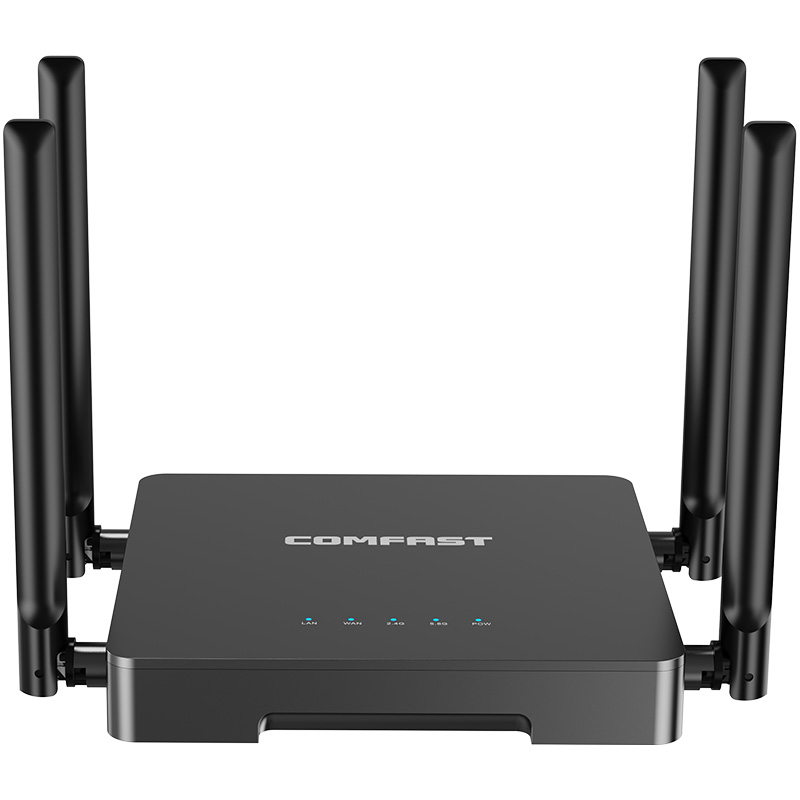
CF AC101 Full Gigabit Gateway
The CF AC101 was used as the main gateway for the entire residence. It handled internet access, DHCP assignment, network segmentation, guest policy, smart home isolation, camera network planning, and management access. In a large home project, using a proper gateway is important because the network must support many different device groups at the same time.
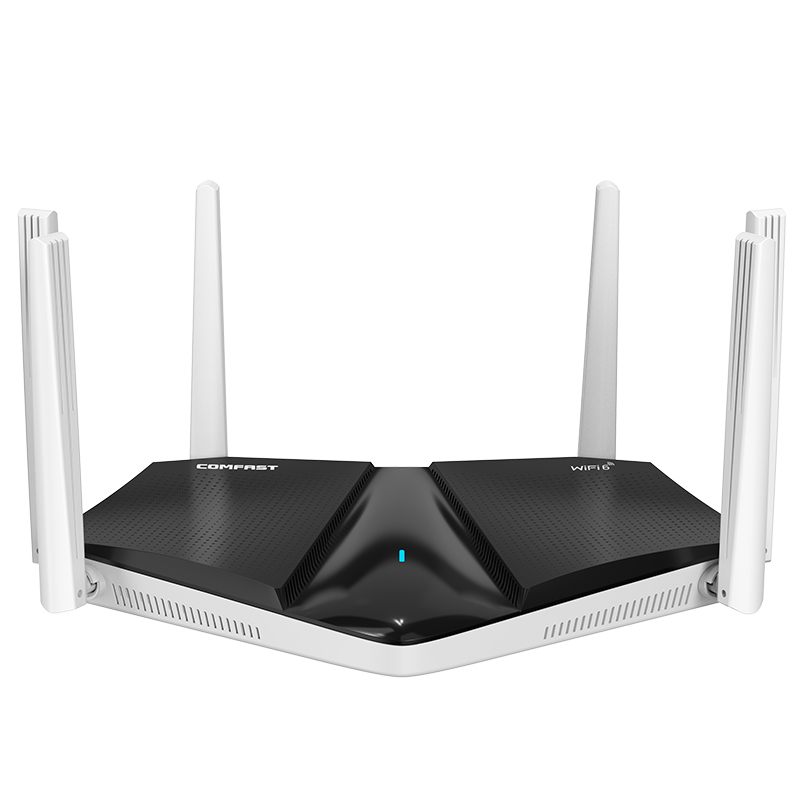
CF WR633AX V2 WiFi 6 Dual Band Router
The CF WR633AX V2 was used as the main WiFi 6 dual band router for the central indoor area. It provided strong wireless coverage for the core living space and worked together with the AP system to support the indoor to outdoor transition zone.
CF E593AX In Wall AP
The CF E593AX in wall AP was used in bedrooms, the guest suite, home office transition points, and selected wall locations where ceiling installation was not ideal. This model gave us clean installation, stable room level coverage, and better performance in spaces separated by walls and doors.
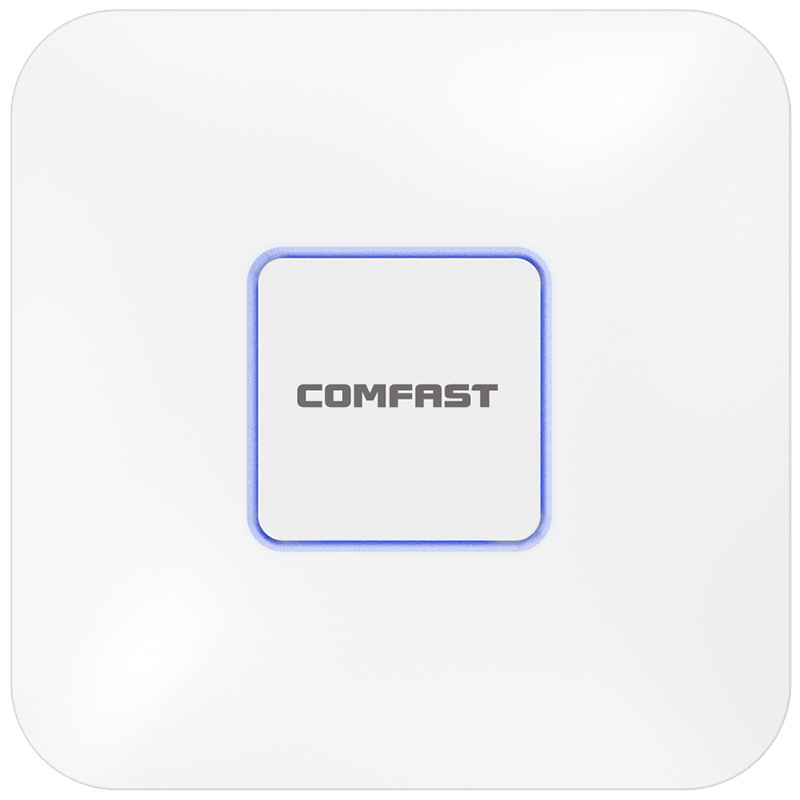
CF E395AX Ceiling AP
The CF E395AX ceiling AP was used in open spaces such as the main living area, upstairs hallway, basement media room, covered patio, and garage. Ceiling AP placement helped distribute signal more evenly in larger areas and provided better coverage for moving users.
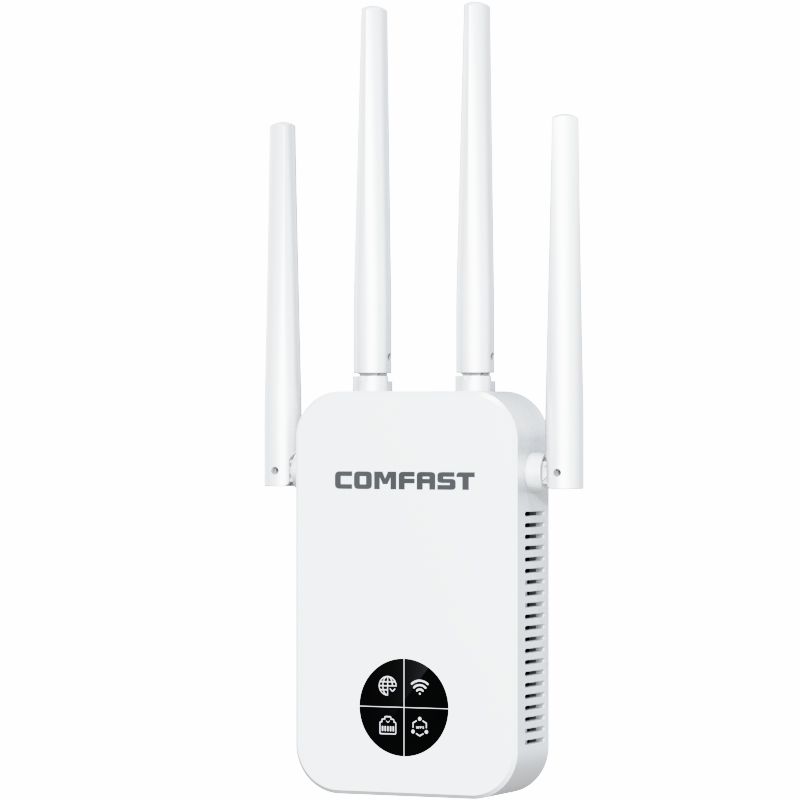
CF E112N V2 Paired Wireless Bridge
The CF E112N V2 paired wireless bridge was used for 2.4G wireless transmission for the gate and driveway CCTV cameras. This avoided trenching, exterior wall cutting, and long visible cable runs. It provided a practical solution for camera transmission in locations where Ethernet cabling was not suitable.
CF SG181P 8 Port Gigabit PoE Switch
The CF SG181P 8 port gigabit PoE switch was used to provide both data and power to APs and related network devices. PoE made the installation cleaner, reduced the need for local power adapters, and simplified the network cabinet layout.
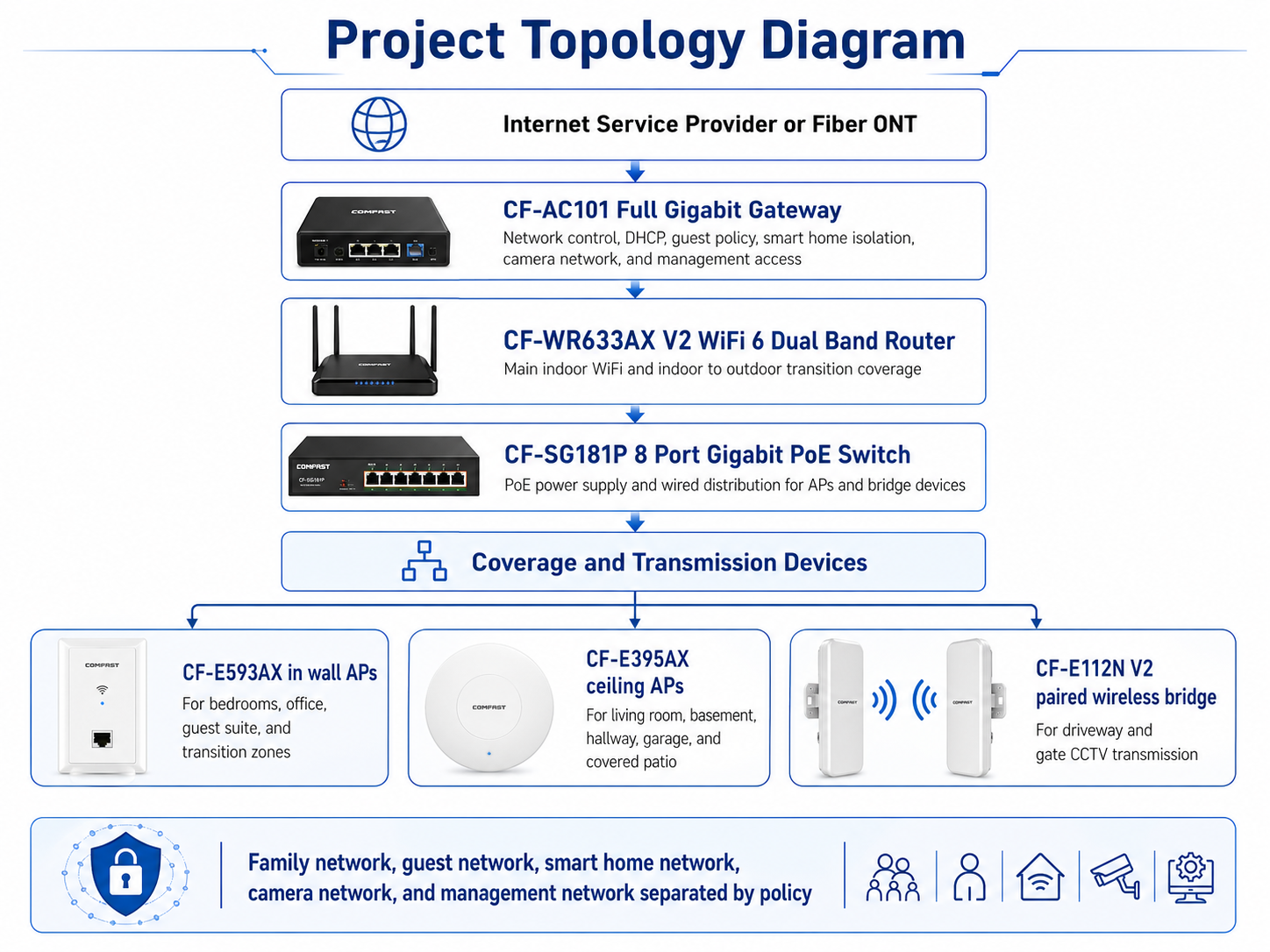
5. Project Topology Diagram
Overall Network Topology
6. Site Survey and Troubleshooting Process
Floor by Floor Signal Testing
We started with a full walkthrough of the basement, first floor, second floor, attic access area, garage, patio, backyard, pool deck, driveway, and gate. We tested real signal quality instead of only looking at WiFi bars. We checked where the family used laptops, where children used tablets, where smart speakers were placed, and where camera signals needed to return to the main network.
Building Material Inspection
The home had thick interior walls, finished woodwork, insulated exterior walls, Low E glass doors, stone surfaces, and a finished basement ceiling. These materials reduced signal penetration and made it clear that one router or one mesh kit would not provide professional coverage.
Network Cabinet Inspection
The low voltage cabinet had several existing Ethernet cables, but the labels were incomplete. We tested each cable, confirmed the destination, cleaned up the cabinet layout, and planned how to install the CF AC101 gateway and CF SG181P PoE switch. This step made the final system easier to maintain.
Outdoor Camera Path Survey
We checked the driveway and gate camera locations and confirmed that new trenching was not the best option. The camera path had landscaping, hardscape areas, and finished exterior surfaces. We selected a wireless bridge solution using the CF E112N V2 pair to provide CCTV transmission without damaging the property.
7. Problems Found During Implementation
A Stronger Router Alone Could Not Solve the Problem
The previous suggestion from another installer was to replace the router with a higher power router. Our testing showed that this would not solve the real issue. The house needed distributed AP coverage because the signal was being blocked by walls, floors, glass, and distance.
The Basement Needed Dedicated Coverage
The basement could not rely on leftover signal from the first floor. We installed a CF E395AX ceiling AP in the basement media area to provide stable coverage for streaming, fitness equipment, and mobile devices.
Low E Glass Weakened Patio and Pool Coverage
The rear patio doors used Low E glass, which reduced the indoor router signal before it reached the patio. We solved this by using APs near transition zones and ceiling AP coverage for outdoor living areas.
Driveway Cameras Needed Wireless Transmission
Pulling new Ethernet to the driveway and gate cameras would have required more invasive construction. The CF E112N V2 wireless bridge pair allowed us to create a stable camera link while keeping the property clean.
Multiple APs Required Channel and Power Optimization
Adding APs without tuning would create interference. We adjusted channels and transmit power so that users could move from room to room and from indoors to outdoors without sticky client problems or unnecessary overlap.
8. Final Engineering Solution
Core Network Design
The CF AC101 full gigabit gateway was installed as the central network control point. It managed internet access, IP assignment, guest access, smart home separation, camera network policies, and management access. The CF SG181P 8 port gigabit PoE switch provided wired distribution and PoE power for APs.
Main Indoor WiFi Design
The CF WR633AX V2 provided main WiFi 6 coverage in the central living area. CF E593AX in wall APs were installed in selected rooms and transition points where wall mounted coverage made more sense than ceiling installation. CF E395AX ceiling APs were used in larger open spaces, hallways, basement areas, and the garage.
Outdoor and Camera Transmission Design
Outdoor coverage was planned around how the family actually used the property. The patio, pool deck, garage, driveway, and gate areas were tested from real user positions. The CF E112N V2 bridge pair was deployed for the gate and driveway camera transmission, allowing reliable camera operation without disruptive construction.
9. Different Area Network Design
Main Living Area Coverage
The main living area used the CF WR633AX V2 and a nearby CF E395AX ceiling AP to provide stable WiFi for phones, laptops, streaming devices, smart speakers, and guests. We adjusted power so that the living room did not overpower the patio AP coverage.
Bedroom and Study Room Coverage
CF E593AX in wall APs were used for bedrooms, the guest suite, and the study room. This gave each room more predictable signal quality and avoided relying only on hallway signal.
Basement Coverage
The basement used a CF E395AX ceiling AP to support the media room, fitness area, and smart equipment. This solved the previous problem of weak basement WiFi and buffering video streams.
Garage Coverage
The detached garage used a CF E395AX ceiling AP. The homeowner could now use a phone, laptop, smart garage control, and connected tools without depending on weak signal from the main house.
Backyard, Patio, and Pool Deck Coverage
The patio and pool deck were covered through a combination of transition zone AP placement and ceiling AP coverage in covered outdoor areas. We tested signal from patio seating, pool lounge chairs, and the outdoor kitchen area.
Driveway and Gate Camera Transmission
The CF E112N V2 wireless bridge pair was used to transmit camera traffic from the gate and driveway back to the main network. We aligned the bridge pair carefully and tested video stability before final handover.
Smart Home and Guest Network Design
We separated the family network, guest network, smart home network, camera network, and management network by policy. This improved security, reduced unnecessary traffic, and made future troubleshooting much easier.
10. What We Did Differently from Other Engineering Teams
We Did Not Treat This as a Simple Router Replacement
A large home coverage project cannot be solved by placing one stronger router in the house. We designed the network by area, by wall material, by user behavior, and by device type.
We Tested Real User Locations
We tested from the office desk, media room couch, bedroom nightstand, patio dining table, pool lounge chair, garage workbench, driveway, and gate area. This gave us a better design than simply reading a floor plan.
We Tuned Power Instead of Maximizing Power
Maximum transmit power is not professional optimization. We adjusted power carefully to reduce sticky client behavior and create smoother movement between AP coverage areas.
We Delivered a Maintainable Network
We labeled AP ports, cleaned the network cabinet, documented device locations, and trained the homeowner and property manager. The final network was not only stable, but also easier to manage after our team left the property.
11. Installation and Optimization Details
Cable Testing and Labeling
Before installing APs, we tested every available cable route. Each cable was labeled at both ends. This step prevented wrong port connections and made future maintenance easier.
AP Placement
We selected AP locations based on signal behavior, wall structure, furniture placement, and real user positions. In wall APs were used where clean room level coverage was needed. Ceiling APs were used in open or high usage areas.
Wireless Bridge Alignment
The CF E112N V2 bridge pair was aligned for the driveway and gate camera link. We checked mounting height, direction, obstruction, and video feed stability.
Roaming and Performance Optimization
After installation, we tested roaming from the living room to the patio, from the hallway to the bedrooms, from the first floor to the basement, and from the house to the garage. We adjusted channels and transmit power until the network behaved smoothly.
12. Project Acceptance Results
Final Acceptance Checklist
Main living area WiFi coverage test passed.
Bedroom and study room WiFi coverage test passed.
Basement streaming and mobile device test passed.
Home office video meeting test passed.
Patio and pool deck WiFi test passed.
Detached garage coverage test passed.
Driveway and gate camera transmission test passed.
Smart home device response test passed.
Guest network isolation test passed.
Network cabinet labeling completed.
Homeowner and property manager handover completed.
13. Customer and User Feedback
Homeowner Feedback
The homeowner said, “The whole house finally feels connected. I can walk from my office to the patio and stay on a call without losing connection. The outdoor camera feed is also much more reliable now.”
Family Member Feedback
One family member said, “The basement used to be the worst spot in the house. Now streaming works, the fitness apps load quickly, and the WiFi feels the same as upstairs.”
Property Manager Feedback
The property manager said, “The cabinet labeling and documentation are very helpful. This is much cleaner than the previous setup. If there is ever a problem, we know exactly where each AP and bridge connection is located.”
14. Project Summary
Final Result
Project Maple Ridge Residence was a successful Large Home Coverage Solution for a private estate in Greenwich, Connecticut. The project solved weak indoor coverage, basement dead zones, poor outdoor WiFi, unstable smart home connectivity, and unreliable driveway camera transmission.
The COMFAST based system provided a complete solution using the CF AC101 gateway, CF WR633AX V2 router, CF E593AX in wall APs, CF E395AX ceiling APs, CF E112N V2 paired wireless bridge, and CF SG181P PoE switch.
The most important value of this project was not simply adding more devices. The real value was correct planning, correct AP placement, proper network separation, careful power tuning, clean installation, and complete handover documentation.
15. Lessons Learned and Advice to Other Contractors
Lessons Learned
Large home WiFi coverage must be designed by area, not by guessing from a router location.
Thick walls, floor structure, stone surfaces, and Low E glass can seriously weaken WiFi signal.
Basements and garages usually need dedicated AP coverage.
Outdoor WiFi should be tested from real sitting, working, and walking locations.
Wireless bridges are useful when camera cabling is difficult or visually unacceptable.
Network segmentation improves security and makes troubleshooting easier.
Professional handover documentation is part of the final project quality.
Advice to Other Contractors
For large home coverage projects, do not promise results based on product power alone. Walk the home. Test every floor. Check the basement. Sit in the outdoor areas where the owner actually uses WiFi. Look at the construction materials. Confirm cable routes. Test camera locations. Then design the network.
Do not put every device on one network. Family devices, guest users, smart home devices, cameras, and management devices should be separated by policy. This improves security and reduces future maintenance problems.
Do not install APs randomly just because a cable exists nearby. A professional WiFi contractor must consider wall material, user behavior, roaming, interference, power level, AP mounting height, and long term maintenance.
A large home WiFi project is complete only when the family can work in the home office, stream in the basement, relax by the pool, use smart home devices, monitor driveway cameras, and welcome guests without thinking about the network. That was the standard we delivered for Project Maple Ridge Residence.