Project Eagle Ridge Estate: Outdoor WiFi Coverage for a Single Family Villa in Austin, Texas
Contractor Team Introduction
We are a Texas based WiFi engineering contractor with years of hands on experience in residential estates, boutique hotels, retail spaces, campuses, outdoor wireless coverage, smart home networks, and wireless CCTV transmission. Our work is not limited to installing routers or access points. We handle the complete engineering process, including site survey, RF planning, cable inspection, AP placement, gateway configuration, PoE switch deployment, wireless bridge alignment, VLAN planning, roaming optimization, outdoor signal testing, and final project acceptance.
Our team has delivered WiFi coverage projects for large homes, vacation villas, hotels, shopping centers, farm properties, lakeside homes, restaurants, outdoor event spaces, warehouses, and surveillance transmission points across different environments. We understand that a single family villa project is very different from a hotel or office project. A villa requires smooth indoor to outdoor roaming, clean installation, strong coverage around the patio and pool, stable smart home connectivity, reliable camera transmission, and a network design that does not damage the property’s appearance.
We have used COMFAST equipment in many WiFi coverage and wireless transmission projects. From our field experience, COMFAST routers, gateways, in wall APs, ceiling APs, wireless bridges, and PoE switches are practical for residential and small commercial deployments because they provide stable performance, flexible installation options, and a good cost to performance balance. For this villa project, we selected a complete COMFAST solution because the property owner required strong outdoor WiFi, clean wiring, reliable surveillance backhaul, and simple future maintenance.
This case study documents our real implementation process for a single family villa outdoor WiFi coverage project in Austin, Texas. The project required careful planning because the property included thick exterior walls, Low E glass, stone finishes, a backyard pool area, a detached garage, a front driveway, a gated entrance, outdoor cameras, and several smart home devices.
1. Project Overview
Basic Project Information
Project Name: Project Eagle Ridge Estate
Project Location: Austin, Texas, USA
Property Type: Single family detached villa
Coverage Type: Outdoor WiFi coverage with indoor to outdoor transition
Main Coverage Areas: Front yard, driveway, backyard patio, pool deck, detached garage, gate entry, outdoor seating area, camera mounting points, and indoor transition zones
Project Goal: Build a reliable outdoor WiFi system for family use, smart home devices, outdoor streaming, video calls, guest access, and CCTV wireless transmission
The homeowner wanted the outdoor areas to feel like an extension of the indoor living space. The family often used the backyard patio, pool deck, and driveway area for gatherings, outdoor work, streaming music, smart lighting control, and security monitoring. Before our project, the indoor WiFi router could not provide stable outdoor coverage because the exterior walls, stone surfaces, Low E glass, and landscaping created heavy signal loss. Our job was to redesign the network as a complete villa WiFi system rather than simply adding a consumer range extender.
2. Customer Pain Points Before the Project
Weak Outdoor Signal Beyond the Exterior Walls
The original indoor router worked acceptably in the living room and upstairs office, but once the family stepped outside, the signal dropped quickly. The backyard patio had unstable coverage, the pool deck often disconnected, and the front driveway had almost no usable WiFi. The homeowner had tried moving the router closer to a window, but the improvement was limited because the exterior wall and Low E glass still blocked much of the signal.
Dead Zones at Patio, Pool Deck, and Driveway
The family used the patio for outdoor dining and the pool deck for weekend gatherings. These were exactly the locations where WiFi performance was the worst. Video calls dropped, streaming speakers paused, and smart lighting control was delayed. The driveway also needed better signal because the homeowner used smart garage control, mobile security alerts, and camera access from that area.
Outdoor CCTV Cabling Was Difficult
The property had several planned camera positions near the gate entry and driveway. Pulling new Ethernet cable from the main house to those points would require cutting through finished exterior areas and disturbing landscaping. The homeowner wanted stable camera transmission without trenching or visible cable runs across the yard.
Outdoor Materials Reduced WiFi Performance
The villa used stone exterior walls, stucco, insulated windows, metal pergola framing, and decorative outdoor structures. These materials are attractive, but from an RF engineering perspective, they create signal attenuation, reflection, and shadow zones. A basic home router could not overcome these physical conditions.
Too Many Smart Home Devices Sharing an Unplanned Network
The property included smart lights, smart speakers, smart thermostats, garage control, pool equipment control, outdoor cameras, phones, laptops, tablets, and guest devices. All of these devices were originally connected to one flat network. This made troubleshooting difficult and created unnecessary broadcast traffic. The homeowner wanted a cleaner and more manageable design.
3. Customer Requirements
Confirmed Requirements from the Homeowner
Stable outdoor WiFi across the front yard, driveway, backyard patio, pool deck, detached garage, and gate entry.
Smooth transition from indoor WiFi to outdoor WiFi without frequent manual reconnection.
Reliable wireless transmission for outdoor CCTV points where cable installation was not practical.
Separate network policies for family devices, guest access, smart home devices, and cameras.
Clean equipment placement with minimum visible cabling.
Outdoor coverage strong enough for video calls, music streaming, camera viewing, and smart home control.
A system that could be maintained easily by the homeowner and property manager.
A professional network cabinet layout with labeled ports, documented AP locations, and clear handover instructions.
4. COMFAST Equipment Used in This Project
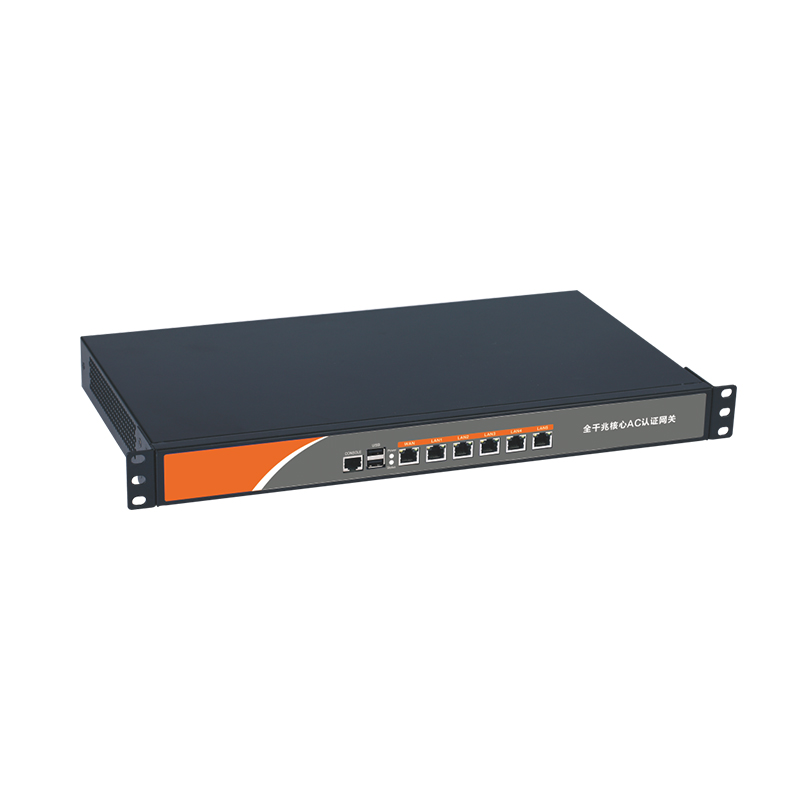
CF AC101 Full Gigabit Gateway
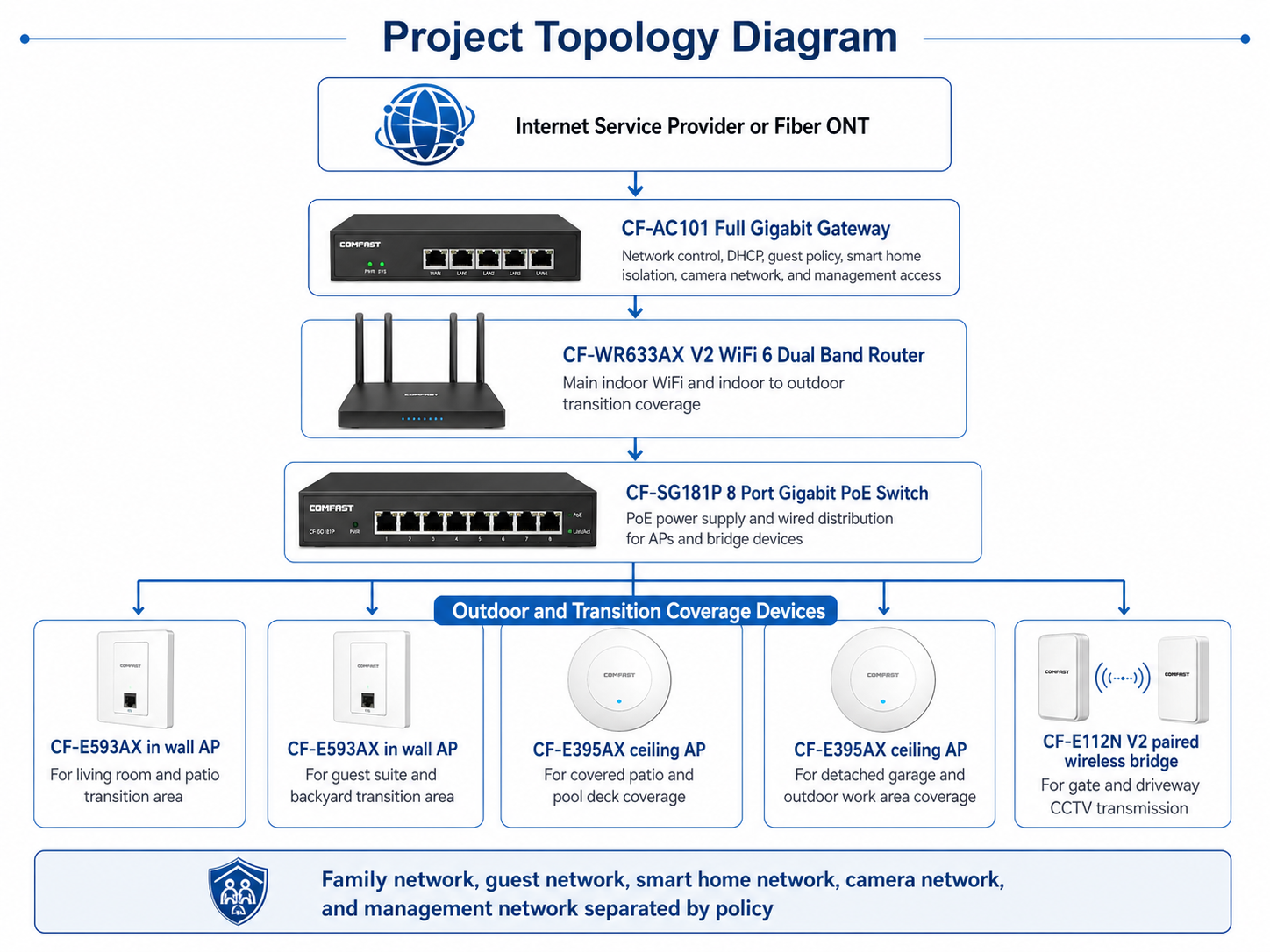
The CF AC101 was used as the core gateway for the villa network. It handled internet access control, DHCP assignment, network segmentation, guest network policy, smart home device separation, and basic bandwidth management. For a villa project with family users, guest devices, cameras, and smart systems, a full gigabit gateway is much more reliable than using a basic home router as the entire control center.
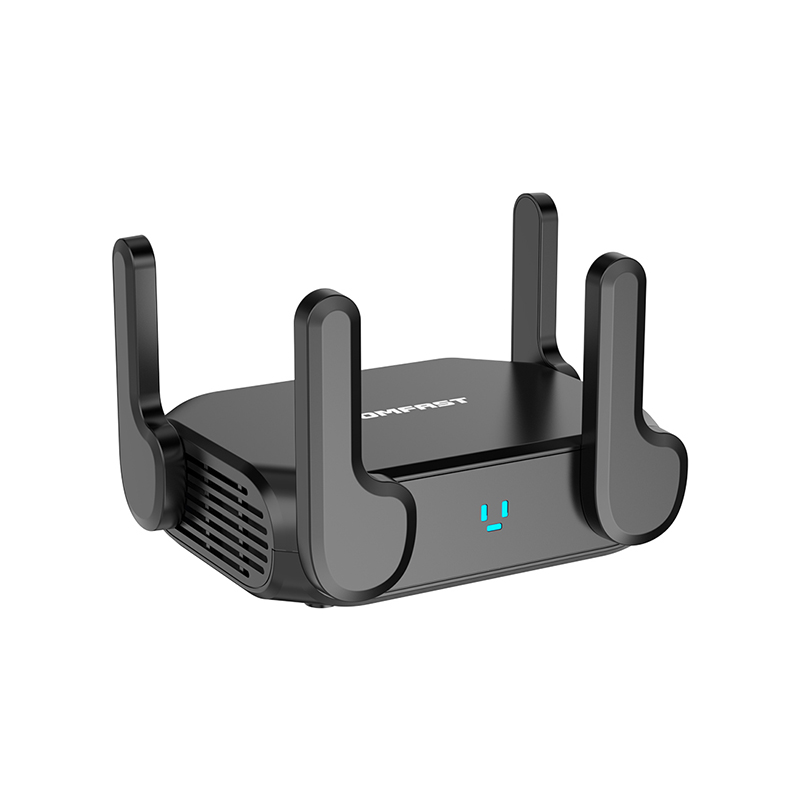
CF WR633AX V2 WiFi 6 Dual Band Router
The CF WR633AX V2 was used as the main wireless router and indoor wireless control point in the central living area. With 3000M WiFi 6 dual band performance, it provided strong indoor coverage and acted as a stable transition point between the indoor living space and outdoor AP coverage.
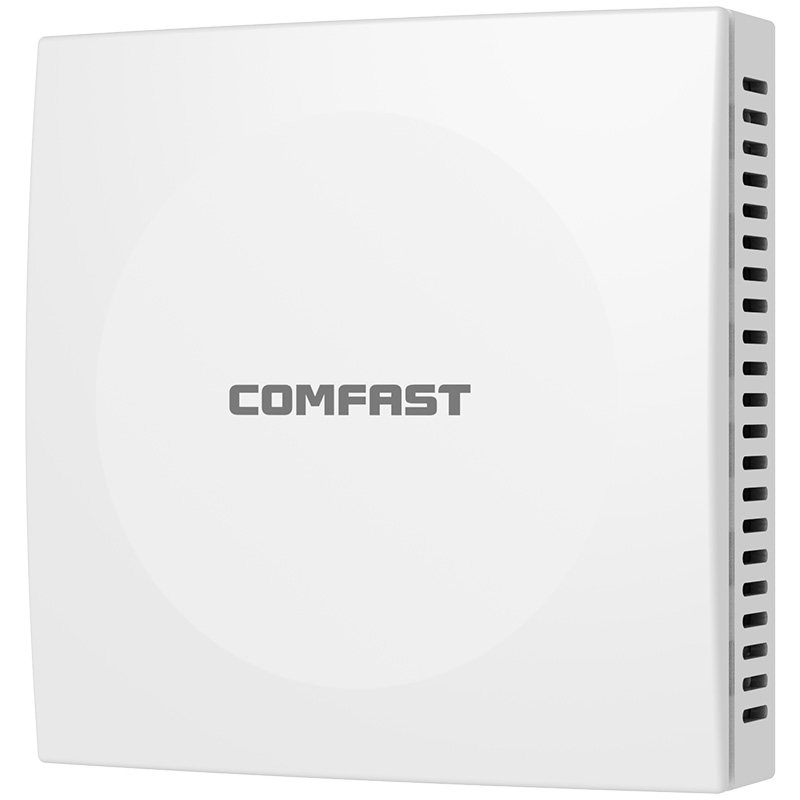
CF E593AX In Wall AP
The CF E593AX in wall AP was installed in selected indoor transition zones near the living room, guest suite, and patio access area. We used it because villas often have thick walls and separated rooms. An in wall AP gives clean installation, strong room level coverage, and better indoor to outdoor handoff near glass doors and patio exits.
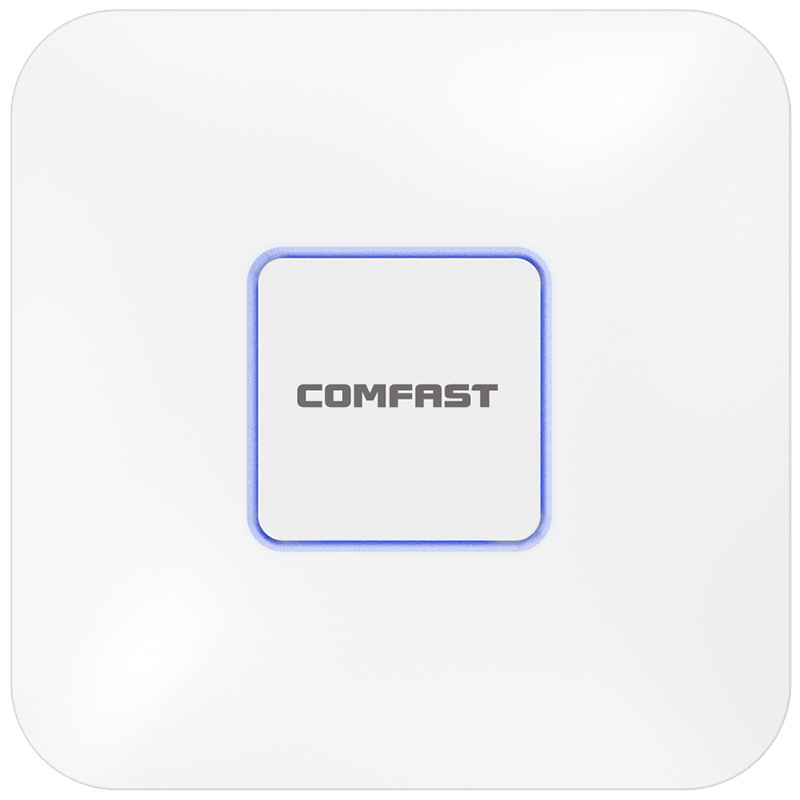
CF E395AX Ceiling AP
The CF E395AX ceiling AP was installed in the covered patio and detached garage area. It provided strong 3000M WiFi 6 coverage for larger open areas where a ceiling mounted position could spread the signal more evenly. It was also useful for supporting outdoor seating, music streaming, and smart home devices around the patio.
CF E112N V2 Paired Wireless Bridge
The CF E112N V2 paired wireless bridge was used for 2.4G wireless transmission for CCTV points near the gate and driveway. The bridge solution allowed us to avoid trenching, exterior wall cutting, and long visible cable runs. It was especially valuable where camera points were outside the practical Ethernet cabling route.
CF SG181P 8 Port Gigabit PoE Switch
The CF SG181P 8 port gigabit PoE switch was used to power and connect the APs and network devices through Ethernet. PoE deployment made the system cleaner because the APs did not need separate power adapters near each installation point. It also helped us organize the network cabinet and simplify future maintenance.
5. Project Topology Diagram
Overall Network Topology
6. Site Survey and Troubleshooting Process
Exterior Wall and Window Signal Test
The first step was to test how much signal was lost when passing through exterior walls and windows. We measured signal near the indoor router, then tested outside the living room, patio door, backyard seating area, pool deck, driveway, and gate. The results confirmed that the exterior wall and Low E glass were the main reasons the original WiFi could not cover the outdoor areas properly.
Backyard Patio and Pool Deck Survey
The backyard patio was the most used outdoor area. The homeowner wanted stable WiFi for phones, tablets, smart speakers, and occasional work calls. The pool deck had reflective surfaces, outdoor furniture, and landscaping, so we tested from multiple sitting positions instead of only testing from the center of the patio. This allowed us to design coverage around real user behavior.
Driveway and Gate Entry Survey
The driveway and gate entry required camera connectivity and occasional mobile WiFi access. These areas were farther from the house and had landscaping between the main building and camera points. Pulling cable would have required exterior work that the homeowner did not want. After checking the transmission path, we selected the CF E112N V2 paired wireless bridge for CCTV backhaul.
Detached Garage Survey
The detached garage was used as a small workshop and storage area. The original WiFi signal was weak and unstable inside this space. We selected a CF E395AX ceiling AP because a ceiling position could cover the garage interior and nearby outdoor work zone more effectively.
Existing Cable and Cabinet Inspection
The existing low voltage cabinet was not organized. Several Ethernet cables were unlabeled, and some ports were not connected to the expected rooms. We tested each cable, confirmed the actual destination, cleaned the cabinet layout, and prepared the PoE switch installation plan. This step prevented later confusion during AP deployment and acceptance testing.
7. Problems Found During Implementation
Problem One: Outdoor Coverage Could Not Be Solved by Increasing Router Power
The homeowner had previously been advised by another installer to use a stronger router. In our testing, we confirmed that this would not solve the issue. The problem was not just router power. The problem was building material loss, outdoor distance, and poor AP placement. A professional solution required distributed AP coverage, not a single stronger router.
Problem Two: The Patio Needed Transition Zone Coverage
When users walked from the living room to the patio, devices sometimes stayed connected to the indoor router for too long even though the outdoor AP signal was better. This is a common sticky client issue. We solved it by adjusting AP placement and transmit power so that the indoor to outdoor handoff became smoother.
Problem Three: Camera Locations Were Outside Practical Cable Routes
The gate and driveway cameras were located in areas where trenching would disturb stonework and landscaping. We used the CF E112N V2 paired wireless bridge to provide camera transmission without destructive construction. This was one of the most important decisions in the project because it saved time, preserved the appearance of the property, and met the homeowner’s security requirement.
Problem Four: Outdoor Reflection and Landscaping Created Uneven Signal
The pool water, stone surfaces, metal furniture, and outdoor structures created signal reflection. Trees and landscaping also blocked part of the signal path. We adjusted AP locations based on actual field testing rather than relying only on the property drawing. This helped us avoid over coverage in one area and dead zones in another.
Problem Five: Smart Home Devices Needed Network Separation
The original network placed phones, guests, cameras, and smart devices on the same network. This was not ideal for security or troubleshooting. We created separate policies for family devices, guest users, smart home equipment, camera transmission, and management access. This made the network cleaner and easier to support.
8. Final Engineering Solution
Main House Indoor Transition Coverage
The CF WR633AX V2 was placed near the central indoor area to provide strong WiFi 6 dual band coverage inside the main living space. We then used CF E593AX in wall APs at key transition points near the patio doors and guest suite area. This allowed devices to move from indoor coverage to outdoor coverage with fewer interruptions.
Covered Patio and Pool Deck Coverage
The covered patio and pool deck were covered with CF E395AX ceiling APs. The ceiling AP placement provided a cleaner appearance and a wider signal footprint for outdoor seating, music streaming, video calls, tablets, and smart lighting control. We carefully tuned transmit power so the APs supported the outdoor space without creating unnecessary interference with the indoor router.
Detached Garage and Outdoor Work Zone Coverage
A CF E395AX ceiling AP was installed in the detached garage. This solved the weak signal problem inside the garage and extended usable WiFi to the nearby outdoor work area. The homeowner could now use a laptop, smart speaker, and mobile phone in the garage without depending on weak signal from the main house.
Gate and Driveway CCTV Transmission
For the gate and driveway cameras, we deployed the CF E112N V2 paired wireless bridge. We selected mounting points with a stable transmission path and adjusted the bridge angle during testing. After the bridge link was stable, the CCTV video feed was tested for continuity and delay. This provided reliable camera transmission without trenching the yard.
Core Gateway and PoE Distribution
The CF AC101 gateway was used as the central control device, and the CF SG181P 8 port gigabit PoE switch was installed in the network cabinet for AP power and data distribution. This made the system cleaner and easier to maintain. All ports were labeled, and the homeowner received a clear handover map showing which port connected to each AP or bridge device.
Network Segmentation
Family Network: Used for phones, laptops, tablets, and daily personal devices.
Guest Network: Used for visitors and outdoor gatherings.
Smart Home Network: Used for smart lighting, smart speakers, pool control, garage control, and other IoT devices.
Camera Network: Used for CCTV devices and wireless bridge transmission.
Management Network: Used for gateway, AP, switch, and maintenance access.
9. What We Did Differently from Other Engineering Teams
We Designed Around Real Outdoor Use, Not Just Signal Bars
Another team had suggested adding a stronger router and hoping the signal would reach outside. We did not follow that approach. We tested where the family actually used WiFi: outdoor chairs, poolside seating, driveway, garage workbench, gate camera area, and patio dining table. Our design was based on real usage positions, not only a floor plan.
We Treated Indoor to Outdoor Roaming as a Key Requirement
Many residential installers only check whether the outdoor AP is broadcasting. We also tested movement from the living room to the patio, from the patio to the pool deck, and from the garage to the driveway. This allowed us to tune power and placement for a smoother user experience.
We Preserved the Property Appearance
For a high value villa, visible messy cabling is unacceptable. We used in wall APs, ceiling APs, PoE power, and wireless bridge transmission to reduce exposed wiring. Our installation was designed to blend into the property rather than make the property look like a construction site.
We Built a Maintainable Network Cabinet
We did not leave behind unlabeled cables and random power adapters. The gateway, PoE switch, patch cables, AP connections, and bridge connections were organized and documented. The property manager can quickly identify the device connected to each port if service is needed later.
10. Installation and Optimization Details
Cable Testing and Labeling
Before installing devices, we tested every available cable route. We confirmed which cable went to the living room transition area, guest suite area, patio ceiling position, detached garage, and network cabinet. Each cable was labeled at both ends. This prevented future confusion and helped the homeowner understand the system layout.
AP Mounting Position
The CF E593AX in wall APs were installed in clean interior positions near outdoor access areas. The CF E395AX ceiling APs were installed where they could provide even coverage without being blocked by beams, fans, or decorative outdoor structures. We avoided placing APs too close to metal frames because that would create reflection and uneven signal distribution.
Wireless Bridge Alignment
The CF E112N V2 wireless bridge pair was aligned carefully for the driveway and gate camera transmission. We checked mounting height, angle, obstruction, and link stability. After alignment, we tested camera video feed for smooth viewing and stable transmission.
Channel and Power Planning
We tuned channels and transmit power after installation. In a villa environment, maximum power is not always correct. Too much power can cause devices to stay connected to the wrong AP. Proper power tuning helped create smoother movement between indoor and outdoor areas.
Outdoor Real Use Testing
We tested the network while standing and sitting in the places where the family actually used WiFi. This included the patio dining table, pool lounge chairs, outdoor kitchen area, driveway, garage workbench, front gate, and backyard lawn. We also tested phone calls, music streaming, camera viewing, guest network access, and smart lighting response.
11. Project Acceptance Results
Final Acceptance Checklist
Backyard patio WiFi coverage test passed.
Pool deck WiFi coverage test passed.
Front driveway WiFi test passed.
Detached garage WiFi test passed.
Indoor to outdoor transition test passed.
Guest network access test passed.
Smart home device response test passed.
CCTV wireless bridge transmission test passed.
Camera viewing test from mobile phone passed.
Network cabinet labeling and documentation completed.
Homeowner and property manager handover training completed.
12. Customer and User Feedback
Homeowner Feedback
The homeowner told us, “We can now work, stream, and monitor cameras anywhere outside without dropped connections. The handoff from the house to the pool deck is seamless. The installation looks clean, and nothing feels temporary.”
Family Member Feedback
One family member said, “Before this project, the backyard speakers and video calls were always unstable. Now the patio feels like part of the indoor network.”
Property Manager Feedback
The property manager said, “This team’s design was cleaner and more practical than other proposals we reviewed. The installation looks neat and performs exactly as promised. The labeled cabinet and handover notes make future service much easier.”
13. Project Summary
Final Result
Project Eagle Ridge Estate was a successful outdoor WiFi coverage deployment for a single family villa in Austin, Texas. The key to the project was understanding that villa WiFi coverage is not only about distance. It is about construction materials, outdoor layout, lifestyle use, smart home stability, security camera transmission, and clean installation.
The final COMFAST based solution delivered stable outdoor coverage across the patio, pool deck, detached garage, driveway, and gate area. It also improved indoor to outdoor roaming, supported smart home devices, provided reliable CCTV wireless transmission, and gave the homeowner a clean, manageable network structure.
The most important decision was choosing the right device for each area. The CF AC101 managed the network. The CF WR633AX V2 handled main indoor WiFi. The CF E593AX served indoor transition points. The CF E395AX covered outdoor and garage zones. The CF E112N V2 solved CCTV transmission where cabling was difficult. The CF SG181P provided clean PoE power and wired distribution.
14. Lessons Learned and Advice to Other Contractors
Lessons Learned
Outdoor villa WiFi must account for exterior materials, landscaping, glass, stone, and metal structures.
A stronger router alone cannot solve outdoor dead zones when building materials block the signal.
Indoor to outdoor transition zones must be planned carefully.
Driveway and gate coverage need dedicated planning instead of relying on leftover signal from the house.
Wireless bridge links can save time and preserve finished exterior surfaces when camera cabling is difficult.
Proper channel and power tuning matter more than maximum transmit power.
A clean network cabinet and complete labeling are part of professional project delivery.
Advice to Other Contractors
For single family villa outdoor WiFi projects, do not design only from a drawing. Walk the property. Sit where the homeowner sits. Stand where the cameras are mounted. Test the driveway, pool deck, patio, garage, and gate entry. Look at the construction materials before deciding AP locations.
Do not install APs randomly just because a cable is available. A professional WiFi contractor must think about signal direction, obstruction, roaming, user density, smart home devices, camera transmission, power supply, and maintenance access.
Also, never ignore appearance in a high value residential property. The homeowner expects performance, but also expects clean installation. Use in wall APs where they make sense, use ceiling APs in covered areas, use PoE to reduce power clutter, and use wireless bridges when trenching is not practical.
A villa WiFi project is complete only when the homeowner can walk from the living room to the patio, stream music by the pool, check the gate camera, work in the garage, and invite guests without thinking about the network. That was the standard we delivered for Project Eagle Ridge Estate.