Shenzhen Factory Park Indoor and Outdoor Integrated WiFi Coverage Project Case
Project Name: Shenzhen Longgang “Qihang Intelligent Manufacturing Industrial Park” Indoor and Outdoor Integrated WiFi Coverage Project
1. Introduction to Our Project Team
We are a local Shenzhen WiFi coverage engineering team that has long served factory parks, warehousing and logistics facilities, intelligent manufacturing workshops, office buildings, dormitory areas, outdoor roads, and security wireless transmission projects. Over the past few years, we have completed a large number of industrial wireless coverage projects in Shenzhen, Dongguan, Huizhou, Foshan, and other cities, including electronics factory SMT workshops, hardware processing factories, injection molding workshops, warehousing and logistics parks, industrial park outdoor monitoring wireless backhaul, and factory dormitory wireless coverage.
Factory park WiFi projects are completely different from ordinary office and hotel WiFi projects. Office projects focus more on internet experience, while factory park projects involve not only employee internet access, but also barcode scanners, PDAs, MES systems, ERP systems, mobile inspection, security monitoring, guest networks, dormitory networks, warehouse data collection, and many other services. Once the wireless network becomes unstable, it does not just mean “no internet access”; it directly affects production, shipment, inventory counting, security, and management efficiency.
In terms of equipment selection, our team has long used COMFAST brand equipment. The advantage of COMFAST is that its product line is relatively complete. It has indoor wall APs, ceiling APs, high-performance outdoor APs, wireless bridges, POE switches, and core gateways, which are suitable for integrated wireless coverage solutions for small and medium-sized factory parks. We have used COMFAST outdoor APs, WiFi 6 APs, wireless bridges, and POE switching equipment in many projects, and we have mature experience with their installation methods, power supply methods, management logic, coverage capability, and weak-current construction details.
This project is an integrated factory park WiFi coverage project implemented by us in Longgang District, Shenzhen. The project scope includes the office building, production workshops, warehouses, dormitory public areas, factory roads, parking areas, loading and unloading areas, and some outdoor monitoring wireless transmission points.
2. Basic Project Information
1. Project Name
Shenzhen Longgang Qihang Intelligent Manufacturing Industrial Park Indoor and Outdoor Integrated WiFi Coverage Project
2. Project Location
An intelligent manufacturing industrial park in Longgang District, Shenzhen, Guangdong Province
3. Project Type
Factory park indoor + outdoor integrated WiFi coverage project
4. Coverage Areas
This project mainly covers the following areas:
- 1 office building, 5 floors in total
- 2 production workshop buildings, 3 floors each
- 1 raw material warehouse
- 1 finished goods warehouse
- Employee dormitory public areas
- Main factory roads
- Truck loading and unloading area
- Parking lot
- Security booth and gate area
- Outdoor monitoring point wireless backhaul area
5. Project Objective
The customer required us to build a “stable, manageable, expandable, and uniformly planned indoor and outdoor” WiFi coverage system. The system should not only solve the problem of employee mobile internet access, but also meet actual business needs such as production terminals, barcode scanners, mobile inspection, guest network, warehouse PDA, and outdoor monitoring backhaul.
3. Problems with the Customer’s Original Network
When we first arrived on site for the survey, the customer had already installed a relatively scattered wireless network. The original network was mainly pieced together with ordinary home routers, some small ceiling APs, and several ordinary switches. The problems were very obvious.
1. Workshop WiFi Signal Looked Full, But Business Terminals Often Dropped Offline
In the production workshop, many areas showed two or three bars of WiFi signal on mobile phones, and some even showed full signal. However, barcode scanners, PDAs, and workstation tablets often experienced delay, disconnection, and submission failure when connecting to the MES system.
After our on-site testing, we found that the original number of APs was not small, but the AP placement was very random. Some APs were installed in workshop corners, some were installed next to metal equipment, and some APs were blocked by cable trays, air ducts, fire pipes, and machine housings. This caused serious signal reflection and poor roaming experience.
2. No Continuous Coverage on Outdoor Roads
The factory main roads, truck loading and unloading area, and parking lot originally had no dedicated outdoor WiFi planning. When security guards and inspection personnel used mobile phones or inspection terminals outdoors, they often switched from office WiFi to mobile data, making photo upload and inspection record submission very slow.
3. Warehouse Wireless Coverage Was Unstable
The warehouse had high shelves, dense metal racks, and frequently changing cargo stacking heights. The original AP was installed at the entrance of the warehouse office, and the signal attenuated significantly when reaching the deep areas of the rack aisles. Warehouse staff often experienced data submission failures when using PDAs for inbound scanning, outbound scanning, and inventory counting.
4. Dormitory and Office Networks Were Mixed Together
The customer originally did not implement VLAN isolation. Office employees, visitors, dormitory public areas, and production terminals were basically all on the same network. This caused the following problems:
·Too many broadcast packets on the network
·Visitor devices were uncontrollable
·Production terminals and ordinary mobile phones shared the same network
·Troubleshooting became difficult later
·There were internal data security risks
5. Pulling Fiber for Outdoor Monitoring Points Was Too Costly
There were several perimeter monitoring points and truck passage monitoring points at the rear side of the factory area, far away from the main weak-current room. If pipes had to be excavated again to pull fiber, the construction cycle would be long, the cost would be high, and normal factory traffic would also be affected. Therefore, the customer wanted to use stable 5.8G wireless bridges to achieve monitoring video backhaul.
4. Specific Requirements from the Customer
The customer’s project leader gave us very clear requirements:
1.The wireless network in the office building must be stable, and the meeting rooms must not experience lag.
2.The workshop wireless network must prioritize the stability of barcode scanners, PDAs, and MES terminals.
3.The warehouse wireless coverage must reach deep into the rack aisles.
4.The outdoor roads, loading and unloading area, and parking area must have continuous WiFi coverage.
5.The guest network and internal network must be isolated.
6.The dormitory public area network must not affect the production network.
7.Outdoor equipment must be suitable for Shenzhen’s high-temperature, high-humidity, and rainy environment.
8.Some monitoring points should use wireless bridge backhaul, without re-excavation and rewiring.
9.The network must be easy to manage later, and problems must be quickly located.
10.The equipment brand should be unified, and later maintenance should not be too complicated.
5. Site Survey Process and Troubleshooting Details
1. Office Building Survey
The office building has 5 floors. Each floor includes open office areas, independent offices, meeting rooms, finance rooms, R&D offices, and corridor areas. We found on site that the main problem in the office building was not coverage distance, but the large number of wall partitions.
Especially in meeting rooms and finance rooms, glass partitions, wooden doors, walls, and filing cabinets all have a certain impact on 5G signal. If ceiling APs are only installed in the corridors, the signal inside the offices will be attenuated. If too many APs are installed, co-channel interference may occur.
Therefore, we adopted a combined method of “ceiling AP + wall AP” in the office building. CF-E395AX ceiling APs were used in open areas and meeting rooms, while CF-E591AX wall APs were used in independent offices and some rooms with many partitions, ensuring stable coverage in every office area.
2. Production Workshop Survey
The production workshop was the most complex area in this project. There were many metal devices, automated production lines, test cabinets, shelves, cable trays, air ducts, and cable troughs inside the workshop. During the survey, we focused on testing the following:
1.Signal attenuation at different heights
2.Whether electromagnetic interference existed when equipment was running
3.Actual connection stability of barcode scanners and PDAs
4.Obstruction between production lines
5.Roaming performance of workstation tablets
6.Whether the AP installation points were convenient for cabling and maintenance
7.Whether the network cable distance from the POE switch to the AP was reasonable
8.Workshop coverage cannot be simply arranged according to “average area distribution.” If the AP point locations are unreasonable, even if many APs are installed, signal overlap, serious interference, and frequent terminal AP switching will occur.
9.We finally adopted a “coverage by production line zone” method instead of simply covering by building area. Each main production line, each dense barcode scanning area, and each mobile operation passage was planned with separate AP points.
3. Warehouse Survey
The biggest problems in the warehouse were metal racks and unstable cargo stacking heights. Signal testing looked very good when the warehouse was empty, but once it was fully loaded, the signal obviously became worse. Therefore, warehouse WiFi cannot be tested only when the warehouse is empty.
We asked the customer to provide the rack layout under normal full-load conditions and performed multi-point testing inside the rack aisles. Finally, the warehouse adopted ceiling APs plus some outdoor AP-assisted coverage, with directional planning above the rack aisles, allowing the signal to cover along the aisles instead of forcing the signal from the warehouse edge toward the center.
4. Outdoor Park Survey
The outdoor areas included factory roads, parking lot, gatehouse, loading and unloading area, and perimeter monitoring points. Shenzhen has high temperatures, heavy rain, and high humidity. Outdoor APs must consider waterproofing, sun protection, lightning protection, firm installation, network cable protection, and stable POE power supply.
During the outdoor survey, we focused on confirming:
1.Pole installation positions
2.Wall-mounted installation positions
3.Network cable routing paths
4.Weak-current box locations
5.POE switch placement positions
6.Lightning and rain protection
7.Equipment maintenance height
8.Whether loading vehicles might hit the equipment
9.Whether AP signals would be blocked by factory exterior walls
The outdoor main roads and parking areas mainly used CF-WA973 and CF-WA971 WiFi 7 dual-band outdoor APs, deployed in combination according to different coverage radii and installation heights.
5. Monitoring Wireless Transmission Survey
The outdoor monitoring points were far away from the main equipment room, and some locations did not have conditions for rewiring. We used CF-E319A V2 5.8G wireless bridges for monitoring video backhaul.
Before bridge installation, we focused on confirming whether there was line of sight between point-to-point locations, whether there were trees blocking the path, whether large trucks were parked there for long periods, whether there was metal canopy reflection, and whether there were strong interference sources. The most forbidden practice in a wireless bridge project is installing it by thinking “it looks almost fine.” As long as there is obstruction in the middle, monitoring images may easily become stuck, packet loss may occur, and latency may increase later.
6. Project Problem Summary
After the on-site investigation, we summarized the customer’s original network problems as follows:
- The original AP locations lacked overall planning.
- Office, production, guest, and dormitory networks were not isolated.
- Workshop AP installation positions did not consider metal obstruction and production line structure.
- The warehouse did not have wireless coverage design based on rack aisles.
- Outdoor roads and parking areas did not have continuous coverage.
- There was no suitable solution for long-distance monitoring point transmission.
- The original switches were not unified, and POE power supply was unstable.
- There was no unified gateway management, and troubleshooting efficiency was low.
- Terminal roaming experience was poor, and mobile operations easily dropped offline.
- There were no reserved ports or network structure for later expansion.
7. Project Solution Design Concept
In this project, we adopted an overall solution of “unified core gateway management + centralized POE switch power supply + indoor and outdoor AP zone coverage + wireless bridge transmission for monitoring + VLAN service isolation.”
The overall design principles were:
1.Office areas focus on user experience
2.Production areas focus on stability
3.Warehouse areas focus on continuity
4.Outdoor areas focus on weather resistance
5.Monitoring areas focus on transmission
6.Guest networks focus on isolation
7.Later maintenance focuses on manageability
8. COMFAST Equipment List and Reasons for Use
The following are the main COMFAST equipment models used in this project and their usage descriptions.
| Equipment Model | Type | Project Use | Reason for Use |
|---|---|---|---|
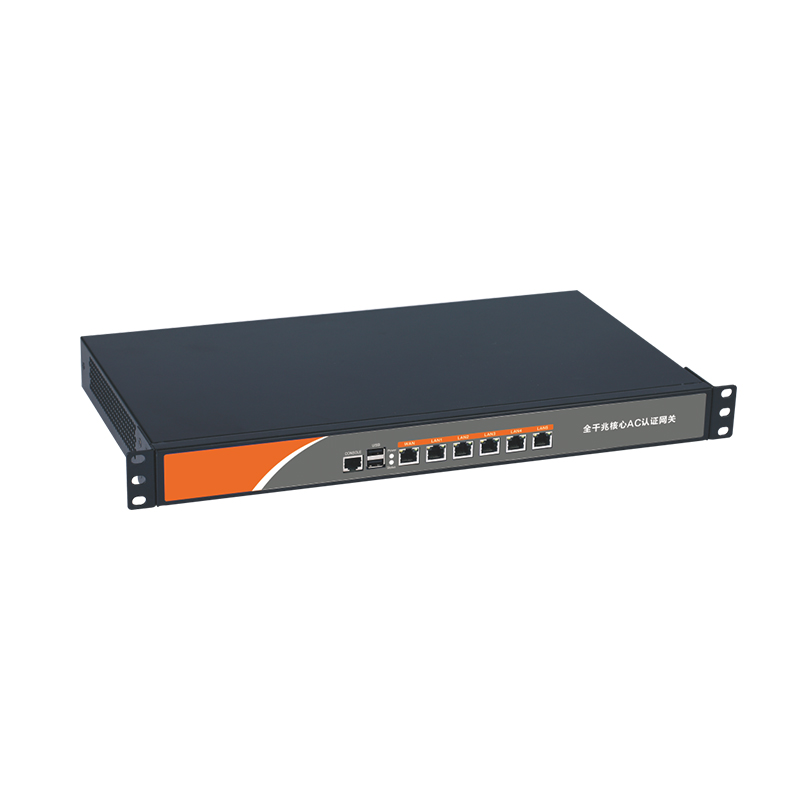
| CF-AC200 | Full gigabit core gateway | Core outlet, network management, VLAN planning | Suitable as the unified park outlet gateway, convenient for centralized management of office, production, guest, dormitory, and other networks |
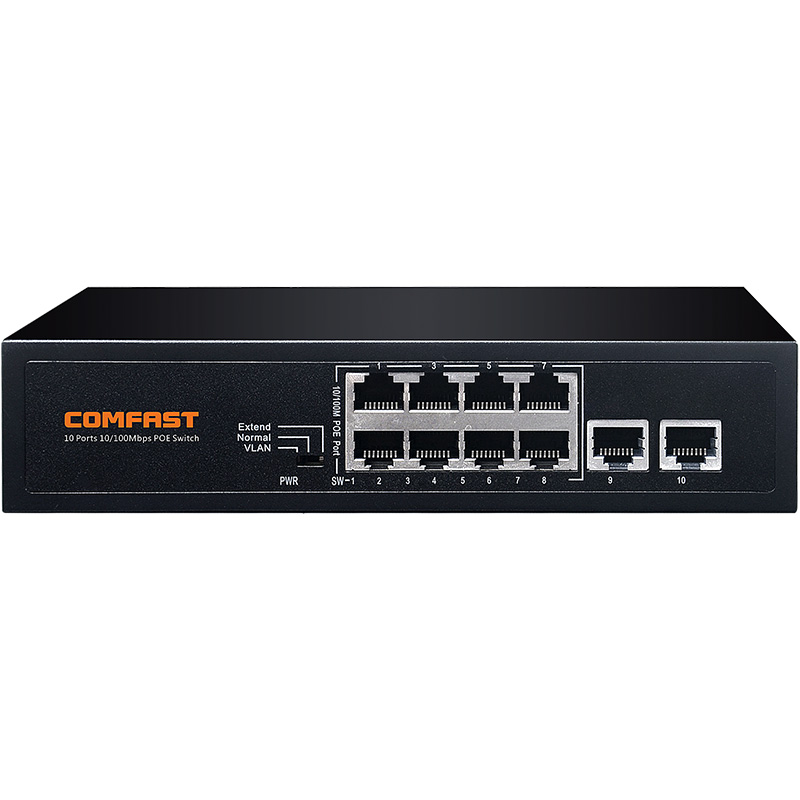
| CF-SG1241P | 24-port gigabit POE switch | Provides power to APs and some network devices | Sufficient port quantity, suitable for deployment in floor weak-current rooms and workshop zones |
| CF-WA973 | Outdoor AP, 3600M, WiFi 7, dual-band | Key coverage for factory roads, parking lot, loading and unloading area | Suitable for high-performance outdoor coverage, meeting multi-user mobile access and outdoor inspection needs |
| CF-WA971 | Outdoor AP, 3600M, WiFi 7, dual-band | Park perimeter, gatehouse, dormitory building exterior coverage | Suitable for outdoor supplementary points and continuous coverage, strengthening signal in park edge areas |
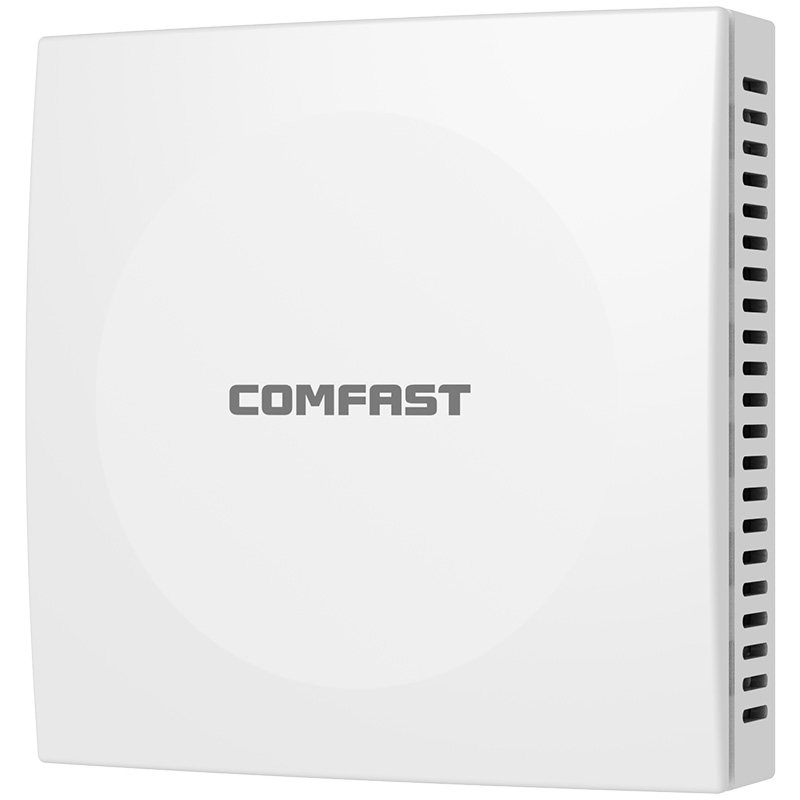
| CF-E591AX | Wall AP, 1500M, WiFi 6, dual-band | Independent offices, dormitory public rooms, small meeting rooms | Suitable for in-room coverage, reducing wall penetration attenuation and improving single-room experience |
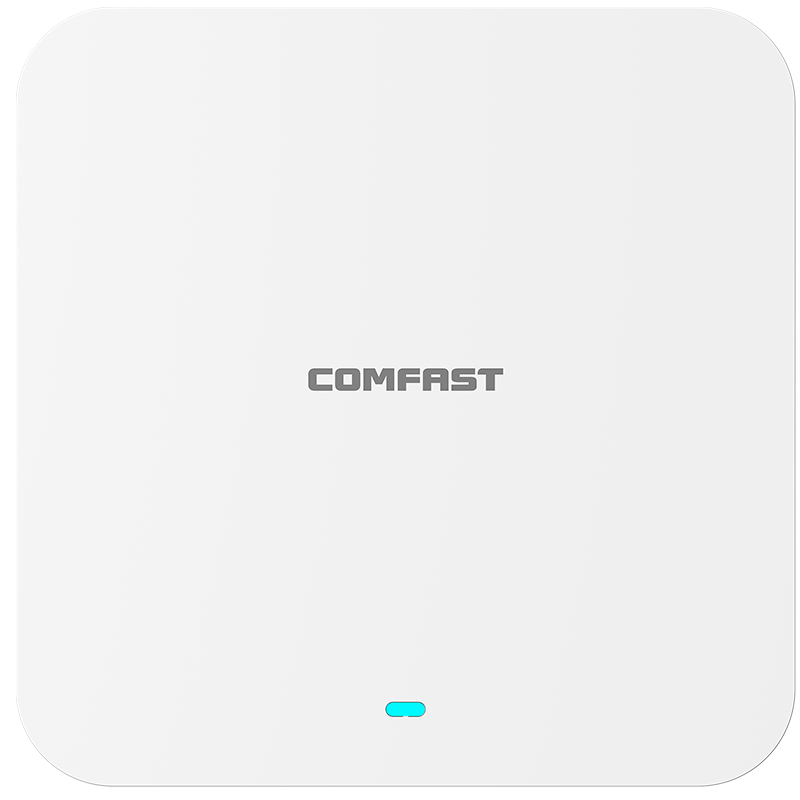
| CF-E395AX | Ceiling AP, 3000M, WiFi 6 | Office areas, meeting rooms, workshops, warehouses | Suitable for large indoor space coverage, with higher performance and suitable for multi-terminal access |
| CF-E319A V2 | 5.8G wireless bridge | Outdoor monitoring wireless transmission | Used for long-distance point-to-point transmission, reducing excavation and cabling costs |
9. Project Equipment Configuration Quantity
Based on site area, floor structure, number of terminals, and business requirements, the actual equipment deployed in this project was as follows:
| Equipment Model | Quantity | Deployment Location |
|---|---|---|
| CF-AC200 | 1 unit | Core cabinet in main equipment room |
| CF-SG1241P | 12 units | Main equipment room, office building weak-current rooms, workshop weak-current boxes, warehouse weak-current boxes |
| CF-E395AX | 38 units | Office areas, meeting rooms, workshops, warehouses |
| CF-E591AX | 64 units | Independent offices, dormitory public rooms, management offices |
| CF-WA973 | 10 units | Factory main roads, parking lot, loading and unloading area |
| CF-WA971 | 14 units | Gatehouse, dormitory exterior, park perimeter, near surrounding walls |
| CF-E319A V2 | 6 pairs | Outdoor monitoring point wireless backhaul |
10. Project Network Topology Diagram

11. VLAN and SSID Planning
To ensure factory park network security and business stability, we did not place all devices in the same network segment. Instead, we made clear VLAN and SSID planning.
| Network Type | SSID Example | Purpose | Permission Design |
|---|---|---|---|
| Office Network | QH-Office | Office computers, mobile phones, meeting equipment | Can access office systems and the internet |
| Production Network | QH-Production | PDA, barcode scanners, MES terminals | Only accesses production servers and specified systems |
| Warehouse Network | QH-Warehouse | Warehouse PDA, inventory terminals | Accesses WMS, ERP-related systems |
| Guest Network | QH-Guest | Visiting customers and suppliers | Internet access only, cannot access internal network |
| Dormitory Network | QH-Dormitory | Employee dormitory public areas | Bandwidth limit management, independent isolation |
| Monitoring Transmission Network | QH-CCTV | Cameras, bridge transmission | Only used for monitoring backhaul, not open to ordinary terminals |
| Device Management Network | QH-Manage | AP, switch, gateway management | Only administrators can access |
After this planning, even if visitors connect to WiFi, they cannot access production terminals and office servers. Dormitory network traffic also does not affect normal operation of workshop barcode scanners and warehouse PDAs.
12. Detailed Networking Description for Each Area
1. Office Building WiFi Coverage Solution
The office building mainly uses CF-E395AX ceiling APs and CF-E591AX wall APs.
Open Office Area
The open office area has dense personnel, computers, mobile phones, printers, and meeting panels. We used CF-E395AX ceiling APs for coverage. Each AP controls a reasonable coverage range. We did not pursue making a single AP cover too far; instead, we ensured even signal, sufficient capacity, and smooth roaming.
Independent Offices
Independent offices have more walls. Relying only on corridor APs would cause weak 5G signal inside the rooms. Therefore, we used CF-E591AX wall APs in some manager offices, finance rooms, and R&D rooms.
The benefit of wall APs is that the signal is released directly inside the room, without needing to penetrate multiple walls, making the user experience more stable.
Meeting Rooms
Meeting rooms are key areas in the office building. The customer often holds online meetings, video conferences, and client reception meetings. We used CF-E395AX ceiling APs in large meeting rooms and separately optimized the channel and power to avoid lag when many people gathered in the meeting room.
2. Production Workshop WiFi Coverage Solution
The production workshops mainly use CF-E395AX ceiling APs, with some open areas near the outer side assisted by outdoor APs.
There are several key points for workshop WiFi coverage:
First, APs must not be too close to metal equipment.
Second, APs must not be blocked by cable trays and air ducts.
Third, transmission power must not be blindly increased.
Fourth, barcode scanners and PDAs must switch smoothly while moving.
Fifth, the production terminal network must be isolated from ordinary employee mobile phone networks.
We divided the coverage areas according to production lines and arranged independent AP points near each main production line. For dense barcode scanning areas, such as incoming material inspection areas, packaging areas, and finished goods temporary storage areas, we increased AP density, but controlled transmission power to prevent interference between multiple APs.
During workshop wireless optimization, we focused on testing packet loss of PDAs while moving, instead of only checking mobile phone signal bars. Many unprofessional engineering teams only use mobile phones to see whether the WiFi signal is full, but what truly matters in factory projects is whether business terminals can connect to the system stably.
3. Warehouse WiFi Coverage Solution
The warehouses mainly use CF-E395AX ceiling APs, with AP points planned according to rack aisles.
Warehouse coverage cannot only depend on area. It must consider rack height, aisle width, and cargo materials. Metal racks, hardware parts, electronic material boxes, cartons, and plastic pallets all affect wireless signals differently.
Our approach was:
1.APs should be installed as much as possible above rack aisles
2.Avoid AP signals directly hitting the back of large metal racks
3.Strengthen coverage separately in receiving areas, shipping areas, and inventory counting areas
4.Use wall APs to supplement coverage in warehouse offices
5.Warehouse PDAs use a dedicated SSID to avoid competing for resources with employee mobile phones
After project completion, warehouse staff could scan and count inventory deep inside rack aisles, and data submission speed improved significantly. The previous problem of “scan successful but upload failed” was basically solved.
4. Outdoor Road and Parking Area WiFi Coverage Solution
Outdoor areas mainly use CF-WA973 and CF-WA971.
CF-WA973 is mainly deployed on factory main roads, parking lot, and truck loading and unloading area. These areas have frequent movement of people, many vehicles entering and leaving, and inspection personnel and security guards often need to upload photos, videos, and inspection records. Therefore, we used stronger outdoor APs as the main coverage.
CF-WA971 is mainly deployed at the park perimeter, gatehouse, dormitory building exterior, and edge supplementary coverage areas to ensure continuous outdoor coverage and avoid signal gaps.
During outdoor AP installation, we paid special attention to the following details:
1.Equipment installation height was controlled at a position convenient for maintenance
2.All network cables were protected with PVC pipes or metal pipes
3.Outdoor connectors were waterproofed
4.Pole-mounted equipment was provided with lightning protection and grounding
5.APs were prevented from directly facing large metal canopies
6.APs in the loading and unloading area were prevented from being hit by trucks or forklifts
7.Outdoor weak-current boxes reserved maintenance space
5. Gatehouse and Security Booth Coverage Solution
The gatehouse area has both security office requirements and visitor registration, license plate recognition, intercom, inspection upload, and other requirements. We used CF-WA971 near the gatehouse for outdoor coverage and supplemented with wall APs inside the security booth according to wall conditions.
The gatehouse network was separately divided. Visitor registration equipment and internal office equipment were separated to prevent the guest network from affecting gatehouse services.
6. Dormitory Public Area Coverage Solution
The customer did not require full coverage for every dormitory room in this project, but required WiFi coverage in the dormitory building lobby, activity room, management office, and public corridors.
We used CF-E591AX wall APs and some CF-WA971 outdoor APs for supplementary coverage in dormitory public areas. The dormitory network was separately divided into a VLAN and bandwidth limits were applied to prevent employee dormitory internet traffic from affecting office and production networks.
7. Outdoor Monitoring Wireless Transmission Solution
Outdoor monitoring points use CF-E319A V2 5.8G wireless bridges for point-to-point transmission.
We deployed a total of 6 pairs of wireless bridges for:
1.Park rear perimeter monitoring backhaul
2.Truck passage monitoring backhaul
3.Remote parking lot camera backhaul
4.Dormitory building exterior monitoring backhaul
5.Raw material warehouse exterior monitoring backhaul
6.Remote loading and unloading area camera backhaul
During wireless bridge installation, we followed one principle: higher is better if it avoids obstruction; direct line of sight is better than diffraction; firm fixing is better than temporary tying.
After all wireless bridges were installed, we tested link stability, latency, packet loss rate, and monitoring image continuity to ensure that the monitoring center images did not lag, blur, or disconnect frequently.
13. Key Details During Construction
1. Network Cable Construction
All AP points used Category 6 network cables, and both ends of the cables were labeled. We required construction personnel not to simply write “AP1, AP2,” but to clearly write the building, floor, area, and port number, for example:
1.B1-3F-OFFICE-AP05
2.C2-2F-LINE3-AP08
3.WH1-RACK-AISLE-AP03
4.OUT-PARKING-AP02
In this way, during later maintenance, administrators can know the equipment location by looking at the label, without needing to trace cables everywhere.
2. POE Power Supply
APs were uniformly powered through CF-SG1241P POE switches, reducing the number of power adapters on site. In factory environments, we strongly do not recommend using ordinary power strips everywhere to power APs, because later there may easily be power loss, accidental unplugging, aging, and safety hazards.
3. Weak-Current Box and Cabinet Organization
Inside workshop and warehouse weak-current boxes, we uniformly organized switches, power supplies, cable managers, and labels. Each weak-current box reserved some space to make it convenient to add APs or cameras later.
4. Outdoor Equipment Waterproof Treatment
After outdoor APs and wireless bridges were installed, all network cable interfaces were waterproofed. Connector locations were not directly exposed to rainwater impact direction. Before network cables entered weak-current boxes, drip loops were made to prevent rainwater from flowing along the network cable into the equipment.
5. AP Point Micro-Adjustment
Some points looked reasonable on drawings, but after actual on-site installation, they were affected by air ducts, cable trays, fire sprinklers, and ceiling structures. During construction, we slightly adjusted some AP points. The principle was to prioritize coverage effect instead of mechanically following the drawings.
14. Wireless Optimization Process
Equipment installation does not mean the project is complete. What really determines project quality is later commissioning and optimization.
1. Channel Optimization
We performed zoned channel planning for the 2.4G and 5G bands. In factories, 2.4G interference is relatively high, so ordinary office and mobile phone terminals were guided to use 5G first. Some older barcode scanners only supported 2.4G, so low-interference channels were planned separately for them.
2. Transmission Power Optimization
Many people like to adjust AP power to the maximum when doing WiFi coverage, but this is a wrong practice. Excessive power can easily cause terminals to stick to distant APs and refuse to switch to nearby APs, instead affecting roaming experience.
We adjusted power according to different areas:
1.Office building: medium power to ensure smooth roaming
2.Meeting rooms: moderately enhanced, but controlling boundary spillover
3.Workshops: power controlled according to production line zones
4.Warehouses: coverage along aisles, not blindly increasing power
5.Outdoor areas: adjusted according to road width and installation height
3. SSID Quantity Control
Too many SSIDs increase wireless management overhead and affect overall efficiency. Therefore, we did not create a separate SSID for every department. Instead, we planned SSIDs according to business type. This is convenient for management and reduces wireless airtime resource waste.
4. Roaming Test
We arranged engineers to hold PDAs, mobile phones, and laptops, and conduct mobile testing in the office building, workshops, warehouses, and outdoor roads. The test items included:
1.Whether disconnection occurs when walking from the office building to the workshop
2.Whether it remains stable when moving from one production line to another
3.Whether the warehouse PDA drops offline when moving and scanning in rack aisles
4.Whether the security guard maintains connection when walking from the gatehouse to the parking lot
5.Whether switching between outdoor APs is smooth
5. Business Test
In addition to ordinary speed testing, we paid more attention to business testing. Together with the customer’s IT department, we tested:
1.MES system login
2.PDA barcode upload
3.WMS inbound and outbound operations
4.Video conference calls
5.Guest internet access isolation
6.Dormitory network bandwidth limitation
7.Monitoring image backhaul
8.AP recovery after power failure
9.Gateway recovery after reboot
10.POE switch port status
15. Project Acceptance Standards
The acceptance of this project was not simply checking “whether there is WiFi signal.” It was accepted according to actual factory business.
1. Office Area Acceptance
- Office area signal coverage is stable
- Multiple users can connect normally in meeting rooms
- Video conferences do not lag
- Independent offices have no obvious weak signal areas
- Guest network cannot access internal network
2. Production Workshop Acceptance
- PDA scanning works normally in main production line areas
- MES terminal connection is stable
- No frequent disconnections during movement in the workshop
- Production network and guest network are isolated
- AP points do not affect production equipment maintenance
3. Warehouse Acceptance
- PDA scanning works normally in rack aisles
- Receiving area, shipping area, and inventory counting area coverage is stable
- No obvious blind spots in high-rack areas
- Warehouse network access to WMS is normal
4. Outdoor Area Acceptance
- Factory road WiFi has continuous coverage
- Parking lot and loading and unloading area signals are stable
- Security patrol photo upload works normally
- Outdoor APs are firmly fixed and waterproof treatment is qualified
5. Monitoring Wireless Backhaul Acceptance
- Monitoring images are continuous
- Wireless bridge links are stable
- No obvious packet loss
- Wireless links have no obstruction
- NVR recording is normal
16. Actual Results After Project Completion
After the project was completed, several problems that had troubled the customer the most were significantly improved.
1. Workshop Barcode Scanning Disconnections Were Significantly Reduced
Production staff reported that in the past, when scanning in the packaging area and testing area, submission failures often occurred. Now the scan upload speed is much faster. PDAs also no longer disconnect frequently when moving between production lines.
2. Warehouse Inventory Counting Efficiency Improved
The warehouse supervisor reported that in the past, some deep rack areas had poor signal during inventory counting, and employees had to walk to the aisle entrance to re-upload data. Now, scanning and data submission can basically be completed directly inside the rack aisles, and inventory counting efficiency has improved significantly.
3. Outdoor Inspection Became More Convenient
Security guards and equipment inspection personnel reported that after WiFi coverage was available on outdoor roads, parking lot, and loading and unloading area, inspection photos and abnormal records could be uploaded directly, without relying on mobile data.
4. Guest Network Became More Secure
Visitors now connect to an independent guest WiFi, which can only access the internet and cannot access the office internal network or production systems. The customer’s IT department considered this much safer than the previous mixed network.
5. Monitoring Backhaul Was Stable
The monitoring images backhauled through CF-E319A V2 wireless bridges were stable, avoiding re-excavation and rewiring, and saving construction time and cabling costs.
17. Positive Feedback from the Customer and Users
After project acceptance, the customer’s IT manager gave us the following feedback:
“This wireless network upgrade was not simply replacing equipment, but reorganizing office, production, warehouse, outdoor, and monitoring transmission networks as a whole. In the past, troubleshooting was very troublesome. Now every area and every network purpose is very clear, making later maintenance much more convenient.”
The production supervisor reported:
“Previously, sometimes the barcode scanner was connected to WiFi but data could not be uploaded. We did not know whether it was a system problem or a network problem. Now the workshop network is much more stable, employees do not need to rescan repeatedly, and on-site efficiency has improved.”
The warehouse supervisor reported:
“The WiFi in the rack aisles is obviously more stable than before. The PDA does not keep disconnecting when moving around and scanning inside, saving a lot of time during inventory counting.”
The security team leader reported:
“Outdoor inspection is more convenient now. The parking lot and loading and unloading area can both connect to WiFi. Uploading photos and records is faster than before.”
These feedback comments also show that factory WiFi projects cannot only look at equipment specifications. They must truly understand the customer’s production process and usage scenarios.
18. What We Did Differently from Ordinary Engineering Teams
When many engineering teams do factory WiFi coverage, they easily make several mistakes: only quoting according to area, only looking at AP quantity, only looking at signal strength, not checking business terminals, not doing VLAN isolation, and not doing later optimization.
What we did differently in this project mainly included the following points:
1. Understand the Business First, Then Select Equipment
We did not immediately tell the customer how many APs were needed. Instead, we first understood what business terminals the customer had, which areas dropped offline most easily, and which systems were most important. Factory projects must design the network around business.
2. Workshop Planning Was Based on Production Lines, Not Area
Workshop wireless coverage cannot be evenly distributed by area like ordinary offices. We planned according to production lines, equipment, scanning points, and mobile routes, so the final result was more stable.
3. Warehouse Planning Was Based on Rack Aisles
The most important thing in a warehouse is aisle coverage and PDA user experience, not speed test data in an empty warehouse. We designed coverage according to the rack structure to avoid signal deterioration after the warehouse became fully loaded.
4. Outdoor AP Installation Considered Long-Term Maintenance
Outdoor equipment is not finished once installed. Shenzhen has high temperatures, heavy rain, and many typhoon weather conditions. Installation height, fixing method, waterproofing, lightning protection, and cable protection are all very important.
5. Monitoring Bridge Links Were Tested Before Construction
Wireless bridge transmission must first confirm line-of-sight distance and interference conditions. We do not install directly just to rush the work. Instead, we first test the link, then fix the equipment, and finally conduct stability testing.
6. Acceptance Was Based on Business, Not Only Speed Testing
Speed testing can only explain part of the problem. We care more about whether PDAs are stable, whether MES is normal, whether video conferences do not lag, whether monitoring images are continuous, and whether guests are isolated.
19. Project Implementation Experience Summary
Through this Shenzhen factory park WiFi coverage project, we once again verified one experience: factory wireless networks must not be built with the thinking of home WiFi or ordinary office WiFi.
Factory park WiFi projects have several core priorities:
- The production network priority must be higher than ordinary internet access.
- Workshop AP points should avoid obstruction from metal equipment.
- Warehouse coverage must consider the fully loaded condition.
- Outdoor APs must pay attention to waterproofing, sun protection, and lightning protection.
- Wireless bridges must ensure line of sight and link stability.
- Office, production, guest, dormitory, and monitoring networks must be separated.
- More APs are not always better; point location and tuning are more important.
- Higher transmission power is not always better; reasonable control brings stability.
- Construction labels and documentation are very important; later maintenance depends on these details.
- Project acceptance must be tested with real business terminals.
20. Advice for Other Engineering Teams
If other engineering teams are also going to do similar factory park WiFi projects, we recommend that they must pay attention to the following points:
First, do not quote only based on floor plans. Factory site conditions are complex, and on-site surveys are necessary.
Second, do not only ask the customer for the coverage area. Ask clearly about business terminals and usage scenarios.
Third, do not put all networks in one network segment. It will definitely be difficult to maintain later.
Fourth, do not blindly increase the number of APs. Too many APs may instead interfere with each other.
Fifth, do not only test mobile phone signal. Use the customer’s actual PDAs, barcode scanners, and inspection terminals for testing.
Sixth, warehouses must consider the fully loaded condition. Do not only test when the warehouse is empty.
Seventh, outdoor construction must handle waterproofing, lightning protection, and network cable protection well.
Eighth, wireless bridge transmission must ensure line of sight. It cannot rely on luck.
Ninth, project handover must provide point maps, label tables, account information, and network planning descriptions.
Tenth, the real value of a factory WiFi project is not installing WiFi, but allowing the customer’s production, warehousing, office, and security operations to run stably.
21. Project Conclusion
The Shenzhen Longgang Qihang Intelligent Manufacturing Industrial Park indoor and outdoor integrated WiFi coverage project is a typical factory park wireless network renovation case. This project involved the office building, production workshops, warehouses, dormitory public areas, outdoor roads, parking lot, loading and unloading area, and monitoring wireless transmission at the same time. The coverage scenarios were complex, and construction and commissioning requirements were high.
Through COMFAST CF-AC200 core gateway, CF-SG1241P POE switches, CF-E395AX ceiling APs, CF-E591AX wall APs, CF-WA973 / CF-WA971 outdoor WiFi 7 APs, and CF-E319A V2 wireless bridges, we completed integrated deployment from the core network to indoor coverage, outdoor coverage, and monitoring transmission.
What was finally delivered was not a simple set of WiFi devices, but a wireless network system built around the factory’s real business operations. For factory customers, stable WiFi is not an added bonus, but an important infrastructure for production management, warehousing efficiency, mobile office, and park security.