Project Mabuhay Bay: Pre Opening Indoor WiFi Coverage for a New Hotel in Manila
Contractor Team Introduction
We are a Manila based WiFi engineering contractor with long term experience in commercial wireless coverage, hotel WiFi deployment, wireless CCTV transmission, outdoor wireless bridging, public area WiFi coverage, and managed network installation.
Our team has handled WiFi projects for hotels, shopping malls, restaurants, ferry terminals, resort facilities, government service halls, warehouses, and outdoor public areas across Metro Manila and nearby provinces. In our work, we do not simply install access points. We perform site surveys, RF planning, cable testing, PoE switch deployment, gateway configuration, VLAN design, roaming optimization, interference analysis, bandwidth control, wireless bridge alignment, speed testing, and final acceptance documentation.
We have used COMFAST equipment in many real engineering projects. From our field experience, COMFAST devices are practical for hotel and commercial WiFi projects because they provide a strong balance between performance, deployment flexibility, and cost control. For projects where the owner needs stable guest WiFi, reliable PoE access point deployment, outdoor coverage, and CCTV wireless transmission, COMFAST has been a dependable brand in our engineering work.
For this Manila hotel project, we selected a complete COMFAST solution, including WiFi 6 in room APs, WiFi 7 ceiling APs, WiFi 7 outdoor APs, 5.8 GHz wireless bridges, a full gigabit gateway, PoE switches, and OpenWrt mini routers for special network zones.
1. Project Overview
Project Name: Project Mabuhay Bay
Hotel Name: Bayview Pearl Hotel Manila
Location: Ermita Malate area, Manila, Philippines
Project Type: New hotel pre opening indoor WiFi coverage
Building Type: Newly renovated business hotel
Floors: 12 floors plus rooftop service area
Guest Rooms: 138 rooms
Main Areas: Lobby, reception, restaurant, café, meeting room, guest corridors, elevator lobby, staff office, back of house area, entrance driveway, CCTV zones, and rooftop service area
Main Goal: Build a stable, high speed, easy to manage WiFi network before hotel opening
The hotel owner contacted us about six weeks before the soft opening. At that time, the renovation work was almost finished, but the hotel had not yet started full operations. This stage is very important for WiFi projects because the network must be completed before guests arrive, while the site is usually still changing every day.
Painters, electricians, ceiling contractors, CCTV installers, interior decorators, and hotel operations staff were all working at the same time. Some rooms were already finished, while some areas still had construction tools, temporary lights, dust, and unfinished ceiling panels. This made the WiFi project more challenging, but it also gave our team the opportunity to detect and correct problems before the hotel officially opened.
2. Customer Pain Points Before the Project
Before our team entered the site, the hotel had several serious concerns.
First, the hotel owner wanted every guest room to have stable WiFi. They did not want guests to complain about weak signal, slow speed, unstable video calls, or poor coverage near the bed and working desk.
Second, the hotel had thick concrete walls, fire rated doors, mirror panels, bathroom partitions, and metal ceiling structures. These materials are very common in Manila hotel renovation projects, but they can seriously weaken WiFi signals.
Third, the hotel needed strong WiFi in public areas such as the lobby, restaurant, café, meeting room, and reception area. These areas would have many users at the same time during check in, breakfast, events, and group tours.
Fourth, the CCTV contractor needed network transmission for several monitoring points where pulling new cable was difficult. The hotel wanted a clean solution without breaking newly finished walls or ceilings.
Fifth, the hotel needed outdoor WiFi coverage near the entrance driveway, smoking area, and small outdoor waiting zone.
Sixth, the project schedule was tight. The WiFi system had to be installed, configured, tested, adjusted, and accepted before the soft opening.
In short, the customer did not just need internet access. They needed a hotel grade WiFi system that could support real guests from day one.
3. Customer Requirements
After our first meeting with the hotel management team, we summarized the project requirements as follows.
Stable WiFi coverage in all guest rooms.
Strong WiFi signal in corridors and elevator lobby areas.
High capacity WiFi coverage in the lobby, restaurant, café, and meeting room.
Separate networks for guests, hotel staff, CCTV, and management devices.
Smooth roaming in public areas.
Wireless CCTV transmission for difficult cabling points.
Outdoor WiFi coverage for the hotel entrance and driveway.
Centralized gateway control with bandwidth management.
PoE based AP deployment to reduce power socket dependency.
Clean installation before opening with minimum impact on hotel decoration.
Easy maintenance for the hotel IT staff after handover.
Full testing, documentation, and acceptance report before soft opening.
4. COMFAST Equipment Used in This Project
The project used the following COMFAST devices.
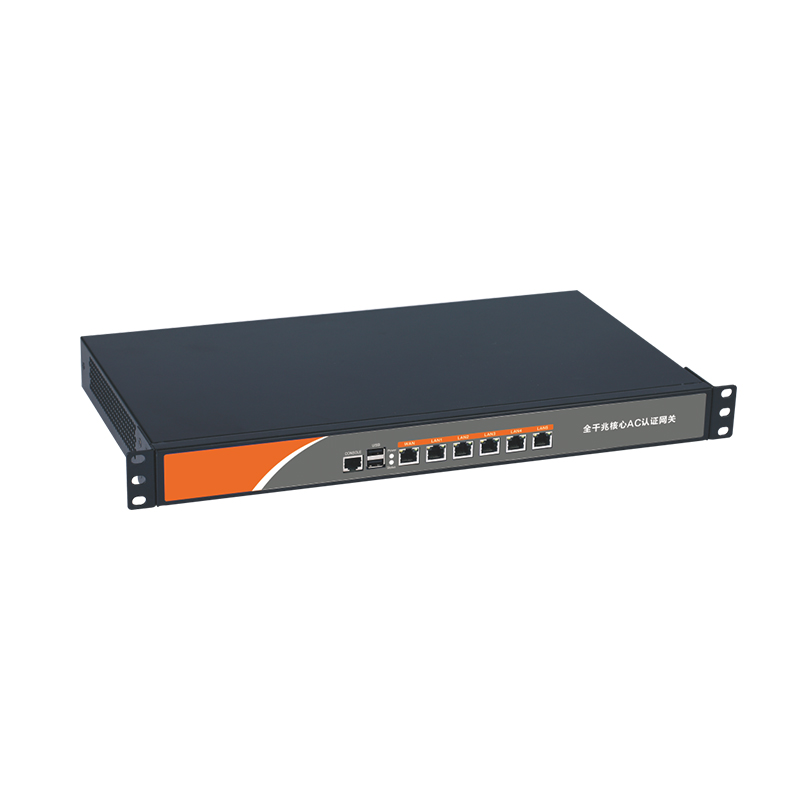
CF AC100: Full gigabit gateway. It was used as the main gateway for internet access control, VLAN planning, DHCP assignment, bandwidth policy, and network management.
CF SG181P: 24 port gigabit PoE switch. It was used to power and connect multiple APs through Ethernet cables. This reduced the need for separate power adapters and made the installation cleaner.
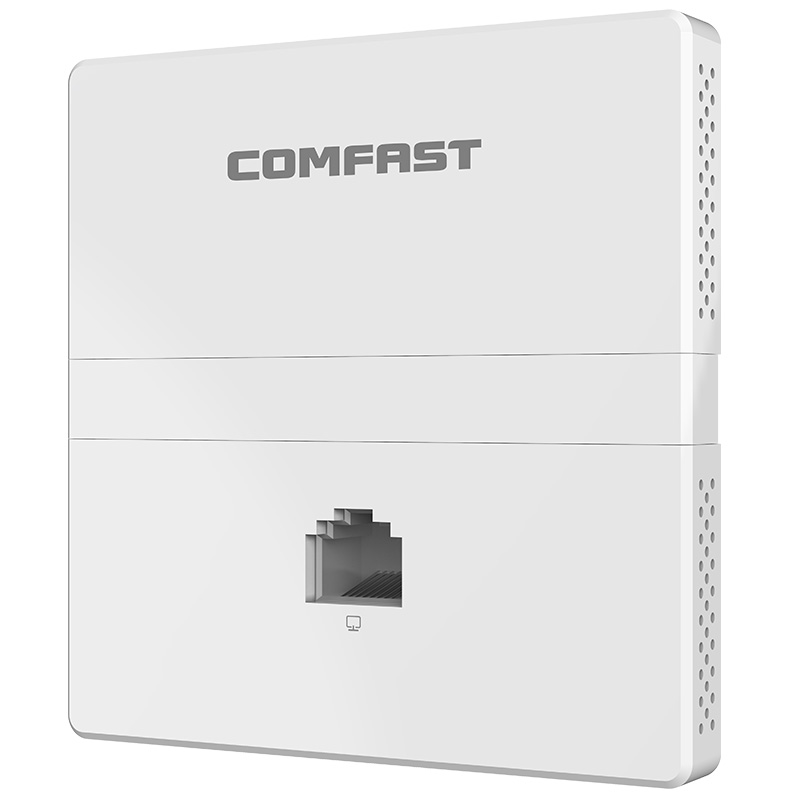
CF E593AX: In wall AP, 1500M, WiFi 6, dual band. It was used mainly inside guest rooms. This model was selected because in room WiFi coverage is more stable when the AP is placed close to the guest usage area instead of relying only on corridor APs.
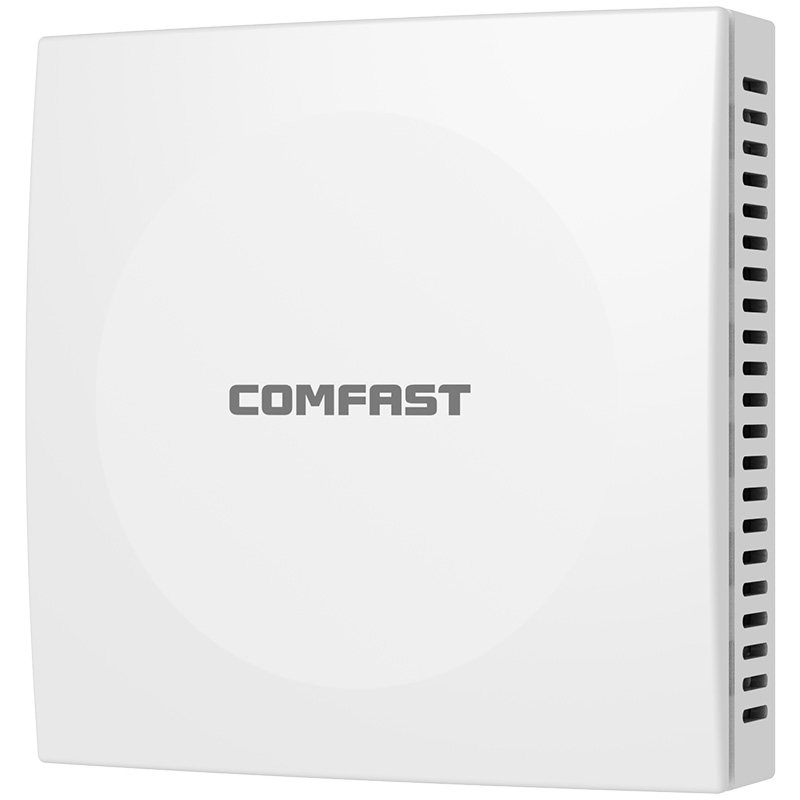
CF E373BE: Ceiling AP, 3600M, WiFi 7. It was used in high density public areas such as the lobby, restaurant, meeting room, café, and selected wide corridor areas. This model was selected for higher wireless performance and better user capacity.
CF WA973: Outdoor AP, 3600M, WiFi 7. It was used for the entrance driveway, outdoor waiting area, smoking area, and small outdoor service zone.
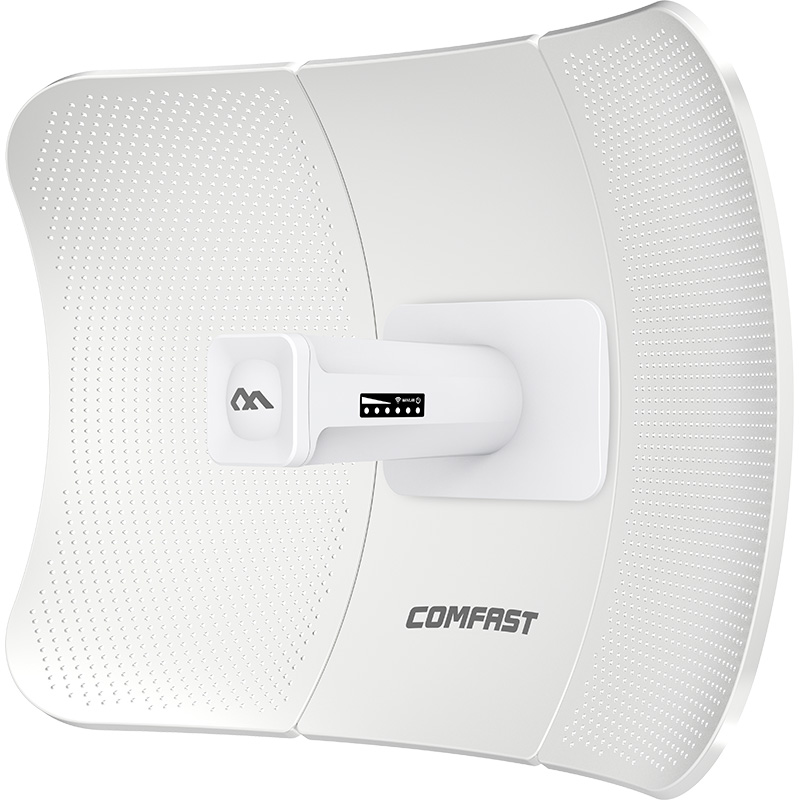
CF E312A V2: 5.8 GHz wireless bridge. It was used for CCTV wireless transmission where new cable routing was difficult or would damage completed decoration.
CF WR632AX: OpenWrt mini router, 3000M, WiFi 6, dual band. It was used in special network zones, including temporary office testing, independent vendor network access, and backup mini routing for isolated service areas during the pre opening stage.
5. Project Topology Diagram

6. Site Survey and Engineering Inspection
Before installation, our team performed a full site survey. For hotel WiFi projects, this step is more important than many owners realize. A hotel room may look simple, but from a wireless engineering perspective, every wall, mirror, bathroom, fire door, ceiling material, and cable route matters.
6.1 Guest Room Inspection
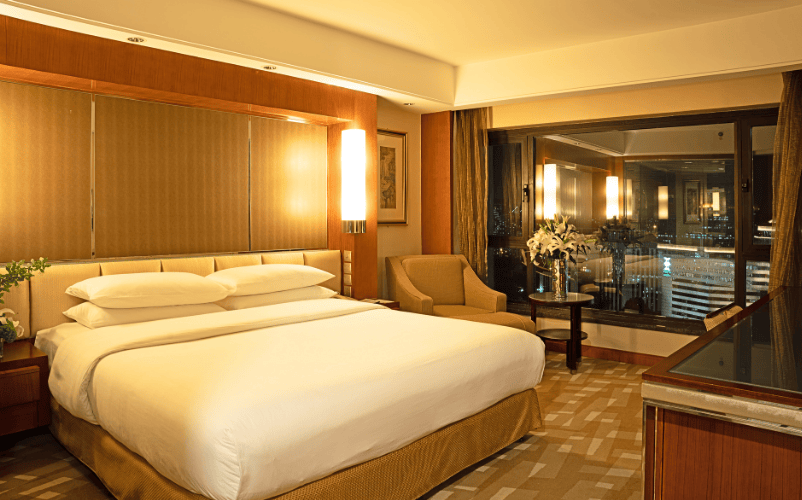
The hotel had 138 rooms. Most rooms were standard single or double rooms, while some corner rooms were larger suites.
During the survey, we found several important conditions. The guest room walls were thick concrete. The bathrooms used glass and tile partitions. Several rooms had full wall mirrors near the desk area. The corridor doors were fire rated and had metal components. Some rooms had TV cabinets that could block signal if an AP was installed too low. The guest desks were usually placed near the window side, far from the entrance door.
This confirmed that corridor only WiFi coverage would not be good enough. If we installed only ceiling APs in the corridor, guests might see strong WiFi bars near the room door, but the signal would drop near the bed or desk. This is one of the most common mistakes in hotel WiFi projects.
Our decision was to use CF E593AX in wall APs in guest rooms to provide direct room level coverage.
6.2 Corridor Inspection
The corridors were long and narrow, with multiple fire doors dividing each floor. In some places, the corridor ceiling had metal framing and air conditioning ducting.
We tested the signal path and found that corridor APs would be useful for roaming and public passage coverage, but they should not be the only source of guest room WiFi.
For elevator lobby areas and wider corridor sections, we planned CF E373BE ceiling APs.
6.3 Lobby and Reception Area Inspection
The lobby was one of the most important areas. During opening day and check in time, many guests would use mobile phones at the same time. The hotel also planned to use tablets at the front desk and mobile POS devices in the lobby café.
The lobby had high ceilings, decorative panels, glass doors, marble surfaces, and metal fixtures. These materials can reflect or weaken WiFi signals. We selected CF E373BE ceiling APs for this area because the lobby needed higher capacity and stronger public area performance.
6.4 Restaurant and Café Inspection
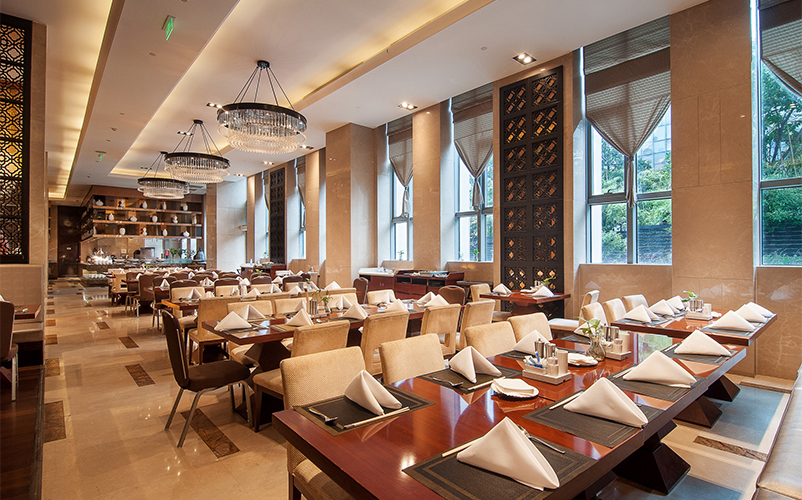
The restaurant would support breakfast service, walk in customers, and small private events. The hotel expected heavy WiFi usage in the morning because guests often check messages, upload photos, make video calls, and use travel apps during breakfast.
We placed CF E373BE ceiling APs in the restaurant and café area, with careful channel planning to avoid interference with the lobby APs.
6.5 Meeting Room Inspection
The hotel had one medium sized meeting room for business guests and small events. The customer specifically asked for stable WiFi during video conferences and presentations.
For this area, we used CF E373BE ceiling AP coverage and separated the meeting room network policy from the normal guest network so that event users could receive better bandwidth when needed.
6.6 Outdoor Entrance and Driveway Inspection
The entrance driveway and small outdoor waiting area needed WiFi for arriving guests, security staff, and hotel operations. Since this area was exposed to outdoor conditions, an indoor AP was not suitable.
We selected the CF WA973 outdoor WiFi 7 AP for this part of the project.
6.7 CCTV Wireless Transmission Inspection
Several CCTV points were difficult to cable because the walls and ceilings had already been finished. Opening the ceiling again would delay the project and increase renovation cost.
For these camera points, we used CF E312A V2 5.8 GHz wireless bridges. This allowed the CCTV system to transmit video data without damaging the completed interior work.
7. Problems Found During the Project
Every new hotel project has hidden problems. A WiFi contractor must find them before the guest finds them.
7.1 The Original Cable Labels Were Inaccurate
Some network cables were labeled incorrectly. For example, a cable labeled Room 708 actually went to Room 710. Another cable labeled Lobby AP ended inside the back office ceiling.
If we had trusted the labels without testing, APs would have been connected to the wrong ports, causing confusion during configuration and troubleshooting.
Our solution was to test every cable one by one, relabel both ends, and update the network cabinet documentation.
7.2 Several Guest Rooms Had Weak Signal Near the Desk Area
In early testing, a few rooms showed acceptable signal near the entrance but weaker signal near the desk and window. This was caused by room layout, mirror reflection, and bathroom wall blockage.
Our solution was to adjust the in wall AP installation position where possible and fine tune transmit power. We also adjusted nearby AP channels to reduce interference.
7.3 Public Area APs Were Too Close in the Original Design
The hotel’s original decoration drawing suggested several AP points that were too close together. If installed exactly as shown, the APs would create unnecessary overlap and co channel interference.
Our solution was to redesign AP placement based on actual RF behavior, not only the ceiling drawing. We moved several AP points to better locations while keeping the installation clean.
7.4 CCTV Wireless Bridge Line of Sight Was Partially Blocked
One planned wireless bridge path was blocked by a newly installed metal signage frame. This was not shown on the early renovation drawing.
Our solution was to reposition the CF E312A V2 bridge mounting point and adjust the angle until the link became stable.
7.5 The ISP Line Was Not Fully Activated During Initial Testing
This is a common issue in new hotel openings. The building network must be tested before the ISP has delivered full service.
Our solution was to perform internal LAN testing first, including AP connection, roaming, VLAN separation, DHCP assignment, local throughput, and CCTV bridge stability. Once the ISP service was activated, we completed internet speed and real user testing.
7.6 Construction Dust and Ceiling Work Affected Installation
During installation, some ceiling areas were still being finished. Dust can affect connectors, patch panels, AP mounting, and cable termination quality.
Our solution was to protect the equipment during installation, clean connection points before final termination, and perform a second inspection after the ceiling contractor completed work.
8. Engineering Solution
Our final solution was based on one principle: different hotel areas need different WiFi deployment methods.
A hotel is not one single wireless environment. Guest rooms, corridors, lobby, restaurant, outdoor areas, CCTV points, and back office zones all have different requirements.
8.1 Guest Room WiFi Solution
For guest rooms, we used CF E593AX in wall APs.
We selected this model because the guest room needs stable signal close to the user. In wall AP installation looks clean and professional. WiFi 6 dual band performance is suitable for room level access. It reduces the problem of thick wall signal loss. It gives each room or group of rooms more predictable coverage. It is also easier to maintain than hiding consumer routers inside rooms.
In our design, each guest room zone was planned with signal strength, wall material, and room layout in mind. We avoided relying only on corridor APs because corridor only hotel WiFi often causes weak room coverage and guest complaints.
8.2 Lobby and Reception WiFi Solution
For the lobby and reception area, we used CF E373BE ceiling APs.
The lobby is a high density area. WiFi 7 capacity is suitable for heavy user traffic. Ceiling installation provides better open area coverage. It supports modern mobile devices with better wireless performance. It also helps prepare the hotel for future bandwidth demand.
We adjusted AP placement so that guests could receive strong signal at the entrance, front desk, sofa area, waiting area, and lobby café.
8.3 Restaurant and Café WiFi Solution
For the restaurant and café, we also used CF E373BE ceiling APs.
Breakfast time creates a short but heavy WiFi load. Guests often check email, stream videos, post social media content, and use travel apps. For this reason, we treated the restaurant as a high density area instead of a simple dining space.
We also separated staff POS devices from the guest WiFi network to reduce risk and improve stability.
8.4 Meeting Room WiFi Solution
The meeting room required stable video conference performance. We used CF E373BE ceiling APs and created a dedicated meeting SSID policy that could be enabled for events.
For business meetings, the hotel can provide a temporary password and higher bandwidth policy. After the event, the password can be changed or disabled.
8.5 Corridor and Elevator Lobby Solution
Corridors and elevator lobbies were covered using a combination of CF E373BE ceiling APs and nearby room AP signals.
The goal was not to overload the corridor with too many APs. The goal was to provide smooth transition between rooms, elevator areas, and public spaces.
We carefully adjusted transmit power so that APs did not shout over each other. Too much power is not professional engineering. Correct power is professional engineering.
8.6 Outdoor Entrance Solution
For the outdoor entrance, driveway, and smoking area, we used the CF WA973 outdoor AP.
It is designed for outdoor installation. It provides strong WiFi 7 outdoor coverage. It is suitable for hotel entrance and service areas. It reduces the need to expose indoor APs to outdoor humidity and heat. It also gives guests WiFi access before they even enter the lobby.
This was especially useful for arriving guests waiting for rides, security staff using mobile devices, and hotel operations near the entrance.
8.7 CCTV Wireless Transmission Solution
For CCTV points where cabling was difficult, we used CF E312A V2 5.8 GHz wireless bridges.
This solution avoided damage to finished walls and ceilings. It supported wireless transmission for camera data. The 5.8 GHz transmission was practical for point to point CCTV links. It reduced renovation delay and provided a clean solution for difficult camera positions.
We mounted and aligned the wireless bridges carefully. After alignment, we tested the camera feed for stability, latency, and packet loss.
8.8 Gateway and Core Network Solution
The CF AC100 full gigabit gateway was installed as the main network control device.
It handled internet access, DHCP assignment, network segmentation, guest network policy, staff network policy, CCTV network policy, bandwidth control, and basic management structure.
The CF SG181P 24 port gigabit PoE switch was used in the main network cabinet and floor distribution points.
It handled PoE power for APs, gigabit uplink connection, cleaner cabinet organization, simplified AP deployment, and centralized maintenance.
8.9 Special Zone Solution with CF WR632AX
The CF WR632AX OpenWrt mini router was used for several special purposes during the pre opening stage.
We used it for temporary contractor network access, vendor device testing, isolated office network during installation, backup routing for temporary operation areas, and controlled testing before the hotel’s final network policy was activated.
This was very useful during the pre opening period because many vendors needed internet access, but we did not want them to connect directly to the official guest or staff network.
9. Network Segmentation Design
For a hotel, one flat network is a bad design. Guest devices, staff devices, CCTV cameras, office computers, and management equipment should not all be placed in the same network.
We designed four main network groups.
Guest Network: Used by hotel guests. Devices were isolated from each other for privacy and security.
Staff Network: Used by hotel operations, front desk, office staff, and authorized internal users.
CCTV Network: Used by cameras, NVR, and wireless bridge transmission devices.
Management Network: Used by gateway, AP management, switch access, and engineering maintenance.
This structure improved security, reduced unnecessary broadcast traffic, and made troubleshooting easier.
10. SSID Planning
We recommended a simple SSID structure because too many SSIDs can create unnecessary wireless overhead.
BayviewPearl Guest: For hotel guests.
BayviewPearl Staff: For hotel employees.
BayviewPearl Meeting: For event and meeting room use.
BayviewPearl Admin: Hidden or restricted SSID for management and technical maintenance.
We advised the hotel not to create too many public SSIDs. A clean SSID plan makes the network easier to manage and improves the user experience.
11. Installation Details
11.1 Cable Testing and Labeling
Before installing APs, we tested all cable routes. Every cable was checked, labeled, and documented.
We verified cable continuity, correct room number, correct floor distribution point, patch panel location, PoE switch port assignment, AP installation point, cable length, and cable condition.
This step saved a lot of troubleshooting time later.
11.2 AP Mounting
For CF E593AX in wall APs, we checked the wall box position and made sure the device would not be blocked by furniture.
For CF E373BE ceiling APs, we selected central ceiling positions while avoiding air conditioning vents, metal beams, lighting fixtures, and decorative panels.
For CF WA973 outdoor AP, we selected a mounting point with better outdoor coverage and protection from direct physical damage.
For CF E312A V2 wireless bridges, we adjusted the mounting height and angle to keep the transmission link stable.
11.3 Network Cabinet Organization
In the network cabinet, we organized the gateway, PoE switch, patch panel, cable labels, and power arrangement.
A clean cabinet is not only about appearance. It helps future maintenance. When hotel IT staff need to locate a room AP or troubleshoot a floor, clear labeling can save hours.
11.4 Power and PoE Verification
All PoE APs were tested for stable power delivery. We checked the PoE switch load and confirmed that APs were not randomly restarting.
This is important because some WiFi problems are not RF problems. They are power problems. A professional WiFi contractor must check both.
12. Optimization Work
12.1 Channel Planning
We adjusted channels to reduce interference between nearby APs. In a hotel, APs are close to each other vertically and horizontally. If channel planning is ignored, the network may look strong but perform poorly.
12.2 Transmit Power Adjustment
We reduced power in some APs and increased it slightly in others. Many inexperienced installers think maximum power is always better. This is wrong.
In hotels, excessive AP power can cause sticky client problems, roaming issues, and co channel interference. Correct power balance is more important than maximum signal.
12.3 Roaming Testing
We walked from the lobby to the elevator, from the elevator to corridors, and from corridors into rooms. We tested phone roaming, video call continuity, and signal transition.
The goal was to make the WiFi feel natural to the guest.
12.4 Speed Testing
We tested different areas at different times, including the guest room near the bed, guest room near the desk, guest room bathroom entrance, corridor, elevator lobby, main lobby, reception area, restaurant, café, meeting room, outdoor entrance, back office, and CCTV bridge endpoint.
We did not only test one perfect location. We tested real user positions.
12.5 CCTV Bridge Stability Testing
For CF E312A V2 bridge links, we tested camera feed stability over an extended period. We checked whether the video remained smooth and whether there were any interruptions.
13. Acceptance Testing Results
After final optimization, we performed acceptance testing with the hotel management team.
The acceptance items included guest room WiFi signal check, lobby WiFi coverage check, restaurant WiFi performance check, meeting room video call test, outdoor WiFi access test, staff network login test, guest network isolation test, CCTV bridge transmission test, gateway bandwidth policy test, PoE switch stability check, AP roaming test, network cabinet inspection, cable label verification, and basic hotel IT handover training.
The hotel team also invited several staff members to act as test users. They connected phones, laptops, tablets, POS devices, and CCTV monitoring equipment.
The final result met the hotel’s opening requirement.
14. Customer and User Feedback After Acceptance
After the acceptance test, the hotel general manager gave positive feedback:
“The WiFi system is much more organized than what we had in our previous property. The signal in the rooms is strong, and the lobby network is ready for opening day. We also appreciate the documentation and the training for our staff.”
The front desk supervisor commented:
“During check in testing, guests can connect quickly, and the lobby WiFi feels stable even when many staff members are connected at the same time.”
The hotel IT coordinator said:
“The labeling and network separation are very helpful. If one room has a problem in the future, we can locate the AP and switch port quickly instead of guessing.”
During the soft opening, several test guests also gave positive comments. One guest mentioned that the WiFi worked well for a video meeting inside the room. Another guest said the connection remained stable while moving from the lobby to the restaurant.
This feedback confirmed that the design was not only correct on paper, but also effective in real hotel operation.
15. Project Summary
Project Mabuhay Bay was a typical new hotel pre opening WiFi deployment in Manila. The main challenge was not only wireless coverage. The real challenge was completing a stable, clean, and professional network while the hotel was still under final renovation.
The project required careful coordination with hotel management, electrical contractors, ceiling workers, CCTV installers, and interior finishing teams.
The final COMFAST solution provided stable guest room WiFi with CF E593AX in wall APs, high capacity public area WiFi with CF E373BE WiFi 7 ceiling APs, outdoor entrance coverage with CF WA973 WiFi 7 outdoor AP, CCTV wireless transmission with CF E312A V2 5.8 GHz wireless bridges, centralized gateway control with CF AC100, reliable PoE deployment with CF SG181P, and flexible temporary network support with CF WR632AX OpenWrt mini routers.
The most important engineering decision was using the right device in the right area. Guest rooms needed in wall APs. Public areas needed ceiling APs. Outdoor areas needed outdoor APs. CCTV points needed wireless bridges. The gateway and PoE switch needed to support stable centralized control.
That is how a hotel WiFi project should be designed.
16. Lessons Learned from This Project
A new hotel opening is not the same as an office WiFi project. The schedule is tighter, the decoration is more sensitive, and guest complaints can immediately affect the hotel’s reputation.
From this project, we learned and confirmed several important points.
Always perform a full site survey before installation.
Do not rely only on corridor APs for guest room coverage.
Test and label all cables before installation.
AP placement must follow RF testing, not only decoration drawings.
Proper channel and power planning ensure stable performance.
Public areas such as lobby, restaurant, and meeting rooms should be treated as high density zones.
CCTV wireless bridge links must be aligned carefully and tested for stability.
Network segmentation is essential. Guest, staff, CCTV, and management networks should not be mixed together.
Documentation is part of the project. A clean handover document helps the hotel operate the network after the contractor leaves.
17. Advice to Other WiFi Engineering Contractors
For other contractors working on hotel WiFi projects, our advice is simple: do not treat hotel WiFi as a basic AP installation job.
A hotel WiFi system directly affects guest reviews, front desk pressure, event operations, staff efficiency, CCTV stability, and the hotel’s brand image.
Before installation, walk every floor. Open the rooms. Check the bathroom walls. Look at the mirror panels. Inspect the ceiling. Confirm the cable path. Test the cable labels. Understand where guests will actually sit, sleep, work, and use their phones.
During installation, keep the network cabinet clean, protect equipment from construction dust, coordinate with other contractors, and document every port.
During optimization, test like a real guest. Sit on the bed. Sit at the desk. Stand in the lobby. Walk into the elevator area. Join a video call. Move from the lobby to the restaurant. Check the outdoor driveway. Watch the CCTV feed.
A professional WiFi project is not finished when the AP lights turn on. It is finished when the customer can operate the system confidently and the guests can use the network without thinking about it.
For Bayview Pearl Hotel Manila, that was our standard. And that is the standard every serious WiFi engineering contractor should follow.