



















Your shiny new BE6500 router is already humming at 6 GHz, 320 MHz, 4K-QAM… while your laptop is still crawling along on 2018-level 2×2 AC. The bottleneck isn’t the ISP—it’s the sticker inside your USB port.
Plug-and-Play Fix: COMFAST Wi-Fi 7 USB Adapters
CF-983BE – nano dongle
- BE3600 rating, tri-band 2.4 + 5 + 6 GHz
- 0.8 g, disappears in a side pocket—perfect for notebooks and travel
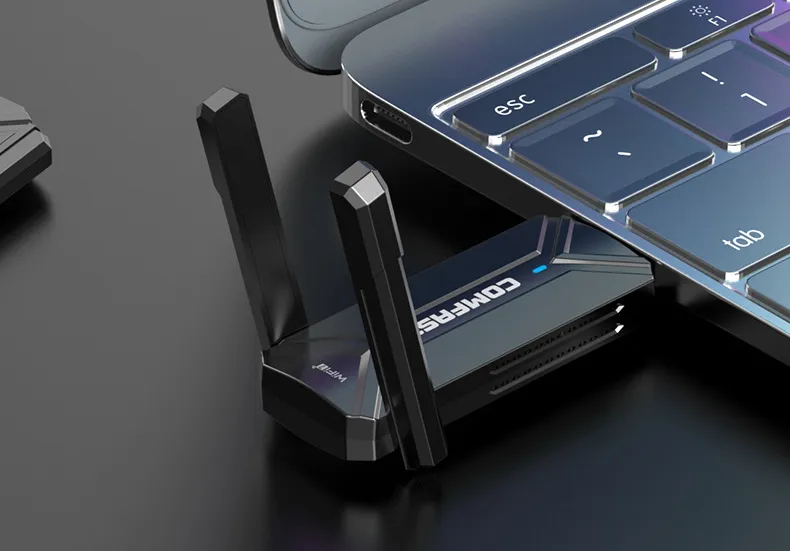
CF-987BE – desktop kit
- Same chipset on a 1.2 m braided extension; magnetic base lets you park the antennas above desk clutter for full 160/320 MHz glory
- Adds a USB 3.0 pass-through so you don’t lose a port

Both ship “CD-free”: Windows 11 & macOS 14 auto-fetch the driver the first time you insert them; after that it’s pure plug-and-forget.
Real-world numbers (user test, 1 Gb fiber):
Stock laptop card: 298 Mb ↓ | 18 ms ping
CF-983BE: 536 Mb ↓ | 7 ms ping
→ 80 % faster downloads, 60 % lower latency—no cables, no teardown.
Wi-Fi 7 perks you’ll feel instantly
- 4K-QAM squeezes 20 % more bits into the same airtime
- Multi-Link Operation bonds two bands; if 6 GHz glitches, traffic flips to 5 GHz in < 1 ms—no Discord drop
- 320 MHz channels are still empty in most neighborhoods; your ping stays clean even at 8 p.m.

Bottom line: router upgraded, PC left behind? Slide in a COMFAST Wi-Fi 7 USB adapter and let the hardware you already paid for finally break a sweat.