Project Lotus International Campus: Outdoor WiFi Coverage Solution for a Modern School Campus in Kuala Lumpur
Contractor Team Introduction
We are a WiFi engineering contractor with long term experience in campus outdoor WiFi coverage, school network deployment, wireless bridge transmission, CCTV backhaul, outdoor AP installation, hotel WiFi coverage, shopping mall WiFi coverage, public area WiFi, warehouse networks, and managed commercial wireless systems. Our team has completed WiFi projects for schools, universities, training centers, enterprise parks, hotels, restaurants, logistics facilities, outdoor venues, and residential communities.
Campus outdoor WiFi is very different from indoor office WiFi. A school campus has open areas, walking paths, building shadows, trees, rain exposure, outdoor seating zones, student gathering points, parking lots, sports fields, security posts, remote camera points, and changing user density throughout the day. A successful campus outdoor network must consider coverage range, AP mounting height, waterproof installation, PoE power supply, wireless bridge path, network segmentation, student usage behavior, visitor access, and long term maintenance.
Our team has used COMFAST equipment in many indoor and outdoor WiFi projects. From our field experience, COMFAST outdoor APs, core gateways, PoE switches, and wireless bridges provide a practical balance of performance, installation flexibility, weather resistance, and project cost control. For this campus project, we selected COMFAST CF-WA973 outdoor WiFi 7 APs, CF-EW87 outdoor WiFi 7 APs, CF-E115A 5.8G wireless bridges, CF-AC200 full gigabit core gateway, and CF-SG1241P 24 port gigabit PoE switch to build a stable, manageable, and scalable outdoor campus network.
This case study documents our Campus Outdoor Coverage Solution for Lotus International Campus in Kuala Lumpur. The project covered the main gate, campus roads, teaching building outdoor areas, library surroundings, dormitory outdoor zones, cafeteria outdoor seating, student plaza, sports field, playground, basketball court, outdoor rest areas, parking lot, school bus pickup area, security post, remote CCTV points, and temporary event zones.
1. Project Overview
Basic Project Information
Project Name: Project Lotus International Campus
Project Location: Kuala Lumpur, Malaysia
Campus Type: International secondary school campus
Outdoor Coverage Area: Approximately 68,000 square meters
Student Population: Approximately 1,850 students
Faculty and Staff: Approximately 230 teachers and administrative staff
Main Coverage Areas: Main gate, campus road, teaching building outdoor area, library outdoor area, dormitory outdoor area, cafeteria outdoor area, student plaza, sports field, playground, basketball court, outdoor rest area, parking lot, school bus pickup area, security post, and CCTV transmission points
Project Type: Campus Outdoor Coverage Solution with WiFi 7 outdoor APs and 5.8G CCTV wireless bridge transmission
Project Cycle: Six weeks from site survey to final acceptance
Construction Window: After school hours, weekends, and low traffic maintenance periods to avoid affecting teaching activities and student movement
Lotus International Campus had already upgraded its indoor classroom network, but the outdoor campus areas still depended on weak signal leaking from indoor APs. This created many blind spots around the student plaza, sports field, dormitory outdoor area, cafeteria seating area, and parking lot. The school also needed stable wireless transmission for remote cameras at the main gate, parking entrance, and sports field. Our goal was to build a complete outdoor WiFi and CCTV transmission system that supported student life, campus safety, and school operations.
2. Customer Pain Points Before the Project
Indoor APs Could Not Cover Outdoor Campus Areas
The school originally expected that indoor classroom APs could provide enough signal outside the buildings. In real use, the outdoor signal was weak and unstable. Exterior walls, Low E glass, concrete columns, metal window frames, and distance caused heavy signal loss. Students could sometimes connect near building entrances, but the connection dropped quickly as they moved toward open outdoor areas.
Student Plaza Had High User Density but Poor WiFi
The student plaza was one of the most active outdoor areas on campus. Students gathered there before class, during lunch breaks, and after school. The original WiFi was inconsistent, and students often switched to mobile data. The school wanted outdoor WiFi to support learning apps, campus announcements, communication platforms, and controlled student internet access.
Sports Field and Playground Coverage Was Weak
The sports field, playground, and basketball court had almost no reliable WiFi. These areas were used for PE classes, school events, sports competitions, outdoor assemblies, and parent activities. During events, teachers and staff needed WiFi for attendance, communication, event coordination, and sometimes livestream preparation.
Dormitory Outdoor Area Had Heavy Nighttime Use
The dormitory outdoor area became active after evening study. Students used phones and tablets in outdoor seating areas, near the walkway, and around the dormitory entrance. The old network had weak signal and unstable roaming between indoor dormitory WiFi and outdoor public areas.
Main Gate and Parking Lot CCTV Backhaul Was Unstable
The security team reported that camera feeds from the main gate, parking entrance, and remote sports field area were not stable. Pulling new fiber or Ethernet cable to every camera point would require trenching, pavement work, and coordination with school traffic. The school wanted a cleaner wireless transmission solution for remote CCTV points.
Visitor WiFi Was Difficult to Manage During Events
During open days, parent meetings, sports events, and weekend activities, visitors needed internet access in outdoor areas. The old network did not provide clear guest access control. Visitor devices were sometimes connected to the same network environment as school users, which created security and management concerns.
Outdoor Devices Were Not Designed for Rain and Heat
Some previous temporary devices were installed near outdoor edges without proper protection. Malaysia’s heat, humidity, and heavy rain made those devices unreliable. The school needed professional outdoor equipment, proper mounting, weather resistant installation, and clean PoE power supply.
All Outdoor Users and Devices Were Mixed Together
Student devices, teacher devices, visitor devices, camera traffic, and management access were not clearly separated. This made troubleshooting difficult and created unnecessary exposure between user groups. The school needed a segmented network structure for outdoor campus operation.
3. Customer Requirements
Confirmed Requirements from Campus Management
Stable outdoor WiFi coverage across main campus public areas.
Reliable WiFi in the student plaza, campus roads, cafeteria outdoor area, library outdoor area, and dormitory outdoor area.
High user support for sports field, playground, basketball court, and school event areas.
Stable camera wireless transmission at the main gate, parking entrance, sports field, and remote CCTV points.
Student outdoor WiFi separated from teacher and staff network.
Guest WiFi separated from campus business systems.
Independent camera network for CCTV transmission and monitoring.
Centralized gateway management and DHCP control.
PoE powered outdoor AP and bridge deployment.
Outdoor devices suitable for heat, rain, humidity, and long term campus use.
Clean installation without affecting class schedules, exams, or campus safety routes.
Final documentation, AP location records, wireless bridge alignment records, device labels, topology notes, and handover training for the school IT team.
4. COMFAST Equipment Used in This Project
CF-AC200 Full Gigabit Core Gateway
The CF-AC200 was used as the full gigabit core gateway for the campus outdoor network. It handled internet access, DHCP assignment, student outdoor WiFi policy, teacher and staff network policy, guest WiFi policy, camera network planning, and management access. For a campus outdoor project, the core gateway is important because outdoor users and security devices must be controlled from a unified network structure.
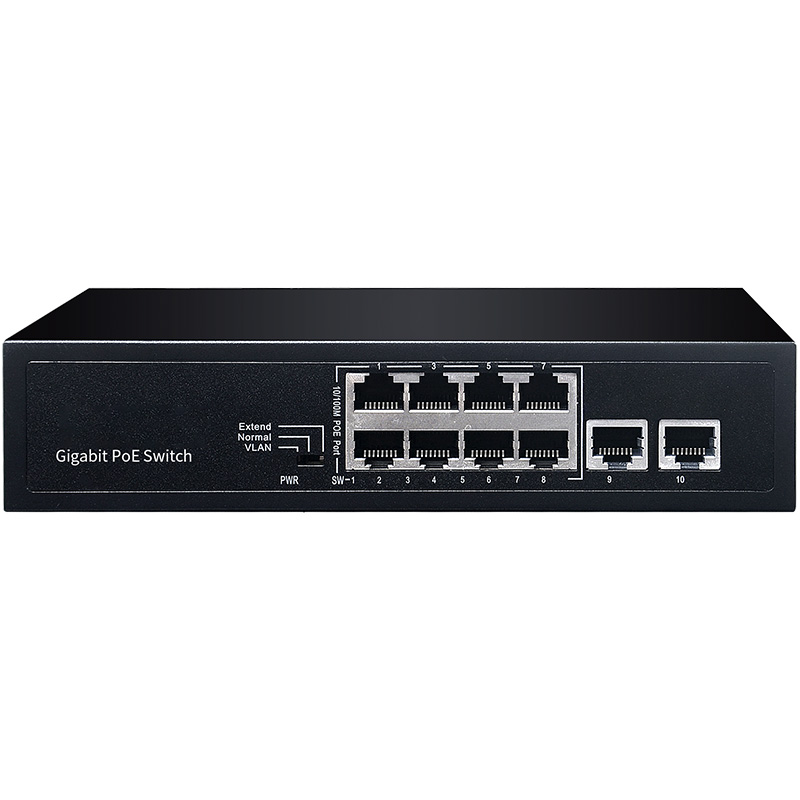
CF-SG1241P 24 Port Gigabit PoE Switch
The CF-SG1241P 24 port gigabit PoE switch was used as the main PoE distribution switch. It provided centralized power and wired data connection for outdoor APs, wireless bridge devices, and selected network points. The 24 port design allowed the school to support current outdoor coverage and reserve expansion capacity for future campus areas.
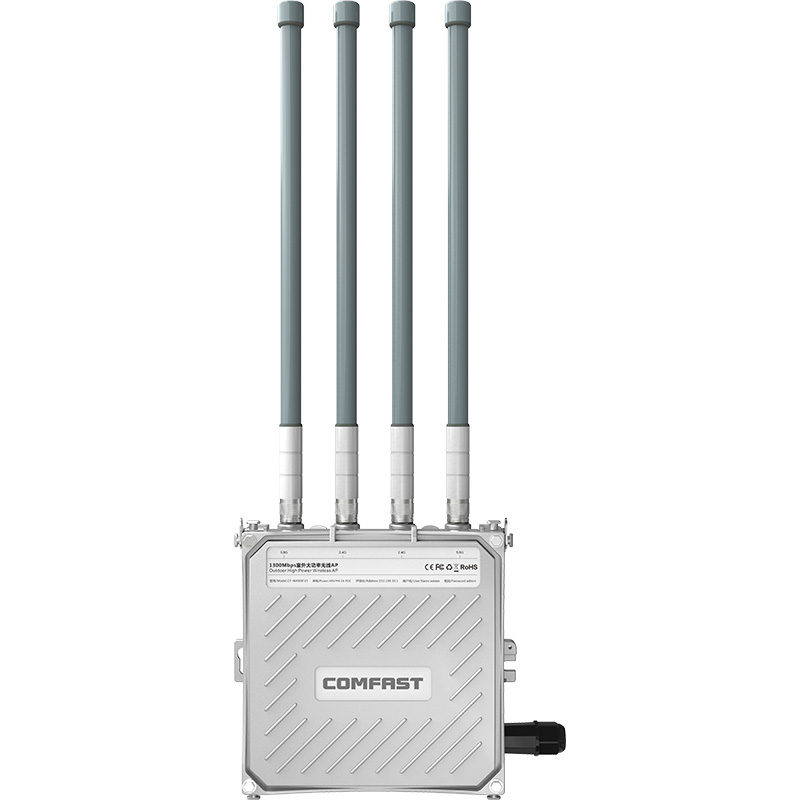
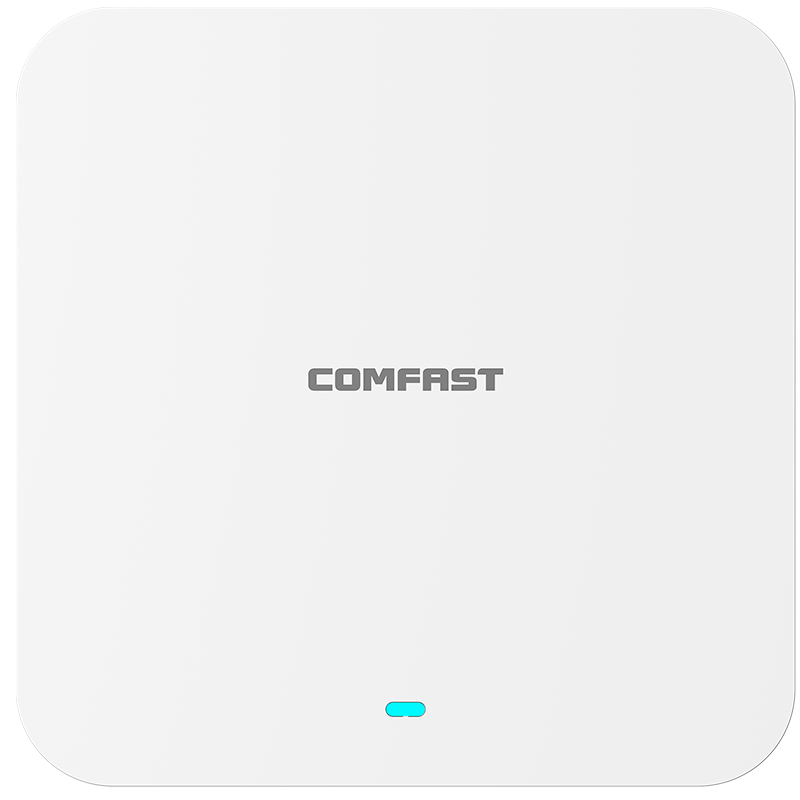
CF-WA973 Outdoor WiFi 7 AP
The CF-WA973 outdoor WiFi 7 AP was used as the main outdoor coverage device for teaching building surroundings, student plaza, dormitory outdoor areas, cafeteria outdoor seating, campus roads, and outdoor rest areas. Its WiFi 7 capability and outdoor design made it suitable for large open campus environments with many mobile users.
CF-EW87 Outdoor WiFi 7 AP
The CF-EW87 outdoor WiFi 7 AP was used in high activity and special outdoor zones such as the sports field, playground, basketball court, main gate, parking lot, and school bus pickup area. We selected this model for areas that required strong outdoor coverage and stable access during concentrated student or visitor activity.
CF-E115A 5.8G Wireless Bridge
The CF-E115A wireless bridge was used for 5.8G CCTV transmission and remote backhaul. It was installed for remote cameras at the main gate, parking entrance, sports field, and far side monitoring points where trenching or new cable routes were not practical. Using wireless bridge transmission helped reduce construction cost and avoid disruption to paved areas and student pathways.
5. Project Topology Diagram
Overall Network Topology
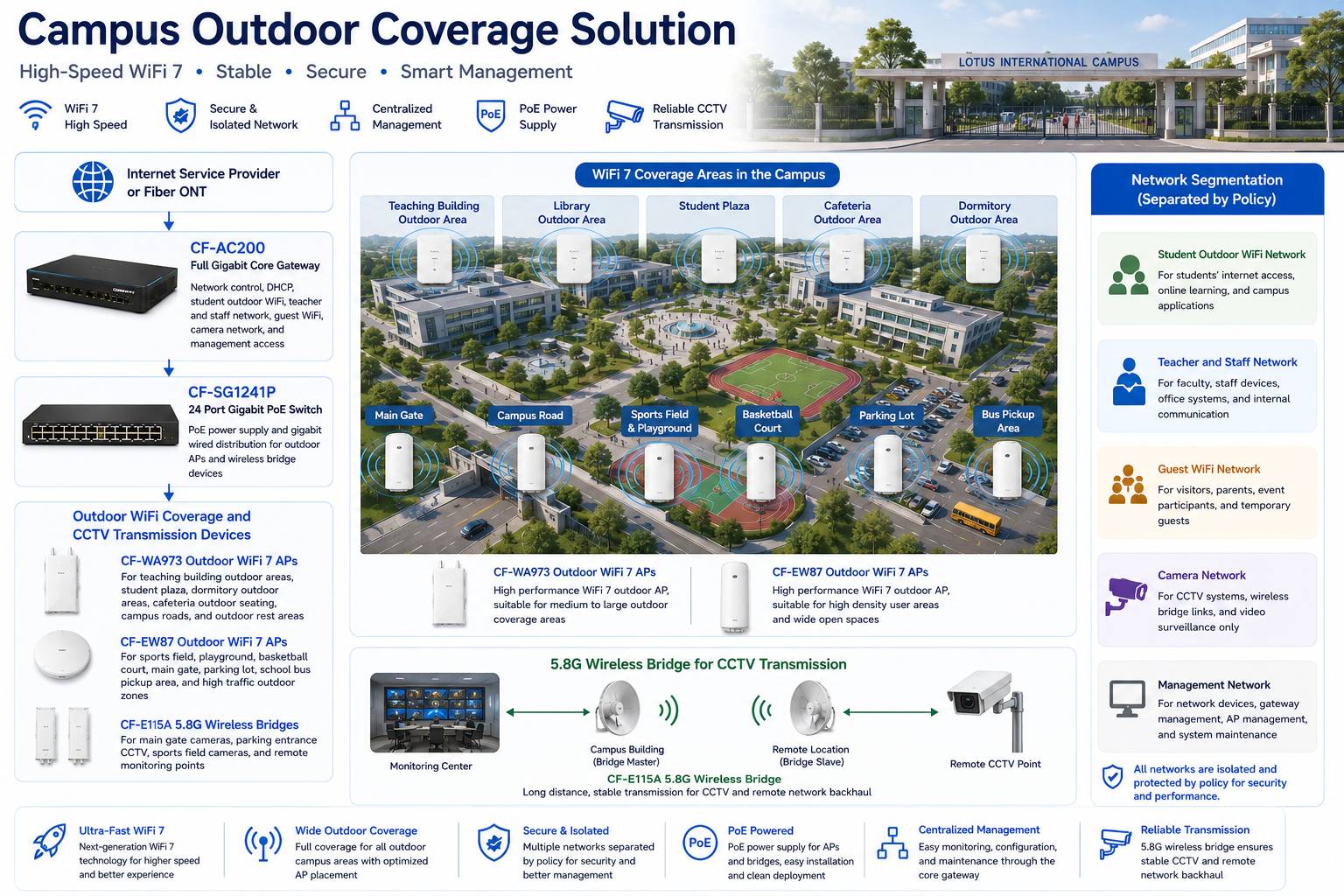
6. Site Survey and Troubleshooting Process
Campus Walkthrough and Outdoor Signal Survey
We walked the full campus with the school IT manager, security supervisor, and maintenance team. We tested outdoor signal at the main gate, teaching building entrances, library steps, cafeteria outdoor tables, dormitory walkways, student plaza benches, sports field sidelines, basketball court, parking lot, school bus pickup area, and camera locations. We tested from real user positions instead of only standing near buildings.
Building Shadow and Exterior Wall Analysis
Several outdoor blind spots were caused by building shadows. The teaching buildings had concrete walls, glass doors, covered walkways, and metal roof structures. Indoor AP signal became weak after passing through exterior walls and glass. We confirmed that outdoor APs were required instead of relying on indoor coverage.
Tree, Rain Shelter, and Metal Structure Inspection
The campus had large trees, covered walkways, metal railings, outdoor lighting poles, and rain shelters. These affected both WiFi coverage and wireless bridge paths. We adjusted AP mounting positions and bridge alignment to avoid unnecessary obstruction.
Sports Field and Student Plaza Density Evaluation
The student plaza, sports field, and playground had different user patterns. The plaza had daily student gathering traffic. The sports field had high user density during events. The playground and basketball court had more movement and less stationary use. We designed coverage and AP power according to each area’s usage pattern.
Dormitory Outdoor Nighttime Usage Review
The dormitory outdoor area had heavier usage at night. We reviewed student movement after evening study and tested signal around benches, covered walkways, dormitory entrances, and outdoor common areas. This helped us plan coverage for real student behavior.
CCTV Point and Wireless Bridge Path Survey
We inspected main gate cameras, parking entrance cameras, sports field camera points, and remote monitoring locations. For each CF-E115A wireless bridge path, we checked mounting height, line of sight, tree obstruction, rain exposure, cable route, and power availability.
Network Room and PoE Readiness Check
The campus network room had existing fiber access and cabinet space, but several cable labels were outdated. We verified cable routes, planned the CF-AC200 gateway placement, installed the CF-SG1241P PoE switch, and prepared a clear port map for outdoor APs and bridge devices.
7. Problems Found During Implementation
Indoor WiFi Leakage Was Not Outdoor Coverage
One of the first engineering conclusions was clear: indoor WiFi signal leaking through windows was not a campus outdoor coverage solution. The signal was weak, uneven, and unreliable. Outdoor public areas needed dedicated outdoor APs with proper mounting and planning.
Trees and Rain Shelters Affected Wireless Paths
Several proposed AP and bridge locations looked good on the floor plan but were blocked by trees or metal rain shelters in real life. We moved these points to better positions and adjusted mounting angles to protect coverage and transmission quality.
Sports Field Required Event Level Planning
The sports field was not just an empty outdoor area. It was used for PE classes, competitions, assemblies, and parent events. We designed the AP coverage to support concentrated user activity during events instead of only providing basic signal along the edge.
Dormitory Outdoor Area Needed Stronger Evening Coverage
If we had tested only during daytime, the dormitory outdoor area would have seemed less important. The school’s actual usage pattern showed that evening traffic was heavier, so we treated it as a priority outdoor student zone.
Remote Cameras Were Not Suitable for Trenching
The parking entrance and sports field camera points were far from the nearest network cabinet. Trenching would disrupt school traffic and outdoor surfaces. CF-E115A 5.8G wireless bridges solved the remote CCTV backhaul problem cleanly.
Multiple Outdoor APs Required Channel and Power Planning
Outdoor APs can cover large areas, but careless placement and maximum power can create interference and unstable roaming. We tuned AP channels and transmit power so outdoor users could move between zones more smoothly.
Student, Staff, Guest, Camera, and Management Traffic Needed Separation
The school needed separate access for students, teachers, visitors, cameras, and network management. We used policy separation through the core gateway to keep user groups organized and easier to maintain.
8. Final Engineering Solution
Core Gateway and Network Control
We installed the CF-AC200 full gigabit core gateway as the central control point for the outdoor campus network. It managed DHCP, student outdoor WiFi, teacher and staff access, guest WiFi, camera network policy, and management access. This gave the school a structured and controllable network foundation.
PoE Distribution for Outdoor Devices
The CF-SG1241P 24 port gigabit PoE switch was installed in the main network room. It powered outdoor APs and bridge devices through Ethernet, reducing the need for separate adapters and making maintenance easier. The 24 port capacity also allowed future AP expansion.
Outdoor WiFi 7 AP Coverage
CF-WA973 APs were deployed in the main outdoor public areas, including teaching building surroundings, student plaza, dormitory outdoor zones, cafeteria outdoor seating, campus roads, and rest areas. CF-EW87 APs were deployed in high activity outdoor areas such as the sports field, playground, basketball court, main gate, parking lot, and school bus pickup area.
5.8G Wireless Bridge Transmission
CF-E115A wireless bridges were used for remote CCTV transmission. We deployed them for main gate cameras, parking entrance monitoring, sports field camera points, and remote monitoring locations. Bridge alignment was checked carefully to maintain stable video transmission.
Network Segmentation
We separated student outdoor WiFi, teacher and staff network, guest WiFi, camera network, and management network by policy. This improved security, reduced unnecessary traffic interaction, and made troubleshooting easier for the school IT team.
9. Different Area Network Design
Main Gate Coverage
The main gate required both WiFi coverage and CCTV transmission. CF-EW87 outdoor APs provided wireless coverage for security staff, visitor registration, and school operations. CF-E115A wireless bridges handled camera transmission where direct cabling was difficult.
Campus Road Coverage
Campus roads needed continuous outdoor signal for staff movement, maintenance communication, and student access in public walking areas. CF-WA973 APs were installed at selected building edges and pole positions to support road coverage without overloading one AP.
Teaching Building Outdoor Area Coverage
Teaching building entrances and outdoor corridors were high movement zones. We used CF-WA973 APs to support students and teachers moving between classes. We also tuned power to support smoother transition between indoor and outdoor WiFi areas.
Library Outdoor Area Coverage
The library outdoor seating area was used for reading, self study, and small group discussion. We provided stable WiFi coverage for tablets and laptops while keeping the visitor network separated from student and staff access.
Dormitory Outdoor Area Coverage
The dormitory outdoor area was designed for evening use. CF-WA973 APs were placed to cover walkways, benches, entrance areas, and outdoor common zones. We tested this area at night before final acceptance because daytime testing did not reflect real usage.
Cafeteria Outdoor Area Coverage
The cafeteria outdoor seating area had concentrated traffic during lunch and after school. CF-WA973 APs provided coverage for student devices, staff devices, and controlled guest access during campus events.
Student Plaza Coverage
The student plaza was one of the most important areas in the project. We designed it for daily student density, school announcement access, communication apps, and outdoor learning activities. AP positions were selected based on where students actually gathered.
Sports Field and Playground Coverage
The sports field and playground used CF-EW87 outdoor APs to support PE classes, school events, sports competitions, and outdoor assemblies. We tested both sideline coverage and spectator area coverage.
Basketball Court Coverage
The basketball court had high movement and frequent after school activity. We placed outdoor AP coverage to support students, coaches, and event staff without creating excessive overlap with the nearby playground APs.
Parking Lot Coverage
The parking lot required WiFi support for security staff, visitor coordination, and camera transmission. CF-EW87 APs provided local outdoor coverage, and CF-E115A wireless bridges supported remote camera backhaul.
School Bus Pickup Area Coverage
The school bus pickup area had short but intense traffic during dismissal. We provided coverage for staff tablets, attendance checking, communication devices, and limited student access while keeping the area separated from camera and management traffic.
10. Outdoor AP Placement and Installation Details
Mounting Height and Angle
Outdoor APs were not installed randomly. We selected mounting heights based on coverage radius, user position, safety, and maintenance access. AP angles were adjusted to cover outdoor user zones instead of sending signal into empty space.
Weather Resistant Installation
Because the campus experiences heat, humidity, and heavy rain, we paid close attention to cable entry direction, drip loops, mounting firmness, and device exposure. Outdoor cabling was arranged neatly and protected where necessary.
PoE Power Planning
The CF-SG1241P provided centralized PoE power. Each AP and bridge connection was labeled in the network room. This made it easier for the IT team to identify, power cycle, or troubleshoot devices in the future.
Channel and Power Optimization
After installation, we adjusted channels and transmit power. Outdoor APs can cover wide areas, but maximum power is not always the right answer. We tuned settings to reduce interference, support roaming, and improve overall network stability.
11. Wireless Bridge Transmission Design
Main Gate Camera Bridge
The main gate cameras used CF-E115A wireless bridge transmission to return video traffic to the campus network. We selected bridge mounting locations with clear line of sight and stable power access.
Parking Entrance Camera Bridge
The parking entrance camera point was far from the main equipment room. Trenching would have affected vehicle flow. The CF-E115A bridge link provided a clean and reliable wireless backhaul path.
Sports Field Camera Bridge
Sports field cameras were used for security and event monitoring. We used CF-E115A bridge transmission to avoid long cable runs across open ground and reduce installation disruption.
Bridge Alignment and Stability Testing
Each bridge link was aligned and tested for video stability. We checked camera feed continuity, link stability, and weather exposed mounting conditions before final acceptance.
12. Network Segmentation and Security Design
Student Outdoor WiFi Network
The student outdoor WiFi network was used for student devices in outdoor public areas. It supported learning apps, campus communication, school resources, and controlled internet access according to school policy.
Teacher and Staff Network
The teacher and staff network supported faculty devices, attendance tablets, school operations, and staff communication. It was separated from student and visitor traffic to improve reliability and security.
Guest WiFi Network
The guest WiFi network was used for parents, visitors, event attendees, and temporary guests. It provided internet access without exposing internal campus systems.
Camera Network
The camera network carried CCTV traffic from fixed cameras and wireless bridge points. Keeping camera traffic separate improved monitoring stability and troubleshooting clarity.
Management Network
The management network was reserved for gateway, PoE switch, outdoor AP, and wireless bridge maintenance. Access was restricted to authorized IT and engineering staff.
13. What We Did Differently from Other Engineering Teams
We Did Not Treat Outdoor WiFi as Indoor Signal Extension
Some teams try to solve campus outdoor coverage by placing indoor APs near windows. We treated outdoor WiFi as its own engineering system, with outdoor APs, proper mounting, weather protection, and real outdoor testing.
We Tested Real Campus Movement
We tested walking routes from teaching buildings to the cafeteria, from dormitories to the plaza, from the main gate to the administration area, and from the sports field to the pickup zone. This gave us a network design based on real campus movement.
We Used Wireless Bridges Instead of Blind Trenching
We did not recommend trenching everywhere. For remote CCTV points, CF-E115A wireless bridges provided a cleaner and more cost effective solution while avoiding disruption to roads, walkways, and sports areas.
We Separated User Groups by Policy
Student, teacher, guest, camera, and management traffic were separated. This is an important difference between a professional campus network and a basic public WiFi setup.
We Avoided Disrupting School Operation
We worked after school, on weekends, and during approved maintenance windows. The installation did not interrupt classes, exams, sports activities, or student transportation flow.
We Delivered a Maintainable System
The final handover included AP location records, bridge alignment records, port labels, device notes, topology documentation, and basic troubleshooting guidance. The school IT team could manage the system confidently after project completion.
14. Project Acceptance Results
Final Acceptance Checklist
Main gate WiFi coverage test passed.
Campus road roaming test passed.
Teaching building outdoor area coverage test passed.
Library outdoor area WiFi test passed.
Dormitory outdoor nighttime test passed.
Cafeteria outdoor area test passed.
Student plaza high user simulation passed.
Sports field and playground coverage test passed.
Basketball court WiFi test passed.
Parking lot WiFi coverage test passed.
School bus pickup area staff device test passed.
Main gate CCTV wireless bridge test passed.
Parking entrance CCTV wireless bridge test passed.
Sports field camera bridge test passed.
Student, teacher, guest, camera, and management network separation test passed.
Device labeling, AP location map, bridge alignment records, topology notes, and IT handover completed.
15. Customer and User Feedback
School Principal Feedback
The school principal said, “The outdoor campus network now supports student life and school activities much better. The student plaza, sports field, and dormitory outdoor areas are finally usable for WiFi.”
IT Manager Feedback
The IT manager said, “The topology documentation, device labels, and bridge records are very helpful. We can clearly see which outdoor AP covers which area and which bridge handles each camera point.”
Student Affairs Director Feedback
The student affairs director said, “The dormitory outdoor area and student plaza are much more stable now, especially after evening study. Students no longer complain about constantly losing connection outside.”
Security Supervisor Feedback
The security supervisor confirmed that the main gate, parking entrance, and sports field camera feeds were more stable after the CF-E115A wireless bridge deployment. The team also appreciated that no major trenching work was required.
Teacher Feedback
Teachers reported that outdoor PE classes, activity days, and student attendance checks became easier because staff devices could stay connected in the sports field and playground areas.
Student Feedback
Students reported that WiFi access was more stable around the cafeteria seating area, plaza benches, dormitory entrance, and outdoor rest areas. Many students noticed that they no longer had to rely on mobile data in the main outdoor campus zones.
16. Project Summary
Final Result
Project Lotus International Campus was a successful Campus Outdoor Coverage Solution for a modern school campus in Kuala Lumpur. The project solved weak outdoor WiFi, unstable student plaza access, poor sports field coverage, dormitory outdoor blind spots, unmanaged visitor WiFi, and remote CCTV backhaul challenges.
The final COMFAST solution used the CF-AC200 full gigabit core gateway, CF-SG1241P 24 port gigabit PoE switch, CF-WA973 outdoor WiFi 7 APs, CF-EW87 outdoor WiFi 7 APs, and CF-E115A 5.8G wireless bridges. This combination provided outdoor coverage, centralized PoE power, network segmentation, and stable CCTV transmission.
The most important achievement of this project was not simply adding outdoor APs. The real success came from understanding how the campus was used throughout the day: students gathering at the plaza, teachers working on the sports field, visitors entering at the gate, buses moving through pickup areas, dormitory students using outdoor seating at night, and security cameras monitoring remote points.
17. Lessons Learned and Advice to Other Contractors
Lessons Learned
Campus outdoor WiFi must be designed as an outdoor system, not as an extension of indoor APs.
Outdoor AP placement must consider trees, rain shelters, walls, glass, poles, and real user locations.
Student plazas and sports fields need capacity planning, not only coverage planning.
Dormitory outdoor areas should be tested during evening hours because that is when real usage happens.
Wireless bridges are highly useful for remote CCTV points where trenching is expensive or disruptive.
Student, teacher, guest, camera, and management networks should be separated by policy.
Outdoor WiFi projects require weather resistant installation details, including mounting, cable protection, and maintenance access.
Project handover should include AP locations, bridge records, port labels, and practical troubleshooting notes.
Advice to Other WiFi Engineering Contractors
For campus outdoor coverage projects, do not design only from a map. Walk the campus. Stand at the gate. Sit in the plaza. Walk the student roads. Test under the trees. Check the sports field, cafeteria, dormitory entrance, and parking lot. Outdoor WiFi must follow real campus movement and real student behavior.
Do not blindly increase AP power. Outdoor APs are powerful, but uncontrolled power can create interference and poor roaming. A professional contractor must plan AP location, channel, height, angle, and transmit power together.
Do not trench every remote camera point without evaluating wireless bridge options. A well aligned 5.8G bridge can save construction time, reduce campus disruption, and provide stable CCTV transmission.
A campus outdoor WiFi project is complete only when students can connect in outdoor learning areas, teachers can use staff devices during activities, visitors can access a separated guest network, security cameras transmit reliably, and the school IT team can maintain the system confidently. That was the standard we delivered for Project Lotus International Campus.