Project Riverside Medical Center: Hospital Coverage Solution for a Multi Department Healthcare Facility in Singapore
Contractor Team Introduction
We are a WiFi engineering contractor with extensive experience in healthcare wireless coverage, enterprise WiFi deployment, hotel WiFi coverage, shopping mall networks, public service hall WiFi, surveillance wireless transmission, and managed network installation for high reliability environments. Our team has completed WiFi projects for hospitals, clinics, rehabilitation centers, schools, offices, warehouses, restaurants, residential buildings, and public facilities.
Hospital WiFi is very different from ordinary commercial WiFi. In a hospital, the network supports medical staff communication, nurse station devices, ward rounds, patient room access, outpatient traffic, administration work, security monitoring, and visitor connectivity. A hospital WiFi project must be planned around healthcare workflow, patient safety, low disruption construction, device separation, and long term maintenance. Strong signal alone is not enough. The network must be stable, segmented, predictable, and easy for the hospital IT team to manage.
Our team has used COMFAST equipment in many healthcare, education, office, hospitality, and commercial wireless projects. From our field experience, COMFAST gateways, WiFi 6 routers, in wall APs, ceiling APs, paired wireless bridges, and PoE switches provide a practical balance of performance, clean installation, cost control, and maintenance convenience. For this hospital project, we selected COMFAST equipment because the customer needed reliable WiFi coverage, business network separation, PoE powered AP deployment, and CCTV wireless transmission without excessive construction impact.
This case study documents our Hospital Coverage Solution for Riverside Medical Center in Singapore. The project covered the outpatient lobby, registration and billing area, waiting areas, nurse stations, consultation rooms, patient rooms, pharmacy, laboratory public area, imaging center public corridor, administration office, meeting room, staff rest area, elevator lobbies, corridors, parking entrance camera points, and network equipment room.
1. Project Overview
Basic Project Information
Project Name: Project Riverside Medical Center
Project Location: Singapore
Facility Type: Multi department private healthcare center
Coverage Area: Approximately 42,000 square feet
Floors Covered: Outpatient floor, inpatient ward floor, administration floor, and parking entrance monitoring zone
Main Coverage Areas: Outpatient lobby, registration counter, billing counter, waiting area, nurse stations, doctor offices, consultation rooms, patient rooms, pharmacy, laboratory, imaging center public area, administration office, meeting room, corridors, elevator lobbies, staff rest area, and CCTV points
Project Type: Hospital Coverage Solution with medical staff network, visitor WiFi, administration network, medical device network, camera network, and management network separation
Project Cycle: Five weeks from initial survey to final acceptance
Construction Window: Low traffic periods, scheduled maintenance hours, and phased zone by zone installation to avoid disruption to patient services
Riverside Medical Center contacted us because its existing wireless network could no longer support daily hospital operations. The outpatient lobby had unstable WiFi during busy hours, nurse station tablets occasionally dropped, doctors reported weak signal in several consultation rooms, patient room WiFi was inconsistent, and security cameras near the parking entrance required a cleaner transmission method. The hospital needed a professional WiFi upgrade that improved coverage while protecting medical workflows.
2. Customer Pain Points Before the Project
Outpatient Lobby WiFi Became Unstable During Peak Hours
The outpatient lobby had heavy traffic in the morning. Patients checked appointments, family members used mobile phones, front desk staff used workstations, and hospital devices connected at the same time. The original network showed signal, but real user experience dropped sharply when the lobby was crowded.
Nurse Station Devices Occasionally Dropped Connection
Nurse stations used tablets, mobile carts, communication devices, and workstations. Some of these devices moved between nurse stations, corridors, and patient rooms. The old WiFi did not provide smooth roaming, so devices sometimes stayed connected to weak APs or dropped connection during movement.
Consultation Rooms Had Uneven Signal
Several doctor offices and consultation rooms were separated by reinforced walls, glass partitions, cabinets, and medical equipment. The corridor APs could not provide consistent signal inside all rooms. Some doctors reported unstable access when using cloud based medical systems or video consultation tools.
Patient Room Visitor WiFi Was Inconsistent
Patient rooms had different layouts, medical furniture, bathroom partitions, and metal equipment. Visitor WiFi worked near some doors but became weak near patient beds and family seating areas. The hospital wanted better patient and family connectivity without mixing visitor devices with medical staff systems.
Pharmacy and Laboratory Public Areas Needed Stable Connectivity
The pharmacy and laboratory public areas had counters, queue zones, equipment rooms, metal cabinets, and staff terminals. The old WiFi design did not clearly separate staff devices from public access. During busy times, staff devices and visitor devices competed for the same wireless resources.
Administration Office Video Meetings Were Unstable
Hospital managers held online meetings with doctors, suppliers, insurance partners, and external consultants. The administration office had intermittent WiFi issues, especially inside the meeting room where video calls and screen sharing were frequently used.
Parking Entrance CCTV Was Difficult to Cable
Several CCTV points near the parking entrance were away from the main network room. Running new Ethernet cable would require opening finished walls and affecting vehicle flow. The hospital needed a stable wireless bridge transmission solution for these cameras.
All Device Types Were Not Properly Separated
Medical staff devices, visitor devices, administration laptops, camera devices, and management equipment were not clearly separated. This created security risk, unstable traffic behavior, and difficulty for the IT team when troubleshooting network issues.
3. Customer Requirements
Confirmed Requirements from Hospital Management
Stable WiFi coverage in all key hospital public and working areas.
Reliable medical staff network for nurse stations, doctor offices, and mobile clinical devices.
Patient and visitor WiFi that does not interfere with medical business systems.
Better coverage in consultation rooms and patient rooms.
High concurrent support in outpatient lobby and waiting areas.
Stable administration office network for video meetings and daily office work.
Wireless bridge transmission for parking entrance CCTV points.
PoE powered AP deployment to reduce local adapters and improve equipment room organization.
Low disruption installation without affecting normal patient care.
Network segmentation for medical staff, visitors, administration, medical devices, cameras, and management access.
Final documentation, AP location records, port labels, network notes, and IT handover training.
4. COMFAST Equipment Used in This Project
CF-AC101 Full Gigabit Gateway
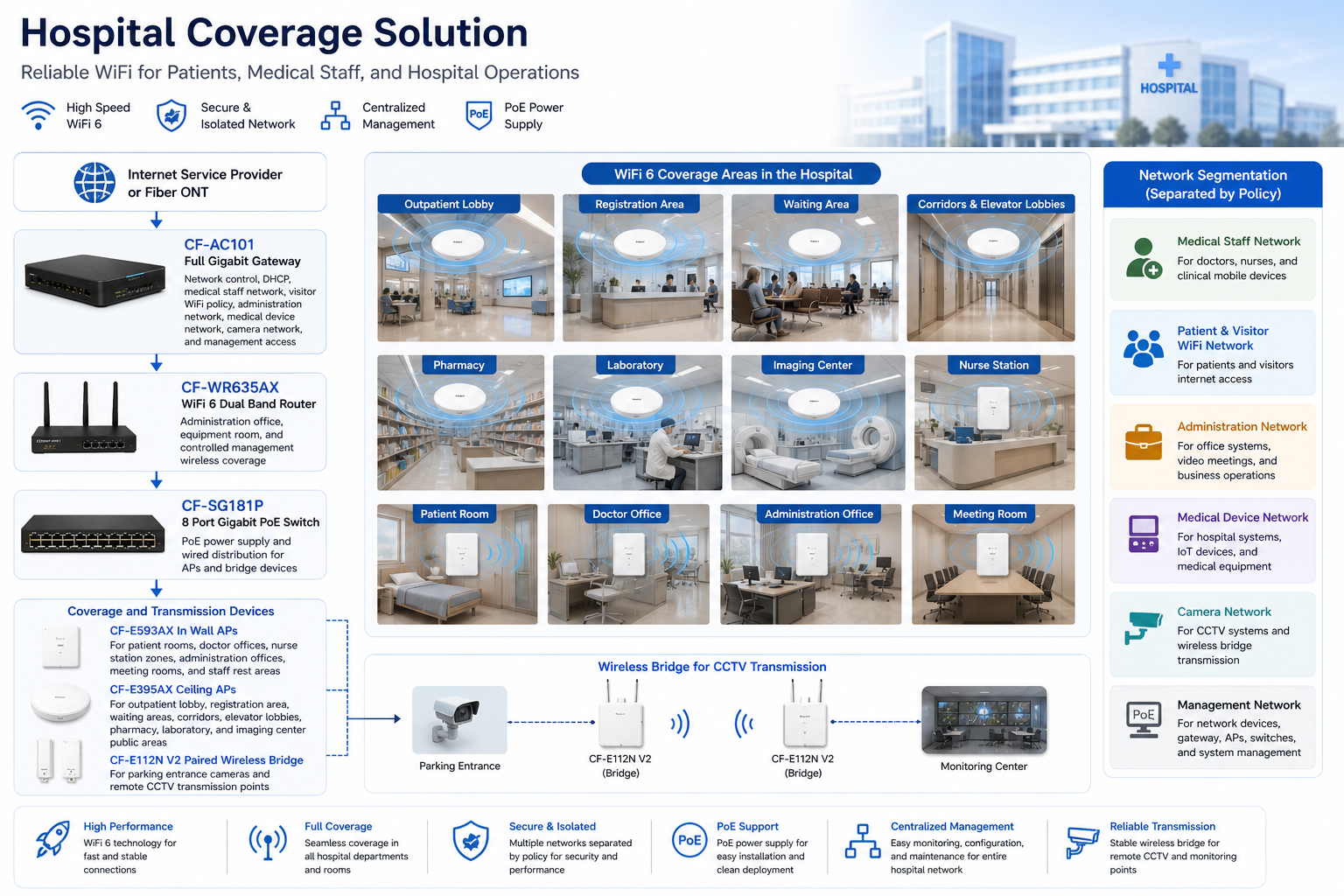
The CF-AC101 was used as the main gateway for the hospital network. It handled internet access, DHCP assignment, medical staff network policy, visitor WiFi policy, administration network policy, medical device network planning, camera network planning, and management access. In a hospital project, the gateway is the control point that protects medical workflows from guest traffic and general internet usage.
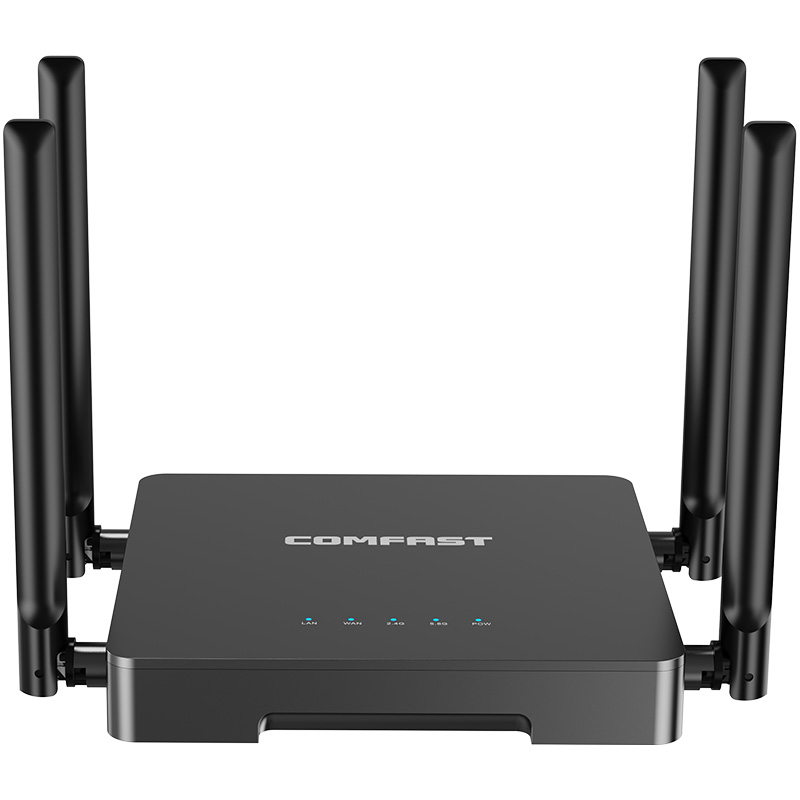
CF-WR635AX WiFi 6 Dual Band Router
The CF-WR635AX was used in the administration and equipment room zone. It provided WiFi 6 dual band coverage for hospital administration, IT maintenance, and controlled management access. It also served as a flexible wireless point for authorized office and technical users.
CF-E593AX In Wall AP
The CF-E593AX in wall AP was used in patient rooms, doctor offices, nurse station wall zones, administration offices, meeting rooms, and staff rest areas. It provided room level coverage where corridor AP signal alone was not reliable enough.
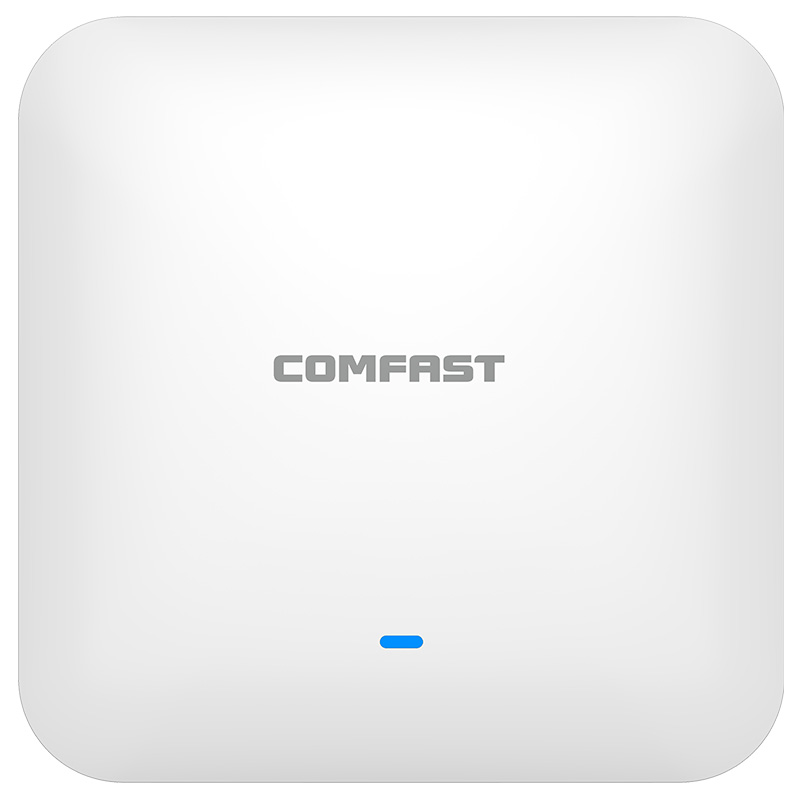
CF-E395AX Ceiling AP
The CF-E395AX ceiling AP was used in the outpatient lobby, registration and billing area, waiting areas, corridors, elevator lobbies, pharmacy public area, laboratory public area, imaging center public corridor, and other open or high traffic spaces. Ceiling AP placement allowed broader and more even coverage in public hospital areas.
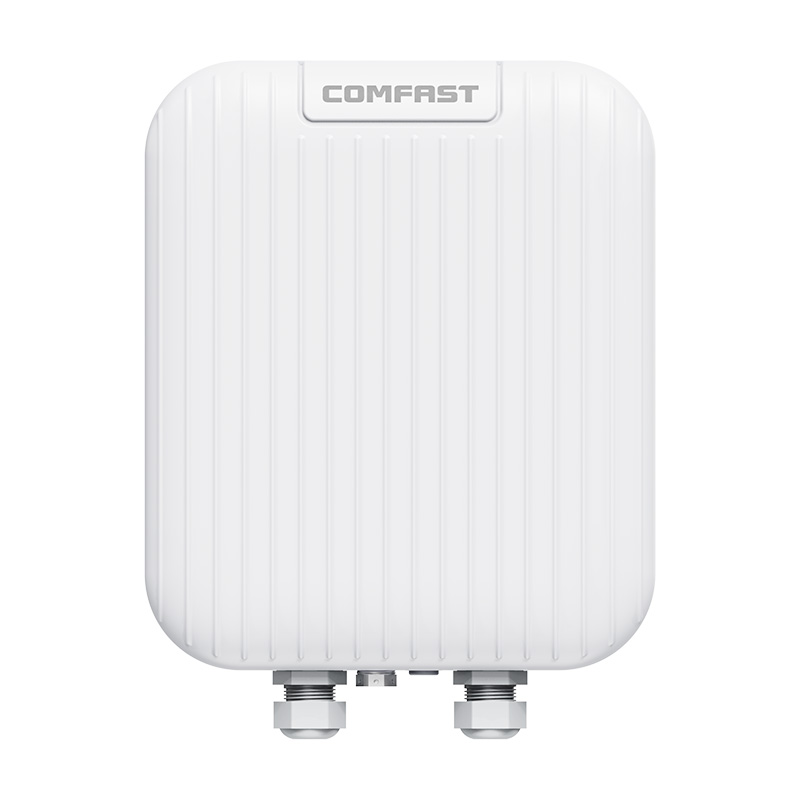
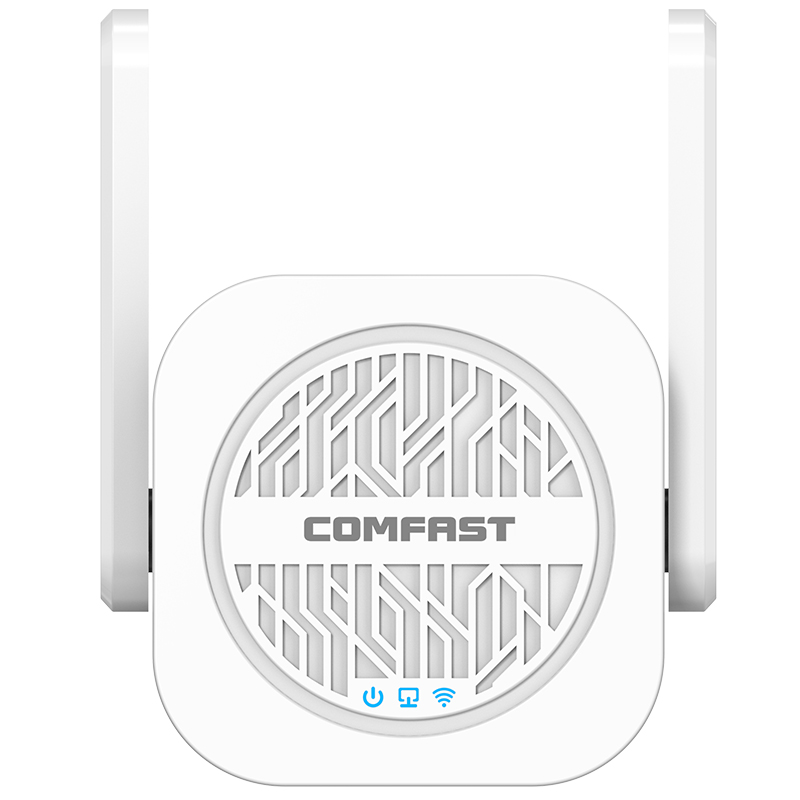
CF-E112N V2 Paired Wireless Bridge
The CF-E112N V2 paired wireless bridge was used for 2.4G CCTV wireless transmission near the parking entrance and remote monitoring points. This helped avoid disruptive cable work and maintained stable video transmission for security monitoring.
CF-SG181P 8 Port Gigabit PoE Switch
The CF-SG181P 8 port gigabit PoE switch was used to provide PoE power and wired distribution for APs and bridge related devices. PoE deployment reduced local power adapters, improved cabinet organization, and made future AP maintenance easier for the hospital IT team.
5. Project Topology Diagram
Overall Network Topology
6. Site Survey and Troubleshooting Process
Healthcare Workflow Walkthrough
We started by walking the full patient and staff flow with the hospital operations team. We reviewed how patients entered the lobby, where they registered, where they waited, how nurses moved between stations and patient rooms, how doctors accessed consultation rooms, where administrative staff worked, and where security cameras were installed. This workflow review helped us design WiFi based on hospital operation instead of only architectural drawings.
RF Survey and Building Material Inspection
We tested signal behavior in the outpatient lobby, waiting areas, corridors, consultation rooms, patient rooms, nurse stations, pharmacy area, laboratory public area, imaging center corridor, and administration floor. The building had reinforced walls, glass partitions, metal doors, equipment cabinets, medical furniture, and ceiling structures that affected signal propagation.
Outpatient Density Evaluation
The outpatient lobby and waiting areas had the highest user concentration. We reviewed patient flow during morning registration, lunchtime, and afternoon clinic sessions. These areas needed stronger AP planning because many patients and family members connected simultaneously.
Nurse Station and Ward Round Testing
We tested signal around nurse desks, medication preparation zones, corridor corners, and patient room entrances. We also checked routes used by mobile clinical devices. The goal was to reduce weak spots that could affect staff movement between nurse stations and patient rooms.
Patient Room Coverage Check
Patient rooms were tested from the bed area, family seating area, doorway, and bathroom side. We confirmed that corridor only coverage would not provide consistent experience in all rooms. In wall AP coverage was needed for selected room zones.
CCTV Wireless Path Survey
We reviewed parking entrance and remote CCTV points. Some camera locations were difficult to cable without affecting finished walls or vehicle flow. We selected CF-E112N V2 wireless bridge paths and verified line of sight and mounting positions.
Equipment Room and Cable Inspection
The existing equipment room had several old cable labels and mixed patch connections. We tested cable routes, verified AP drops, cleaned patching, and planned the CF-AC101 gateway and CF-SG181P PoE switch installation. Clean cabinet organization was essential for the hospital IT team.
7. Problems Found During Implementation
The Original Network Was Not Designed for Hospital Workflow
The existing WiFi was installed mainly for general internet access. It did not account for nurse movement, consultation room usage, patient room coverage, administration meetings, visitor density, or camera transmission. We rebuilt the design around actual hospital workflow.
Lobby and Waiting Areas Needed Capacity Planning
The lobby had many users during registration peaks. More signal alone would not solve congestion. We selected AP placement and network policy to support high user density and prevent visitor traffic from affecting staff systems.
Patient Rooms Could Not Rely Only on Corridor APs
The patient rooms had walls, doors, furniture, and medical equipment that reduced signal. We used CF-E593AX in wall APs in selected room and office zones to provide more predictable local coverage.
Nurse Station Roaming Needed Careful Power Tuning
Nurse devices moved between desks, corridors, and patient rooms. If AP power was too high, devices could stay connected to a distant AP. We tuned transmit power to support more natural roaming behavior.
Visitor WiFi Needed Complete Separation from Medical Systems
The old system did not clearly separate visitors from staff and medical devices. We created separated policies so patient and visitor WiFi provided internet access without exposing clinical or administrative resources.
Parking Entrance Cameras Required Wireless Transmission
Running new cable to parking entrance cameras would have required disruptive work. The CF-E112N V2 wireless bridge pair provided a clean solution for CCTV transmission while avoiding construction impact.
Installation Had to Avoid Interrupting Medical Service
Hospital construction work must be planned carefully. We worked by zone, used low traffic periods, and coordinated with department supervisors before entering sensitive areas. This reduced impact on patients, staff, and daily operations.
8. Final Engineering Solution
Core Gateway and Policy Control
We installed the CF-AC101 as the central gateway for the hospital network. It handled DHCP, access policies, guest separation, staff network planning, administration access, camera traffic, and management access. This created a cleaner and safer network foundation.
PoE Based AP Distribution
The CF-SG181P PoE switch powered the APs and selected network devices. Centralized PoE power reduced local adapters, improved equipment room organization, and made AP maintenance easier.
Public Area Ceiling AP Coverage
CF-E395AX ceiling APs were installed in the outpatient lobby, registration and billing area, waiting areas, corridors, elevator lobbies, pharmacy public area, laboratory public area, and imaging center public corridor. These areas needed broad coverage and higher user capacity.
Room and Staff Zone In Wall AP Coverage
CF-E593AX in wall APs were installed in patient rooms, doctor offices, nurse station wall zones, administration offices, meeting rooms, and staff rest areas. These APs provided focused room level coverage and reduced dependence on corridor signal.
Administration and Equipment Room WiFi
The CF-WR633AX V2 supported the administration office and equipment room area. It provided controlled WiFi 6 access for authorized users and IT maintenance tasks.
CCTV Wireless Bridge Solution
CF-E112N V2 paired wireless bridges were installed for parking entrance cameras and remote monitoring points. After alignment, we tested camera video stability and confirmed smooth transmission to the monitoring system.
9. Different Area Network Design
Outpatient Lobby Coverage
The outpatient lobby was designed as a high traffic public zone. CF-E395AX ceiling APs provided broad coverage for patients, family members, front desk staff, and hospital service devices. Visitor WiFi was separated from medical staff systems.
Registration and Billing Area Coverage
Registration and billing counters required stable connectivity for staff devices and patient service systems. We tuned coverage to support counter workflows and avoid weak spots behind glass partitions and counter structures.
Waiting Area Coverage
Waiting areas had high visitor density and frequent mobile phone use. We used ceiling AP placement and capacity planning to support many simultaneous visitor connections without affecting medical staff traffic.
Nurse Station Coverage
Nurse stations were treated as priority zones. CF-E593AX in wall APs and nearby ceiling APs were tuned to support nurse tablets, workstations, mobile carts, and staff movement toward patient rooms.
Doctor Office and Consultation Room Coverage
Doctor offices and consultation rooms used focused coverage because walls, doors, and equipment reduced corridor signal. CF-E593AX in wall APs helped provide stable access for doctor workstations, tablets, and video consultation needs.
Patient Room Coverage
Patient rooms needed visitor WiFi and staff device support. Coverage was tested from bed areas, family seating areas, and room entrances. The design improved real patient room experience instead of only providing corridor signal.
Pharmacy and Laboratory Coverage
The pharmacy and laboratory public areas required stable staff and visitor coverage. Staff devices were protected by network policy, while visitor devices were kept separate from business systems.
Imaging Center Public Area Coverage
The imaging center public corridor had equipment rooms nearby and several dense wall structures. We carefully placed APs to avoid coverage holes around waiting chairs and corridor turns.
Administration Office and Meeting Room Coverage
The administration office and meeting room required stable video calls, document access, and internal communication. We tested video conference performance during acceptance to confirm practical reliability.
Corridor and Elevator Lobby Coverage
Corridors and elevator lobbies needed stable roaming for staff and visitors. AP power was tuned so devices could transition naturally between zones without clinging to distant APs.
Parking Entrance and CCTV Wireless Transmission
Parking entrance CCTV points used CF-E112N V2 wireless bridge transmission. This solution avoided disruptive cable work and gave the security team stable video monitoring.
10. Network Segmentation and Security Design
Medical Staff Network
The medical staff network was used for nurse tablets, doctor devices, mobile carts, and authorized clinical work devices. It was protected from visitor WiFi traffic and general internet use.
Patient and Visitor WiFi Network
The patient and visitor WiFi network provided internet access for patients and family members. Devices on this network were separated from medical systems, staff devices, administration resources, and cameras.
Administration Network
The administration network supported office computers, meeting room devices, and management team laptops. It was separated from public visitor access.
Medical Device Network
The medical device network was reserved for approved hospital devices that required controlled connectivity. We treated this network carefully to reduce unnecessary traffic and simplify support.
Camera Network
The camera network supported fixed CCTV devices and wireless bridge transmission points. Keeping camera traffic separate improved monitoring stability and troubleshooting clarity.
Management Network
The management network was used for gateway, router, AP, switch, and wireless bridge maintenance. Access was restricted to authorized IT and engineering staff.
11. Medical Workflow and Capacity Planning
Designing Around Patient Flow
The highest user density happened around registration, billing, and waiting areas. We planned these zones for high concurrent access because many people connected at the same time while waiting for appointments.
Protecting Nurse Station Workflow
Nurse stations were treated as operational priority zones. We tested mobile device movement, desk positions, and nearby patient room routes to ensure nurse devices stayed connected during daily work.
Supporting Doctor Mobility
Doctors and clinical staff moved between consultation rooms, corridors, and offices. Roaming stability was more important than maximum signal strength. We tuned AP power to support smoother movement.
Keeping Visitor Traffic Under Control
Visitor WiFi was provided as a public service, but it was not allowed to interfere with staff, administration, or medical device networks. Network policy separation was essential for hospital stability.
12. What We Did Differently from Other Engineering Teams
We Designed Around Hospital Operations, Not Only Signal Bars
We did not only check whether phones showed WiFi signal. We tested registration counters, nurse station movement, patient room locations, consultation room workflow, administration meetings, waiting area density, and CCTV transmission.
We Protected Medical and Staff Networks from Visitor Traffic
Visitor WiFi was isolated from medical staff devices, administration systems, cameras, medical devices, and management equipment. This was one of the most important design decisions in the project.
We Avoided Maximum Power as a Shortcut
Hospitals have many corridors, rooms, walls, and equipment areas. Setting every AP to maximum power would create interference and poor roaming. We tuned power and channels based on real testing.
We Controlled Installation Impact
We worked by department, followed approved time windows, avoided blocking patient routes, and coordinated with nurses and department supervisors before entering sensitive areas. The hospital continued operating during the project.
We Delivered Documentation for Long Term Maintenance
The hospital received AP location records, port labels, network segmentation notes, CCTV bridge location records, and basic troubleshooting guidance. This made the system easier for hospital IT staff to maintain.
13. Installation and Optimization Details
Cable Testing and Relabeling
Before connecting equipment, we tested existing cable routes and AP drops. Several old labels were incomplete, so we corrected them and updated the patch map. Each verified connection was labeled at the cabinet side and device side.
Network Cabinet Organization
We installed the CF-AC101 gateway and CF-SG181P PoE switch in the equipment room. Patch cables were organized, port use was documented, and AP connections were labeled for future maintenance.
AP Mounting
CF-E395AX ceiling APs were installed in public and corridor areas. CF-E593AX in wall APs were installed in selected rooms and staff zones. Each AP location was checked for coverage value, safety, appearance, and maintenance access.
Wireless Bridge Alignment
CF-E112N V2 bridge pairs were aligned for parking entrance CCTV transmission. We checked mounting position, signal stability, and video continuity before final acceptance.
SSID Planning
We recommended a simple SSID structure to reduce wireless overhead. The SSID plan separated medical staff access, visitor WiFi, administration access, medical device access, camera traffic, and management access.
Channel and Power Optimization
After installation, we adjusted AP channels and transmit power. This reduced interference between nearby APs and improved device roaming between corridors, rooms, nurse stations, and public areas.
Healthcare Device Movement Testing
We tested staff device movement from nurse stations to corridors, from corridors to patient rooms, and from consultation rooms to administration areas. This helped confirm that the network supported real hospital workflows.
14. Project Acceptance Results
Final Acceptance Checklist
Outpatient lobby WiFi coverage test passed.
Registration and billing area connectivity test passed.
Waiting area high user test passed.
Nurse station device test passed.
Ward round device roaming test passed.
Doctor office and consultation room signal test passed.
Patient room visitor WiFi test passed.
Pharmacy and laboratory public area test passed.
Administration office video meeting test passed.
Parking entrance CCTV wireless bridge test passed.
Visitor and medical staff network isolation test passed.
Camera network stability test passed.
Management network access test passed.
AP location map, port labels, bridge records, topology notes, and IT handover training completed.
15. Customer and User Feedback
Hospital Operations Director Feedback
The hospital operations director said, “The installation was well coordinated and did not disrupt patient service. The outpatient lobby and waiting areas are much more stable now.”
IT Manager Feedback
The IT manager said, “The network segmentation and documentation are very helpful. We can clearly identify medical staff access, visitor WiFi, camera traffic, and management devices.”
Head Nurse Feedback
The head nurse said, “Our tablets are more stable around the nurse station and patient room corridor. Staff movement is smoother than before.”
Doctor Feedback
One doctor reported that consultation room WiFi became more reliable for accessing online systems and supporting video consultation sessions.
Patient Family Feedback
Several patient family members commented that visitor WiFi in patient rooms and waiting areas connected more easily and remained stable during longer visits.
Security Supervisor Feedback
The security supervisor confirmed that the parking entrance camera feed was stable and that wireless bridge transmission avoided messy temporary cable runs.
16. Project Summary
Final Result
Project Riverside Medical Center was a successful Hospital Coverage Solution for a multi department healthcare facility in Singapore. The project solved unstable outpatient WiFi, weak consultation room coverage, inconsistent patient room visitor access, nurse station roaming issues, administration meeting instability, parking entrance camera transmission challenges, and mixed network structure.
The final COMFAST based solution used the CF-AC101 full gigabit gateway, CF-WR633AX V2 WiFi 6 dual band router, CF-E593AX in wall APs, CF-E395AX ceiling APs, CF-E112N V2 paired wireless bridge, and CF-SG181P 8 port gigabit PoE switch.
The most important value of the project was not simply adding more wireless devices. The real value was building a healthcare network that follows hospital workflow. Medical staff devices, visitor access, administration work, camera monitoring, medical device access, and management functions were separated and organized.
A hospital network must be stable, maintainable, and respectful of clinical operations. That was the standard we delivered for Riverside Medical Center.
17. Lessons Learned and Advice to Other Contractors
Lessons Learned
Hospital WiFi must be designed around healthcare workflow, not only floor area.
Outpatient lobbies and waiting areas need capacity planning for high user density.
Nurse stations and ward routes require careful roaming support.
Patient rooms and consultation rooms should not rely only on corridor signal.
Visitor WiFi must be separated from medical staff, administration, medical devices, cameras, and management networks.
Wireless bridges are useful when remote CCTV points are difficult to cable.
Hospital construction windows must be planned carefully to avoid disrupting patient care.
Clean documentation is critical because hospital IT teams must maintain the system long after installation.
Advice to Other WiFi Engineering Contractors
For hospital WiFi projects, do not start by counting APs. Start by understanding the hospital workflow. Walk the outpatient route. Stand at the registration desk. Sit in the waiting area. Follow the nurse station path. Check patient rooms, consultation rooms, corridors, administration offices, and camera points. The network must support real hospital operations.
Do not put visitor devices and medical staff devices on the same network. Healthcare environments require clear separation between public access, staff access, administration, medical devices, cameras, and management systems.
Do not use maximum AP power as a shortcut. Hospitals have many walls, rooms, corridors, and sensitive workflows. Correct AP placement, channel planning, and transmit power tuning are more professional than simply increasing signal everywhere.
A hospital WiFi project is complete only when medical staff can move smoothly, visitors can connect safely, administration work remains stable, cameras transmit reliably, and the hospital IT team can maintain the system confidently. That was the standard we delivered for Project Riverside Medical Center.