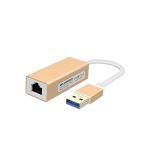
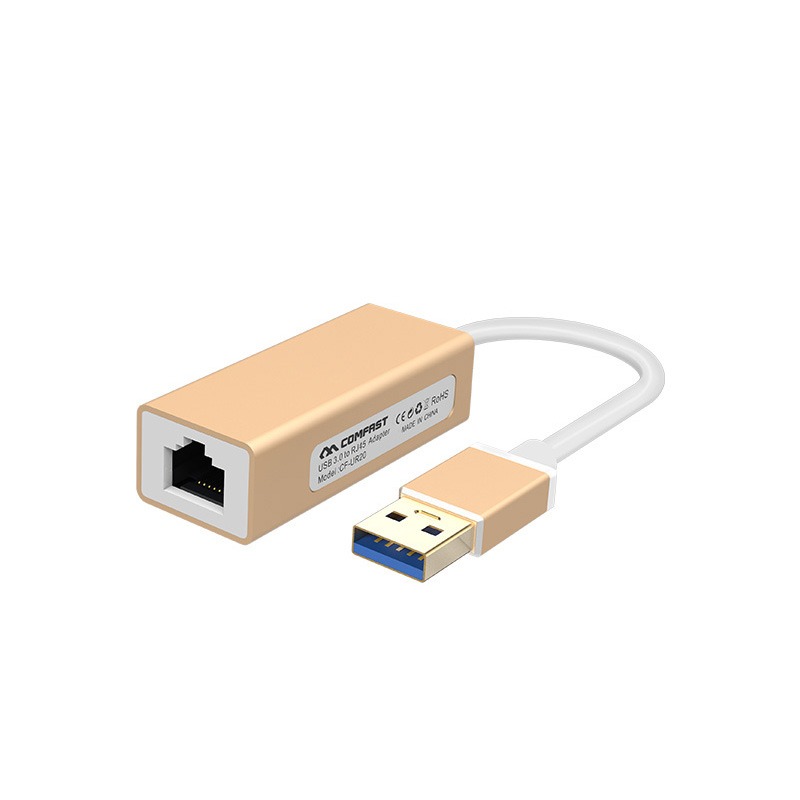
USB3.0 Gigabit Network Adapter

The CF-UR10 is a 100Mbps driver-free USB-to-wired network adapter that supports multiple operating systems and auto-adapts to 100Mbps and below networks. It is designed for computer expansion or replacement scenarios, solving internet access issues such as laptops without Ethernet ports and desktop network card failures.

  • Aluminum alloy shell with sandblasted finish, featuring exquisite craftsmanship

  • Compliant with IEEE 802.3 standard

  • Auto-adapts to 10/100Mbps transmission networks

  • Powered by Realtek RTL8152B chipset

  • Supports IPv4/IPv6 network protocols

  • Provides full-duplex/half-duplex Fast Ethernet connectivity

  • USB-to-wired connection for stable, drop-free performance

  • Broad compatibility with multiple operating systems

  • Offers wired network access as a reliable alternative when WiFi is unstable

Contact Us

Online Service

Service hours: Mon-Fri 9:00-12:00, 13:30-18:30 (excluding holidays)

Product Repair

Repair Address

9th Floor, Building H, Huanan Digital Valley, No.1Huanan Road, Longhua District, Shenzhen, China

Telephone

Phone: 86-755-83790059
ZIP/Postal code:518109

Service Time

Monday to Friday
9:00-12:00,13:30-18:30

Description

*The product images and demonstration scenarios on this page are for illustrative purposes only and may have slight differences from the actual product. Please refer to the physical product for accuracy. *The data on this page are theoretical values obtained from COMFAST’s internal laboratory under specific testing conditions. Actual usage may vary due to individual product differences, software versions, usage conditions, and environmental factors. Please refer to real-world usage for accurate representation. *To provide as accurate product information, specifications, and features as possible, COMFAST may periodically adjust and revise the text descriptions, image effects, and other content on this page to ensure alignment with actual product performance, specifications, packaging, and accessories. Should such adjustments or revisions become necessary, no prior notice will be provided.

Hardware Specification RTL8152
Drive Free Support
USB Port USB2.0
Physical Interface 1*10/100Mbps RJ45
1*USB
Network Protocol IPv4/IPv6, IEEE 802.3 Standard
Web Environment 100Mbps and Below Networks
Shell Aluminum alloy
Suit For Laptop,Desktop,Lenovo YOGA, Millet box, Surface, Macbookv
The length of cable 17.9cm (±0.2)
Size 58.6*24*16mm
Weight 21.8g
Support OS 1.Windows 8/10/Mac 10.9 and above systems
(Free driver, Plug and Play)
2.Windows2003-2007(32 bits/64 bits)/Mac 10.9 system below
requires manual installation of a built-in driver
3.Support Android/Linux system (Requires device support
or debugging)
Physical Features Size: 77*27.5*9.5mm; Weight: 14g
Working Environment Working Temperature: 0℃~40℃
Storage Temperature: -40℃~70℃
Working Humidity: 10%~90%RH Non-condensing
Storage Humidity: 5%~90%RH Non-condensing

Be Familiar With Quickly

Follow the guide quickly

Initial video configuration

How Often Should l Replace My Home Router?

Product Video

Frequently Asked Question

USB3.0 Gigabit Network Adapter

The CF-UR10 is a 100Mbps driver-free USB-to-wired network adapter that supports multiple operating systems and auto-adapts to 100Mbps and below networks. It is designed for computer expansion or replacement scenarios, solving internet access issues such as laptops without Ethernet ports and desktop network card failures.

  • Aluminum alloy shell with sandblasted finish, featuring exquisite craftsmanship

  • Compliant with IEEE 802.3 standard

  • Auto-adapts to 10/100Mbps transmission networks

  • Powered by Realtek RTL8152B chipset

  • Supports IPv4/IPv6 network protocols

  • Provides full-duplex/half-duplex Fast Ethernet connectivity

  • USB-to-wired connection for stable, drop-free performance

  • Broad compatibility with multiple operating systems

  • Offers wired network access as a reliable alternative when WiFi is unstable

Contact Us

Online Service

Service hours: Mon-Fri 9:00-12:00, 13:30-18:30 (excluding holidays)

Product Repair

Repair Address

9th Floor, Building H, Huanan Digital Valley, No.1Huanan Road, Longhua District, Shenzhen, China

Telephone

Phone: 86-755-83790059
ZIP/Postal code:518109

Service Time

Monday to Friday
9:00-12:00,13:30-18:30

Description

*The product images and demonstration scenarios on this page are for illustrative purposes only and may have slight differences from the actual product. Please refer to the physical product for accuracy. *The data on this page are theoretical values obtained from COMFAST’s internal laboratory under specific testing conditions. Actual usage may vary due to individual product differences, software versions, usage conditions, and environmental factors. Please refer to real-world usage for accurate representation. *To provide as accurate product information, specifications, and features as possible, COMFAST may periodically adjust and revise the text descriptions, image effects, and other content on this page to ensure alignment with actual product performance, specifications, packaging, and accessories. Should such adjustments or revisions become necessary, no prior notice will be provided.

Hardware Specification RTL8152
Drive Free Support
USB Port USB2.0
Physical Interface 1*10/100Mbps RJ45
1*USB
Network Protocol IPv4/IPv6, IEEE 802.3 Standard
Web Environment 100Mbps and Below Networks
Shell Aluminum alloy
Suit For Laptop,Desktop,Lenovo YOGA, Millet box, Surface, Macbookv
The length of cable 17.9cm (±0.2)
Size 58.6*24*16mm
Weight 21.8g
Support OS 1.Windows 8/10/Mac 10.9 and above systems
(Free driver, Plug and Play)
2.Windows2003-2007(32 bits/64 bits)/Mac 10.9 system below
requires manual installation of a built-in driver
3.Support Android/Linux system (Requires device support
or debugging)
Physical Features Size: 77*27.5*9.5mm; Weight: 14g
Working Environment Working Temperature: 0℃~40℃
Storage Temperature: -40℃~70℃
Working Humidity: 10%~90%RH Non-condensing
Storage Humidity: 5%~90%RH Non-condensing

Be Familiar With Quickly

Follow the guide quickly

Initial video configuration

How Often Should l Replace My Home Router?

Product Video

Frequently Asked Question