You just upgraded to gigabit fibre and a Wi-Fi 7 router, yet downloads still crawl and Valorant stutters. The culprit is hiding inside the laptop: the stock wireless card that was mid-range in 2018 and is now a choke-point. Swapping it for a Wi-Fi 7 NIC is the quickest way to make the rest of your investment pay off.
Why Wi-Fi 7 cards crush yesterday’s radios
1. Raw speed
320 MHz channels + 4K-QAM = theoretical 5.8 Gbps on a single 6 GHz stream—almost triple Wi-Fi 6. Real-world: 2–2.5 Gbps with a 2×2 antenna setup, enough to saturate a 2 Gbit fibre line.
2. Latency
Enhanced OFDMA and MU-MIMO cut average ping from 30 ms to sub-10 ms, even when the rest of the family starts four 4K streams.
3. Future-proof
6 GHz spectrum, MLO (multi-link operation) and 4096-QAM are mandatory in the Wi-Fi 7 spec. Buy the card once and you skip another upgrade cycle when the ISP bumps you to 2 Gbps next year.
Pick the form factor that matches your courage
- M.2 (laptop) or PCIe (desktop) – highest performance, hidden inside.
COMFAST CF-BE200 series: 2×2 tri-band, 5.8 Gbps, Intel BE200 chipset, Windows 10/11 plug-and-play.
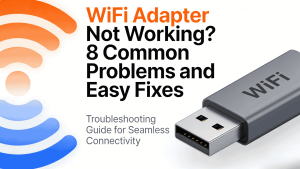
- USB – zero screwdriver, five-second install.
– CF-983BE pocket model: 6500 Mbps tri-band, size of a thumb-drive, perfect for travellers.
– CF-985BE desktop: four external high-gain antennas for large rooms.
– CF-986BE directional: satellite-dish look, 8 dBi antenna punches through two extra walls.
– CF-987BE flagship: same 6500 Mbps, but internal antennas for a clean desk and stable 2 Gbps+ link to a 2.5 G router.
Install checklist (USB version)
1. Slot the dongle into a USB 3.0/3.2 port (blue or SS marked).
2. Windows 10/11 auto-loads the driver; if not, run the 10 MB package on the supplied micro-SD.
3. Right-click the Wi-Fi icon → “Wi-Fi 7” network → connect.
4. Open router settings, give the 6 GHz band the same SSID and WPA3 password; MLO will bond 5 GHz + 6 GHz automatically.

Done. Speed-test again—you should see 80-90 % of the wired gigabit number and a ping that finally keeps up with your trigger finger.