Project Grand Harbor Venue: Large Venue Coverage Solution for a Multi Purpose Event Center in Seattle
Contractor Team Introduction
We are a Shenzhen based WiFi engineering contractor specializing in large venue wireless coverage, high density access design, event network deployment, surveillance wireless transmission, business network segmentation, and managed WiFi systems for public and commercial facilities. Our team has completed projects for convention halls, event centers, hotel ballrooms, theaters, retail atriums, sports training facilities, transportation halls, large restaurants, community centers, warehouses, and outdoor venue areas.
Large venue WiFi is not a simple router installation. A venue network must support guests, staff, media teams, ticketing systems, merchant POS devices, VIP users, backstage operations, security cameras, temporary workstations, and management devices. The real engineering work is not only making the signal visible. It is designing capacity, protecting business systems, controlling interference, planning AP locations, organizing PoE power, separating networks, and ensuring the system can still perform when the venue is full.
We have used COMFAST equipment in many indoor and outdoor WiFi coverage projects. From our field experience, COMFAST gateways, WiFi 6 routers, in wall APs, ceiling APs, wireless bridges, and PoE switches provide a practical balance of performance, flexible installation, clean deployment, and long term maintainability. In this project, COMFAST equipment allowed us to build a stable and organized venue network without creating unnecessary installation complexity.
This case study documents our Large Venue Coverage Solution for Grand Harbor Event Center in Seattle. The venue required full WiFi coverage for the entrance lobby, ticketing and check in area, main activity hall, audience seating, stage and backstage zones, VIP lounge, media and live streaming area, merchant booth area, food court, public rest zone, staff office, equipment room, outdoor queue area, parking entrance, CCTV points, and temporary event workstations.
1. Project Overview
Basic Project Information
Project Name: Project Grand Harbor Venue
Project Location: Seattle, Washington, USA
Venue Type: Multi purpose event center
Total Coverage Area: Approximately 74,000 square feet
Maximum Capacity: 6,200 attendees
Expected Concurrent Wireless Devices: 3,500 to 4,300 devices during peak events
Main Coverage Areas: Entrance lobby, ticketing area, main hall, audience seating, stage, backstage, VIP lounge, media area, merchant booths, food area, staff office, outdoor queue area, parking entrance, and CCTV points
Project Type: Large Venue Coverage Solution with segmented networks and CCTV wireless transmission
Project Cycle: Six weeks from initial survey to final acceptance
Construction Window: Weekday mornings, late evenings, and scheduled dark days when the venue had no public events
Grand Harbor Event Center hosted corporate conferences, cultural events, trade shows, product launches, private banquets, livestreamed presentations, and community events. The previous network was built in separate stages and lacked unified planning. It worked during small events, but it failed during large attendance. The customer needed a professional venue grade WiFi system that could support public access and business operations at the same time.
2. Customer Pain Points Before the Project
Ticketing and Check In Slowed Down During Arrival Peaks
The entrance area experienced heavy wireless pressure before every major event. Guests scanned tickets, staff used check in tablets, temporary event teams used laptops, and attendees connected to guest WiFi at the same time. During arrival peaks, the check in devices sometimes became slow, creating longer lines and pressure on the operations team.
The Main Hall Had Signal but Poor Performance Under Load
During empty hall testing, the previous network showed acceptable signal. During full events, the experience changed completely. Attendees reported slow browsing, failed connections, and unstable app access. This proved that the original design focused on coverage but not capacity, interference control, or traffic separation.
Media Upload and Live Streaming Were Unstable
Media teams needed reliable upload for event photos, video clips, social media posts, press materials, and live streaming support. The old network placed media traffic on the same general network used by guests and vendors. During busy events, uploads became slow and streaming support was unpredictable.
Merchant POS Devices Were Affected by Guest Traffic
Food vendors and merchandise booths used POS devices, tablets, inventory apps, and cloud based payment systems. These devices occasionally lost connection when the guest WiFi was busy. For a venue, POS instability directly affects revenue and guest satisfaction.
VIP Lounge Experience Was Not Consistent
The VIP lounge served sponsors, speakers, executives, and premium guests. The old network treated VIP users the same as general attendees. The customer wanted a more controlled and stable VIP network with better local coverage.
Outdoor Queue Area Had Weak WiFi
The outdoor queue area was used before large events and during security screening. Staff needed handheld connectivity, and guests needed ticket app access while waiting outside. The indoor network could not reliably cover this area because of exterior wall loss and distance.
Parking Entrance CCTV Was Difficult to Cable
Several parking entrance and temporary camera points were located away from existing network drops. Pulling new cable would require hard surface work, temporary lane closures, and visible cable runs. The customer needed a stable wireless transmission method for those camera feeds.
Network Groups Were Mixed Together
Guest devices, staff devices, merchant POS units, media equipment, cameras, and management devices were not properly separated. This created security risk, unstable traffic behavior, and unnecessary troubleshooting difficulty. The venue needed a segmented network design with clear operational priorities.
3. Customer Requirements
Confirmed Requirements from Venue Management
Stable WiFi coverage across the entire large venue.
Support for thousands of concurrent users during major events.
Priority protection for ticketing, check in, and event operations devices.
Separate and stable network for media upload and live streaming support.
Dedicated VIP lounge network with controlled access.
Reliable merchant and POS device network separated from guest traffic.
Staff network with stable roaming across backstage, entrance, hall, and operations areas.
Guest WiFi network for attendees without access to business devices.
Outdoor queue area and parking entrance support.
Stable wireless bridge transmission for remote CCTV points.
PoE powered AP deployment with clean cabling and easy maintenance.
Final documentation, AP location records, port labeling, network group notes, and IT handover training.
4. COMFAST Equipment List and Reasons for Use
The following are the main COMFAST equipment models used in this project and their usage descriptions.
| Equipment Modell |
Type | Project Use | Reason for Use |
|---|---|---|---|
| CF-AC101 | Full gigabit gateway | Main gateway, internet access, DHCP assignment, guest WiFi policy, staff network policy, media network policy, merchant POS policy, camera network planning, and management access | Suitable as the central control point for a large venue, separating business traffic from attendee traffic |
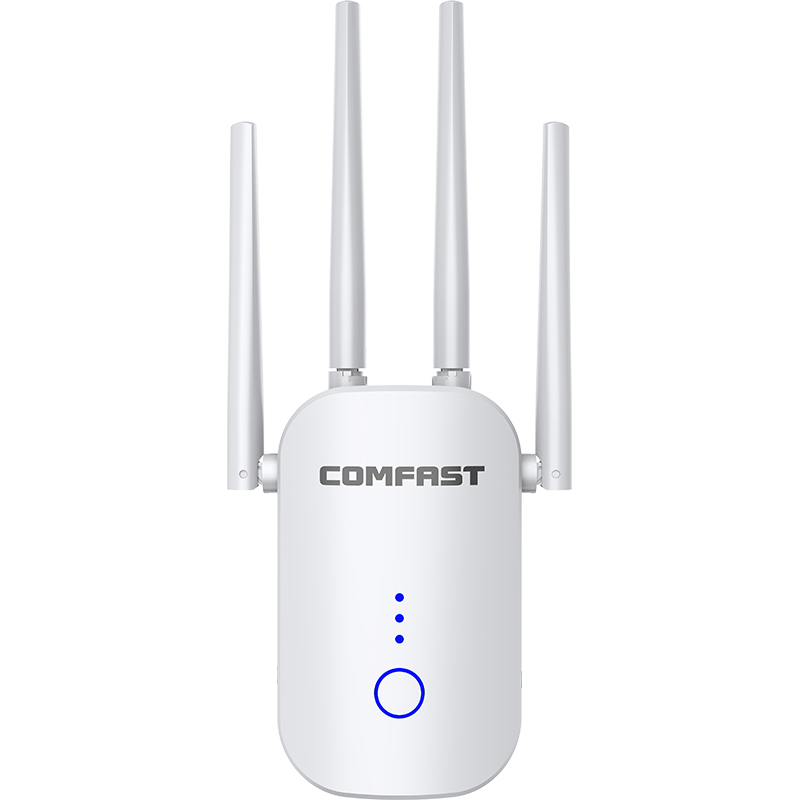
| CF-WR633AX V2 | WiFi 6 dual-band router | Backstage office, equipment room, management area, event coordination, IT maintenance, and controlled management access | Provides stable WiFi 6 dual-band coverage for venue administration and restricted technical access |
| CF-E593AX | AP i vägg | VIP lounge, media room, ticketing counters, backstage offices, staff corridors, merchant service rooms, and wall-based zones | Selected for clean installation and focused local coverage where ceiling mounting is not ideal |
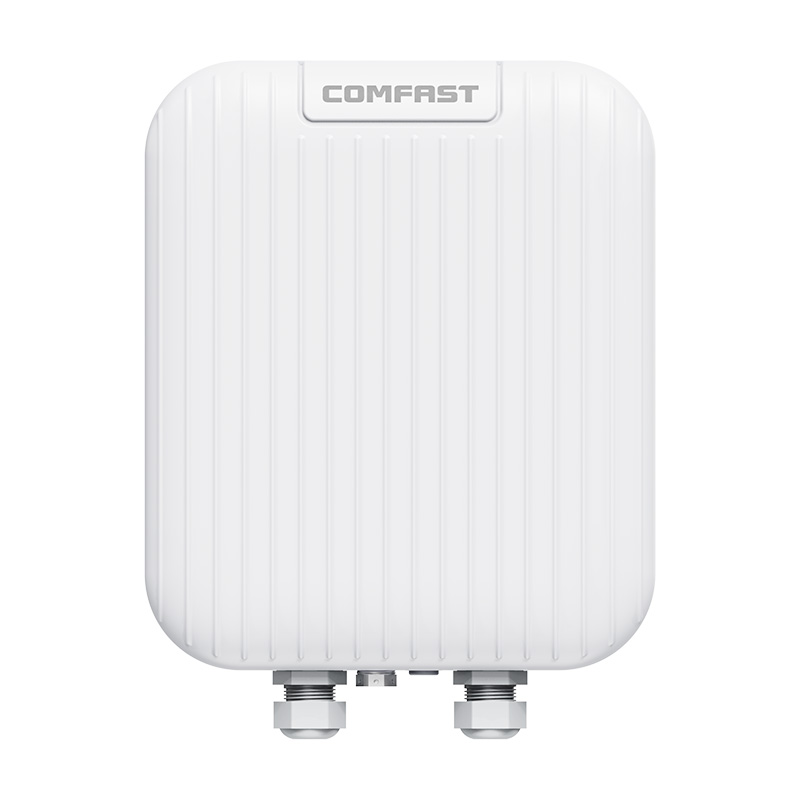
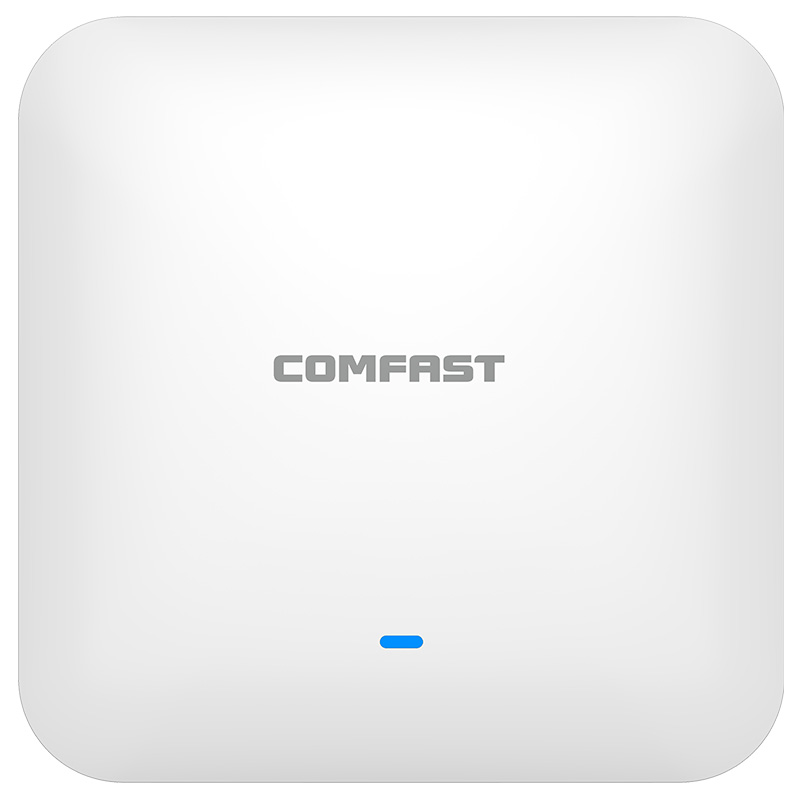
| CF-E395AX | Tak AP | Main hall, audience seating area, entrance lobby, merchant booth zone, food area, public rest area, wide corridors, and indoor queue areas | Suitable for broad coverage across large open spaces and high-traffic areas |
| CF-E112N V2 | 2.4G paired wireless bridge | Parking entrance cameras, temporary event cameras, and remote monitoring points | Used where Ethernet cabling was not practical, avoiding disruptive construction while maintaining stable CCTV transmission |
| CF-SG181P | 8-port gigabit PoE switch | PoE power supply and wired data distribution for APs and bridge-related devices | Reduces local power adapter requirements, simplifies installation, and makes the network cabinet easier to maintain |
5. Project Equipment Configuration Quantity
Based on large venue coverage areas, high-density user access, ticketing, media, merchant POS, outdoor queue area, CCTV transmission, and management requirements, the actual equipment deployed in this project was as follows:
| Equipment Model | Quantity | Deployment Location |
|---|---|---|
| CF-AC101 | 1 unit | Main equipment room, used as the central network gateway |
| CF-WR633AX V2 | 1 unit | Backstage office, equipment room, and management area |
| CF-E593AX | Multiple units | VIP lounge, media room, ticketing counters, backstage offices, staff corridors, and merchant service rooms |
| CF-E395AX | Multiple units | Entrance lobby, main hall, audience seating area, merchant booth zone, food area, public rest area, wide corridors, and indoor queue areas |
| CF-E112N V2 | Several pairs | Parking entrance cameras, temporary event cameras, and remote CCTV monitoring points |
| CF-SG181P | Multiple units | Main equipment room and AP distribution points for PoE power supply and wired data connection |
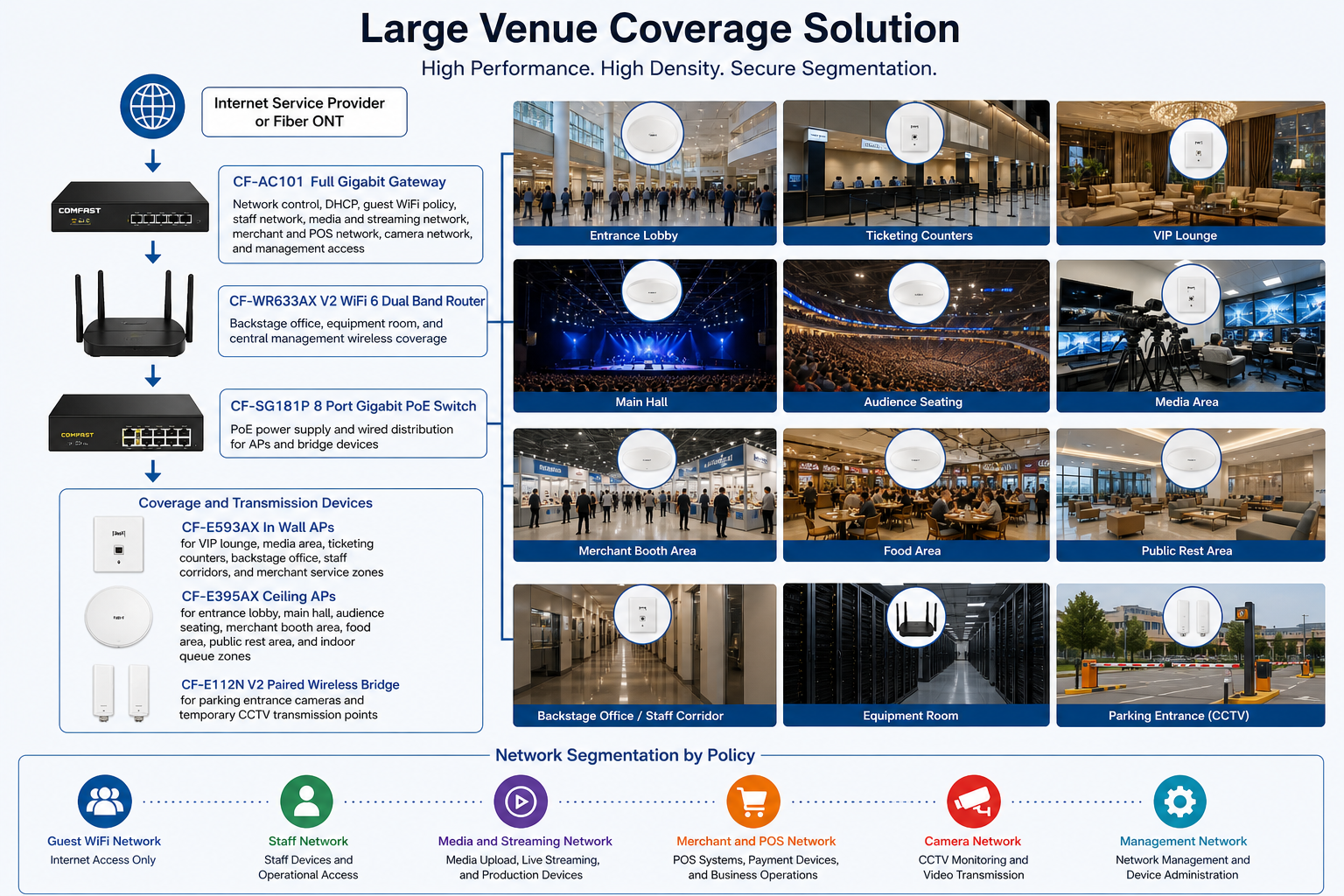
6. Project Topology Diagram
Overall Network Topology
7. Site Survey and Troubleshooting Process
Venue Structure and RF Survey
We surveyed the full venue, including the entrance lobby, check in counters, main hall, audience seating, stage, backstage, VIP lounge, media room, merchant booth area, food zone, staff office, equipment room, outdoor queue area, and parking entrance. The main hall had high ceilings, metal truss structures, LED screens, stage lighting, audio equipment, and temporary booth materials. These conditions required careful AP placement and interference control.
Capacity and Concurrent User Evaluation
We reviewed event types and expected attendance with the venue team. A full event could bring thousands of smartphones, tablets, laptops, POS devices, media devices, staff terminals, and temporary event systems. We designed around real concurrent device behavior rather than empty venue signal readings.
Entrance and Ticketing Flow Review
The entrance area had the most concentrated short term traffic. Before events, attendees arrived in waves and staff used ticket scanners continuously. We treated this as a business critical zone and planned protected access for ticketing and staff devices.
Media and Streaming Requirement Review
The media room required stable upload and controlled access for press teams, livestream operators, and event communication staff. We confirmed that media traffic needed a dedicated policy instead of sharing the guest WiFi environment.
Merchant and POS Area Inspection
Food vendors and merchandise booths required stable connectivity for POS and payment devices. We mapped vendor table locations and tested signal from expected booth positions, not just aisle centers.
Outdoor Queue and Parking Camera Survey
The outdoor queue area and parking entrance needed staff device access and camera transmission support. Exterior walls, distance, and hardscape made direct indoor signal unreliable. For parking cameras, we selected wireless bridge transmission to avoid cutting pavement or running exposed cables.
Network Cabinet and PoE Readiness Check
The venue equipment room had existing cabling, but labels were incomplete. We tested cable routes, confirmed AP drops, cleaned patching, planned PoE switch placement, and prepared a clear port labeling system for handover.
8. Problems Found During Implementation
The Original Network Worked Only During Small Events
The existing system was acceptable when the venue was lightly occupied. During full events, the network failed because it did not have enough capacity planning, proper segmentation, or interference control. We redesigned the system for real event conditions.
High Ceiling Areas Needed Better AP Placement Strategy
The main hall ceiling was high, and APs placed only for installer convenience would not create even signal at user level. We adjusted AP positions based on seating sections, walking paths, and actual user device locations.
AP Quantity Alone Could Create More Interference
The venue team initially believed more APs would automatically solve all issues. We explained through testing that too many poorly planned APs can create co channel interference and roaming problems. We balanced AP quantity, channel planning, and transmit power.
Ticketing Devices Needed Protection from Guest WiFi Traffic
Check in tablets and ticket scanners could not share the same policy as thousands of guest devices. We separated ticketing and staff devices from the guest network and gave them a more controlled operational path.
Media Upload Needed a Dedicated Network
Media users had upload heavy behavior, especially during live event moments. We created a media and streaming network to protect upload performance from general attendee traffic.
Outdoor Camera Cabling Was Not Practical
Parking entrance cameras and temporary event cameras could not be cabled cleanly without disrupting traffic or damaging hard surfaces. CF-E112N V2 paired wireless bridges provided stable CCTV transmission without disruptive construction.
Business, Guest, Media, Camera, and Management Traffic Were Mixed
The old network lacked clear separation. This made the system difficult to manage and exposed business devices to unnecessary traffic. We redesigned the network into separated groups for guest access, staff operation, media, merchant POS, cameras, and management.
9. Final Engineering Solution
Core Gateway and Network Control
The CF-AC101 full gigabit gateway was installed as the central network control point. It handled network segmentation, IP assignment, access policies, guest WiFi control, staff network control, media network support, merchant POS network separation, camera network planning, and management access.
PoE Based Distribution
The CF-SG181P 8 port gigabit PoE switch powered APs and selected network devices. Centralized PoE power reduced local adapters, kept installation clean, and made device maintenance easier.
Indoor High Traffic Coverage
CF-E395AX ceiling APs were used in the entrance lobby, main hall, audience seating area, merchant booth zone, food area, rest area, and wide public corridors. These areas needed broad coverage and capacity support for many moving users.
Focused Zone Coverage
CF-E593AX in wall APs were used in VIP lounge rooms, media rooms, ticketing counters, backstage offices, staff corridors, and merchant service zones. These areas needed clean installation and more controlled local coverage.
Backstage and Management Coverage
The CF-WR633AX V2 provided WiFi 6 dual band coverage for the backstage office, equipment room, and management area. It supported venue administration, event coordination, and restricted technical access.
CCTV Wireless Bridge Transmission
CF-E112N V2 paired wireless bridges were installed for parking entrance cameras and temporary CCTV transmission points. After alignment, we tested video stability and confirmed consistent monitoring during event simulation.
10. Different Area Network Design
Entrance and Ticketing Area Coverage
The entrance and ticketing area was designed as a peak traffic zone. CF-E395AX ceiling APs provided broad coverage, while ticketing devices were separated from guest WiFi. This kept QR scanning and check in tablets stable during arrival waves.
Main Hall Coverage
The main hall required both coverage and capacity. We placed CF-E395AX ceiling APs according to user density zones, seating layout, and stage sight lines. We tuned power so attendees connected to nearby APs instead of holding weak long distance connections.
Audience Seating Area Coverage
The audience seating area was tested from front, middle, rear, and side seating sections. The design focused on consistent user level signal and controlled AP overlap.
Stage and Backstage Coverage
The stage and backstage areas supported production staff, speaker devices, event control equipment, and management communication. Coverage was designed to avoid interference from audio, lighting, and temporary stage systems.
VIP Lounge Coverage
The VIP lounge received dedicated CF-E593AX in wall AP coverage and a controlled access network. This gave sponsors, speakers, executives, and premium guests a more stable and private experience.
Media and Live Streaming Area Coverage
The media area was assigned a dedicated media and streaming network. This protected upload traffic and helped prevent livestream support from being affected by guest WiFi load.
Merchant Booth and POS Network
Merchant booths used a separated merchant and POS network. This allowed food vendors, merchandise sellers, and temporary exhibitors to process transactions without sharing the same network path as general attendees.
Food and Rest Area Coverage
Food and rest areas had steady traffic throughout events. We designed coverage for attendees, vendor devices, mobile payments, staff communication, and guest app usage.
Staff Office and Operations Area Coverage
Staff offices and operations areas used controlled access coverage for internal communication, event coordination, ticketing support, and IT maintenance.
Outdoor Queue Area Coverage
The outdoor queue area needed support for staff devices and guest ticket app access before entry. We planned coverage around queue lines, entrance doors, and security screening positions.
Parking Entrance and CCTV Transmission
Parking entrance cameras and temporary monitoring points used CF-E112N V2 wireless bridge transmission. This avoided trenching and reduced disruption to vehicle flow.
11. Network Segmentation and Security Design
Guest WiFi Network
The guest WiFi network was used by attendees for general internet access, event app usage, messaging, and browsing. Guest devices were isolated from business systems and management devices.
Staff Network
The staff network supported ticketing teams, ushers, security supervisors, event coordinators, and internal operations devices. This network was protected from guest traffic to maintain stable venue operation.
Media and Streaming Network
The media and streaming network was reserved for press teams, content upload, production coordination, and livestream support. This prevented upload heavy traffic from being mixed with general guest WiFi.
Merchant and POS Network
The merchant and POS network supported food vendors, merchandise sellers, temporary exhibitors, and payment devices. This network was separated to improve transaction stability.
Camera Network
The camera network supported fixed and temporary CCTV devices, including wireless bridge transmission points. Keeping camera traffic separate improved monitoring reliability.
Management Network
The management network was used for gateway, router, AP, PoE switch, and bridge maintenance. Access was restricted to authorized technical staff.
12. Capacity Planning and Peak Traffic Strategy
Designing for Real Event Behavior
We did not design based only on the venue’s empty floor plan. We reviewed how people entered, where they waited, where they sat, where vendors operated, where media teams uploaded content, and where staff moved during an event. The network was designed around real behavior.
Arrival Peak Protection
The entrance and ticketing zone received special planning because the highest short term connection pressure happened before events. Ticketing devices were protected by policy and separated from guest WiFi.
Main Hall Load Distribution
The main hall AP layout was planned to distribute users across multiple APs. Power tuning helped prevent devices from sticking to distant APs when closer coverage was available.
Business Traffic Priority
Ticketing, merchant POS, staff devices, media upload, and camera traffic were treated as operational traffic. These networks were protected from general attendee browsing and app usage.
13. What We Did Differently from Other Engineering Teams
We Designed for Venue Workflow, Not Only Signal Bars
Some installers only check whether the WiFi signal appears on a phone. We tested ticket scanning, crowd arrival, vendor POS, staff roaming, media upload, VIP access, outdoor queue behavior, and CCTV transmission.
We Did Not Simply Add More APs
More APs can make performance worse if channels and power are not controlled. We balanced AP placement, transmit power, and channel planning to improve capacity without creating unnecessary interference.
We Protected Revenue and Operations Systems
Ticketing, POS, media, staff, and camera networks were separated from guest WiFi. This protected the systems that directly affected venue revenue, safety, and event execution.
We Planned Around Construction Windows
The venue could not stop hosting events for a long shutdown. We coordinated work during dark days, early mornings, and late evenings. This helped complete the project without affecting scheduled bookings.
We Delivered Documentation, Not Just Hardware
The venue received AP location records, port labels, network group notes, wireless bridge location records, and basic troubleshooting guidance. A professional network must remain serviceable after the contractor leaves.
14. Installation and Optimization Details
Cable Testing and Labeling
Before device installation, we tested existing cable routes and labeled both ends. Each AP and bridge connection was recorded in the handover document. This reduced future troubleshooting time.
Network Cabinet Organization
The CF-AC101 gateway and CF-SG181P PoE switch were installed in the equipment room. Patch cables were organized, key connections were labeled, and management access information was documented for the IT team.
AP Mounting
CF-E395AX ceiling APs were mounted in high traffic and large open areas. CF-E593AX in wall APs were installed in VIP, media, office, ticketing, backstage, and staff zones. Each mounting point was checked for coverage value, appearance, safety, and maintenance access.
Wireless Bridge Alignment
CF-E112N V2 paired wireless bridges were aligned for parking entrance and temporary CCTV points. We tested video feed continuity and checked link stability before acceptance.
Channel and Power Optimization
We tuned AP channels and transmit power after installation. This step was critical because large venues often suffer from AP overlap and co channel interference when power is set too high.
Roaming and Zone Movement Testing
We tested movement from entrance to check in, check in to main hall, main hall to seating areas, seating to food area, food area to rest zone, backstage to stage, and VIP lounge to media room. Staff devices and event tablets were tested during movement.
Operational Simulation
We simulated event conditions with guest devices, check in tablets, merchant POS units, media upload devices, staff handheld terminals, and camera feeds active at the same time. This helped confirm that the network was ready for real venue operation.
15. Project Acceptance Results
Final Acceptance Checklist
Entrance lobby WiFi coverage test passed.
Ticketing and QR check in test passed.
Main hall high density coverage test passed.
Audience seating area signal and roaming test passed.
Stage and backstage staff network test passed.
VIP lounge network test passed.
Media upload and streaming network test passed.
Merchant POS network test passed.
Food and rest area WiFi test passed.
Outdoor queue area connection test passed.
Parking entrance CCTV bridge transmission test passed.
Guest and business network isolation test passed.
Management network access test passed.
AP location documentation, port labeling, topology notes, and IT handover completed.
16. Customer and User Feedback
Venue Operations Director Feedback
The venue operations director said, “The entrance flow improved immediately. Our check in tablets stayed connected, and the guest WiFi no longer slowed down our operational systems.”
IT Manager Feedback
The IT manager said, “This is the first time our venue network has been clearly documented. The AP locations, port labels, and network groups are easy to understand and maintain.”
Event Coordinator Feedback
The event coordinator said, “Staff devices were stable from the entrance to backstage. That made event communication much smoother.”
Media Team Lead Feedback
The media team lead said, “Upload performance was much more consistent. We were able to send event content and support streaming without fighting general attendee traffic.”
Merchant Vendor Feedback
A merchant vendor reported that POS transactions remained stable throughout the busiest food service period, which reduced payment delays and improved customer flow.
Security Supervisor Feedback
The security supervisor confirmed that the parking entrance camera feed remained steady during the event and that temporary camera transmission was much cleaner than running exposed cables.
Attendee Feedback
Attendees reported faster WiFi access in the main hall, smoother event app loading, and better connectivity in the food and rest areas compared with previous events.
17. Project Summary
Final Result
Project Grand Harbor Venue was a successful Large Venue Coverage Solution for a multi purpose event center in Seattle. The project solved weak event performance, unstable ticketing traffic, poor media upload, merchant POS interruptions, mixed network structure, outdoor queue coverage gaps, and parking entrance CCTV transmission challenges.
The final COMFAST based solution used the CF-AC101 full gigabit gateway, CF-WR633AX V2 WiFi 6 dual band router, CF-E593AX in wall APs, CF-E395AX ceiling APs, CF-E112N V2 paired wireless bridge, and CF-SG181P 8 port gigabit PoE switch.
The most important achievement was not simply improving signal strength. The real achievement was building a venue network that supports different user groups with different priorities. Guests can connect, staff can operate, media can upload, merchants can sell, cameras can transmit, and the IT team can maintain the system with confidence.
For a large venue, WiFi is part of the operating infrastructure. When the network works well, ticketing moves faster, events run smoother, vendors sell more efficiently, media teams perform better, and guests have a better experience.
18. Lessons Learned and Advice to Other Contractors
Lessons Learned
Large venue WiFi must be designed for real event load, not empty room signal readings.
Ticketing and check in areas need special capacity and priority planning.
High ceilings and large open spaces require field tested AP placement.
More APs do not automatically mean better performance.
Channel planning and transmit power control are essential in multi AP venue projects.
Media upload and livestream support should be separated from general guest WiFi.
Merchant POS and ticketing systems must be protected from attendee traffic.
Wireless bridges are useful when remote CCTV points are difficult to cable.
A clean handover document is part of professional project delivery.
Advice to Other Contractors
For large venue projects, do not begin with hardware quantity. Begin with the venue workflow. Understand how guests enter, where tickets are scanned, where the crowd gathers, where media teams upload, where vendors process payments, where staff move, and where cameras are needed. The network should follow the operation of the venue.
Do not rely on signal bars alone. A venue can show strong signal and still fail under load. Test capacity, roaming, business devices, media upload, POS transactions, and camera feeds before calling the project finished.
Do not put guest WiFi, ticketing, staff, media, merchant POS, cameras, and management devices into one flat network. Segmentation is one of the most important differences between a professional venue network and a temporary setup.
A large venue WiFi project is complete only when the venue can host a full event with stable guest access, fast ticketing, reliable staff communication, smooth media upload, steady POS transactions, secure camera transmission, and a maintainable network structure. That was the standard we delivered for Project Grand Harbor Venue.