A Plain-Language Buying Guide
Is your laptop dropping Zoom calls? Is the desktop in the bedroom stuck at 2 Mbps? The fastest way to cure bad Wi-Fi is to give the machine a new radio—but shops are full of USB sticks, half-height cards and shiny gaming boards. Below is a five-minute checklist that tells you exactly which type will fit, and why.

1. USB adapters: the plug-and-play fix
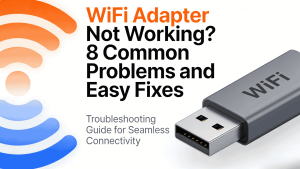
What it is: A small external dongle that adds Wi-Fi through any free USB-A or USB-C port.
Good points:
– No screwdriver required.
– Moves easily to a new computer.
– Models with a cradle or extension cable let you place the antenna away from the metal case for a cleaner signal.
Best for: Office laptops, office towers that were built without Wi-Fi, or anyone who rents a PC and is not allowed to open it.
2. PCIe adapters: the desktop power-up
What it is: A card that slots into the same kind of socket used by graphics cards. Antennas screw on to the back bracket.
Good points:
– Direct path to the CPU, so latency is lower and top speed is higher.
– Larger antennas and beam-forming give better range.
– Stays inside the case—nothing to snap off when you move the tower.
Best for: Gamers, streamers, home-office workers who need rock-solid 5 GHz or 6 GHz, and anyone happy to remove two screws.
3. M.2 adapters: the laptop or mini-PC transplant
What it is: A wafer-thin card that plugs into the M.2 E-key or A/E-key slot found inside most notebooks, Intel NUCs and mini desktops.
Good points:
– Tiny and light—perfect for ultrabooks.
– Draws less battery than an external dongle.
– Supports the same Wi-Fi 6/6E/7 standard as bigger cards.
Best for: Replacing a broken Intel Centrino or Qualcomm card, or upgrading a mini PC that has no room for PCIe.
How to decide in 30 seconds
– Can you open the case and see spare slots?
– Desktop tower → PCIe card.
– Laptop / NUC → M.2 card.
– Can’t (or don’t want to) open anything? → USB adapter.
Whatever the answer, pick Wi-Fi 6 or newer (AX or BE in the model name). The latest COMFAST USB, PCIe and M.2 cards all hit 3× to 5× the speed of 2015-era hardware and ship with Windows, macOS and Linux drivers. Plug it in, install the driver, and the buffer wheel disappears—no jargon required.