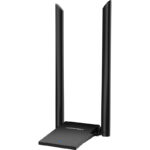
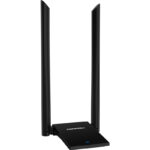
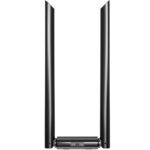
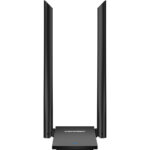
1300Mbps Dual Band Wireless Adapter

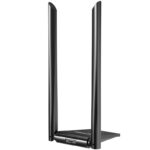
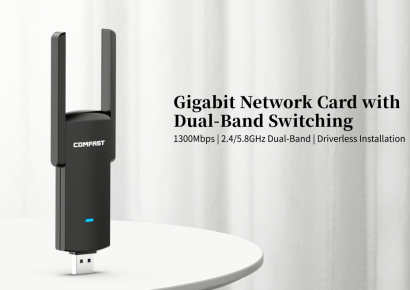
CF-WU782AC V2 is a 1300Mbps dual-band plug-and-play wall-penetrating wireless adapter, designed to solve users’ connectivity problems. With its rich features such as strong wall penetration, driver-free installation, and high-speed capabilities, it allows users to enjoy smooth video streaming, music, gaming, shopping, and more.

  • Thoughtful anti-slip design at all four corners; antenna supports 180° rotation

  • 1300Mbps high-speed wireless rate

  • 2.4GHz/5.8GHz dual-band compatibility

  • Complies with IEEE802.11a/b/g/n/ac wireless standards

  • External 2x6dBi dual-band blade antennas for stronger signal

  • Excellent wall-penetration, ensuring stronger signal

  • Compatible with mainstream operating systems

  • AP mode function, can be used as a wireless router/AP

  • Includes a USB extension cable for flexible placement

Зв'яжіться з нами

Online Service

Service hours: Mon-Fri 9:00-12:00, 13:30-18:30 (excluding holidays)

Product Repair

Repair Address

9th-10th Floor, Building H, Huanan Digital Valley, No.1Huanan Road, Longhua District, Shenzhen, China

Telephone

Phone: 86-755-83790059
ZIP/Postal code:518109

Service Time

Monday to Friday
9:00-12:00,13:30-18:30

Опис

*The product images and demonstration scenarios on this page are for illustrative purposes only and may have slight differences from the actual product. Please refer to the physical product for accuracy.
*The data on this page are theoretical values obtained from COMFAST’s internal laboratory under specific testing conditions. Actual usage may vary due to individual product differences, software versions, usage conditions, and environmental factors. Please refer to real-world usage for accurate representation.
*To provide as accurate product information, specifications, and features as possible, COMFAST may periodically adjust and revise the text descriptions, image effects, and other content on this page to ensure alignment with actual product performance, specifications, packaging, and accessories. Should such adjustments or revisions become necessary, no prior notice will be provided.

Product Model CF-WU782AC V2
Antenna Built in 2*6dBi Antenna
USB Port Mini USB3.0/Compatible Mini USB2.0
Wireless Frequency 2.412-2.484GHz
5.180-5.825GHz
Wireless Standard IEEE802.11a/b/g/n/ac
Transmission Rate 11b: 1/2/5.5/11Mbps
11g: 6/9/12/18/24/36/48/54Mbps
11n: 400Mbps
11ac: 867Mbps
Transmit Power 18dBm(max)
Encryption WPA-PSK/WPA2-PSK
WPA/WPA2
WEP
Physical Features Size: 90*55*198mm
Support OS Windows 7 / 8 / 8.1 / 10(32 digit, 64 digit) / 11;
Windows XP, Mac, Linux systems need to download the
driver installation package separately.
Working Environment Working Temperature: 0℃~40℃
Storage Temperature: -40℃~70℃
Working Humidity: 10%~90%RH Non-condensing
Storage Humidity: 5%~90%RH Non-condensing
Packing List 1*Wireless Adapter
1*USB Data Line
1*Quick Installation Guide
Other functions To simulate AP functions, you need to install UI driver or
third-party software configuration

Be Familiar With Quickly

Follow the guide quickly

Initial video configuration

Product Performance Introduction

Product Video

Frequently Asked Question

1300Mbps Dual Band Wireless Adapter

CF-WU782AC V2 is a 1300Mbps dual-band plug-and-play wall-penetrating wireless adapter, designed to solve users’ connectivity problems. With its rich features such as strong wall penetration, driver-free installation, and high-speed capabilities, it allows users to enjoy smooth video streaming, music, gaming, shopping, and more.

  • Thoughtful anti-slip design at all four corners; antenna supports 180° rotation

  • 1300Mbps high-speed wireless rate

  • 2.4GHz/5.8GHz dual-band compatibility

  • Complies with IEEE802.11a/b/g/n/ac wireless standards

  • External 2x6dBi dual-band blade antennas for stronger signal

  • Excellent wall-penetration, ensuring stronger signal

  • Compatible with mainstream operating systems

  • AP mode function, can be used as a wireless router/AP

  • Includes a USB extension cable for flexible placement

Зв'яжіться з нами

Online Service

Service hours: Mon-Fri 9:00-12:00, 13:30-18:30

(excluding holidays)

Product Repair

Repair Address

9th-10th Floor, Building H, Huanan Digital Valley, No.1Huanan Road, Longhua District, Shenzhen, China

Telephone

Phone: 86-755-83790059
ZIP/Postal code:518109

Service Time

Monday to Friday
9:00-12:00,13:30-18:30

Опис

*The product images and demonstration scenarios on this page are for illustrative purposes only and may have slight differences from the actual product. Please refer to the physical product for accuracy.
*The data on this page are theoretical values obtained from COMFAST’s internal laboratory under specific testing conditions. Actual usage may vary due to individual product differences, software versions, usage conditions, and environmental factors. Please refer to real-world usage for accurate representation.
*To provide as accurate product information, specifications, and features as possible, COMFAST may periodically adjust and revise the text descriptions, image effects, and other content on this page to ensure alignment with actual product performance, specifications, packaging, and accessories. Should such adjustments or revisions become necessary, no prior notice will be provided.

Product Model CF-WU782AC V2
Antenna Built in 2*6dBi Antenna
USB Port Mini USB3.0/Compatible Mini USB2.0
Wireless Frequency 2.412-2.484GHz
5.180-5.825GHz
Wireless Standard IEEE802.11a/b/g/n/ac
Transmission Rate 11b: 1/2/5.5/11Mbps
11g: 6/9/12/18/24/36/48/54Mbps
11n: 400Mbps
11ac: 867Mbps
Transmit Power 18dBm(max)
Encryption WPA-PSK/WPA2-PSK
WPA/WPA2
WEP
Physical Features Size: 90*55*198mm
Support OS Windows 7 / 8 / 8.1 / 10(32 digit, 64 digit) / 11;
Windows XP, Mac, Linux systems need to download the
driver installation package separately.
Working Environment Working Temperature: 0℃~40℃
Storage Temperature: -40℃~70℃
Working Humidity: 10%~90%RH Non-condensing
Storage Humidity: 5%~90%RH Non-condensing
Packing List 1*Wireless Adapter
1*USB Data Line
1*Quick Installation Guide
Other functions To simulate AP functions, you need to install UI driver or
third-party software configuration

Be Familiar With Quickly

Follow the guide quickly

Initial video configuration

Product Performance Introduction

Product Video

Frequently Asked Question